Samsung MV800: Is the Flip-Screen Camera Worth It?
The question this answersWhere do these come from?
Is the Samsung MV800 flip-screen camera worth buying?
The Samsung MV800 suits casual selfies and nostalgic snapshots, but check the hinge, battery and 32GB card limit before buying.
The Samsung MV800 is a 16.1-megapixel compact digital camera with a 3-inch touchscreen that flips upward for self-portraits and a 5x optical zoom. It is worth considering for that distinctive shooting experience, provided you accept its 720p video ceiling and inspect the individual camera carefully. Samsung’s launch announcement documents the camera’s core features; its user manual specifies its video modes.
The buying verdict is conditional: consider the MV800 for casual still photographs and a screen you can see while facing the lens. Skip the Samsung MV800 if you need 1080p or 4K recording: its maximum video resolution is 1280 × 720 at 30 frames per second. A working flip screen cannot overcome that recording limit.
What the flip screen actually lets you do
Samsung introduced the MV800 in 2011 under its MultiView camera branding. Its appeal is straightforward: you can change your viewing angle while keeping the camera pointed at your subject. The 26mm wide-angle end of its lens also helps you fit more of a group into the picture. These are practical reasons to choose it if you enjoy taking photographs with a separate pocket camera. Samsung MultiView announcement
The display flips upward through 180 degrees; it does not swivel sideways like a fully articulated camera screen. Raise it to face forward, then use the additional shutter button on the camera’s back. Samsung explicitly warns against moving the display beyond its designed travel. Samsung MV800 manual, “Using the screen”
That second shutter button deserves attention when buying a used example. A seller can demonstrate an ordinary photograph with the screen closed without demonstrating the control you will use for selfies. Ask to see both working.
For group portraits, compose at the wide end before deciding whether to zoom. Leave room around the people at the edges and check the actual saved image after the first shot. A front-facing preview helps you frame the photograph, but it does not establish that every face is sharp or that the flash has exposed the scene well.
When its photographs are worth the compromises
Published testing gives a more useful expectation than the megapixel count. Photography Blog found that detail deteriorated above ISO 400, with noise and softness evident at ISO 800. Its review includes full-resolution sample photographs, which are more informative than small social-media reproductions when deciding whether you like the output. Photography Blog’s MV800 review
Speed is another limitation. Photoxels measured approximately 2.5 seconds between shots, or about four photographs in ten seconds, in Program mode with automatic ISO. That result supports choosing the MV800 for posed photographs and patient shooting; it makes the camera harder to recommend for catching a child’s rapidly changing expression or a pet in motion. This is an inference from the published timing, rather than a test performed for this article. Photoxels’ handling tests
Just want the recommendation?
Skip to the picksIf you want the appearance associated with older digital-camera snapshots, examine examples made in lighting similar to yours. An outdoor portrait, a direct-flash party photograph and a dim room without flash place very different demands on the camera. The age or sensor label alone does not guarantee the appearance you have in mind.
Video deserves a separate decision. Besides the resolution ceiling, Samsung specifies a maximum recording duration of 20 minutes per clip. The MV800 can make short casual recordings, but it is the wrong purchase when your requirement includes extended uninterrupted recording. Samsung’s Movie mode instructions
What to check before buying a used MV800
Treat the following as an inspection checklist, not a claim that every MV800 develops these faults:
- Request a continuous demonstration of the screen. Have the seller show a live image with the display closed, partly raised and facing forward. Watch for flickering, disappearing images or changes that occur as the hinge moves.
- Check touch response across the display. Opening one menu proves very little. Ask for selections near different corners and a return to the shooting screen.
- Test both shutter buttons. Confirm that each produces a saved photograph, including the rear button with the screen raised.
- Exercise the lens and flash. Ask for photographs at both ends of the optical zoom and another with flash. Request the original files so you can inspect them beyond the small camera display.
- Confirm the included power accessories. Get a photograph of the battery label and the actual charging connection, rather than accepting a generic description such as “USB charger included.”
Samsung identifies the battery as BP70A. Its original endurance figure was approximately 200 photographs under Samsung’s stated test procedure; that figure does not establish the remaining capacity of a battery sold with a used camera. Samsung’s battery specifications
Cosmetic condition should come after these functional checks. A clean exterior cannot prove that the touchscreen, charging system or lens works consistently. If a screen fault appears during hinge movement, seek a repair assessment or return the camera; the symptom alone does not identify which internal component needs replacement. Confirm repair availability before accepting a faulty unit.
Buy the correct card and plan photo transfers
The overlooked compatibility detail is the card standard: Samsung documents microSD up to 2GB and microSDHC up to 32GB. A physically identical microSDXC card is outside that documented support. Choose a 32GB microSDHC card rather than assuming a larger card will work after formatting. Samsung MV800 storage specifications
The SanDisk Ultra 32GB microSDHC UHS-I with SD Adapter, SDSQUA4-032G-GN6MA, is a sensible accessory for this camera. SanDisk specifies both the 32GB capacity and microSDHC format, and includes a full-size SD adapter. The recommendation rests on matching those specifications; there is no camera-specific speed test here. Its drawback is limited capacity compared with modern cards, but the supported format matters more for this purchase. SanDisk’s specifications
Back up any existing photographs before formatting a card in the camera. For transfers, a reader with a microSD slot accepts the card directly; a full-size SD reader needs the adapter. Match the reader’s connector and compatibility to your computer or phone. The included SD adapter changes the card’s physical size—it does not connect directly to a phone.
For a used-camera purchase, complete the whole process during the return window: charge it, take photographs, review them, transfer them and open the transferred files. That establishes whether the particular MV800 you received can deliver the experience you bought it for.
The bottom line
Both justify the spend at different budgets:
Top pick
It depends
Samsung Multiview MV800 16.1MP Digital Camera with 5x Optical Zoom Black
Samsung
The 180-degree display supports self-portraits, but recording tops out at 1280 × 720 at 30 fps.
Consider it for casual selfies and snapshots with its upward-flipping touchscreen. Its 720p video ceiling and the condition of the individual used camera limit its appeal.Available at Amazon(paid link) — opens Amazon in a new tab. Price and availability shown there.The alternative
Buy this
SanDisk Ultra 32GB microSDHC UHS-I Memory Card with Adapter SDSQUA4-032G-GN6MA
Sandisk
Its 32GB microSDHC specification falls within Samsung’s documented support for microSDHC cards up to 32GB.
A suitable storage choice that matches the MV800’s documented card format and capacity limit. Its included SD adapter still requires a separate reader if your device lacks an SD slot.Available at Amazon(paid link) — opens Amazon in a new tab. Price and availability shown there.
Recommended products
Ordered by how well each one fits the situations above. Each link below is a paid link.
Samsung Multiview MV800 16.1MP Digital Camera with 5x Optical Zoom Black
Samsung
It depends — The 180-degree display supports self-portraits, but recording tops out at 1280 × 720 at 30 fps.
Consider it for casual selfies and snapshots with its upward-flipping touchscreen. Its 720p video ceiling and the condition of the individual used camera limit its appeal.Available at Amazon(paid link) — opens Amazon in a new tab. Price and availability shown there.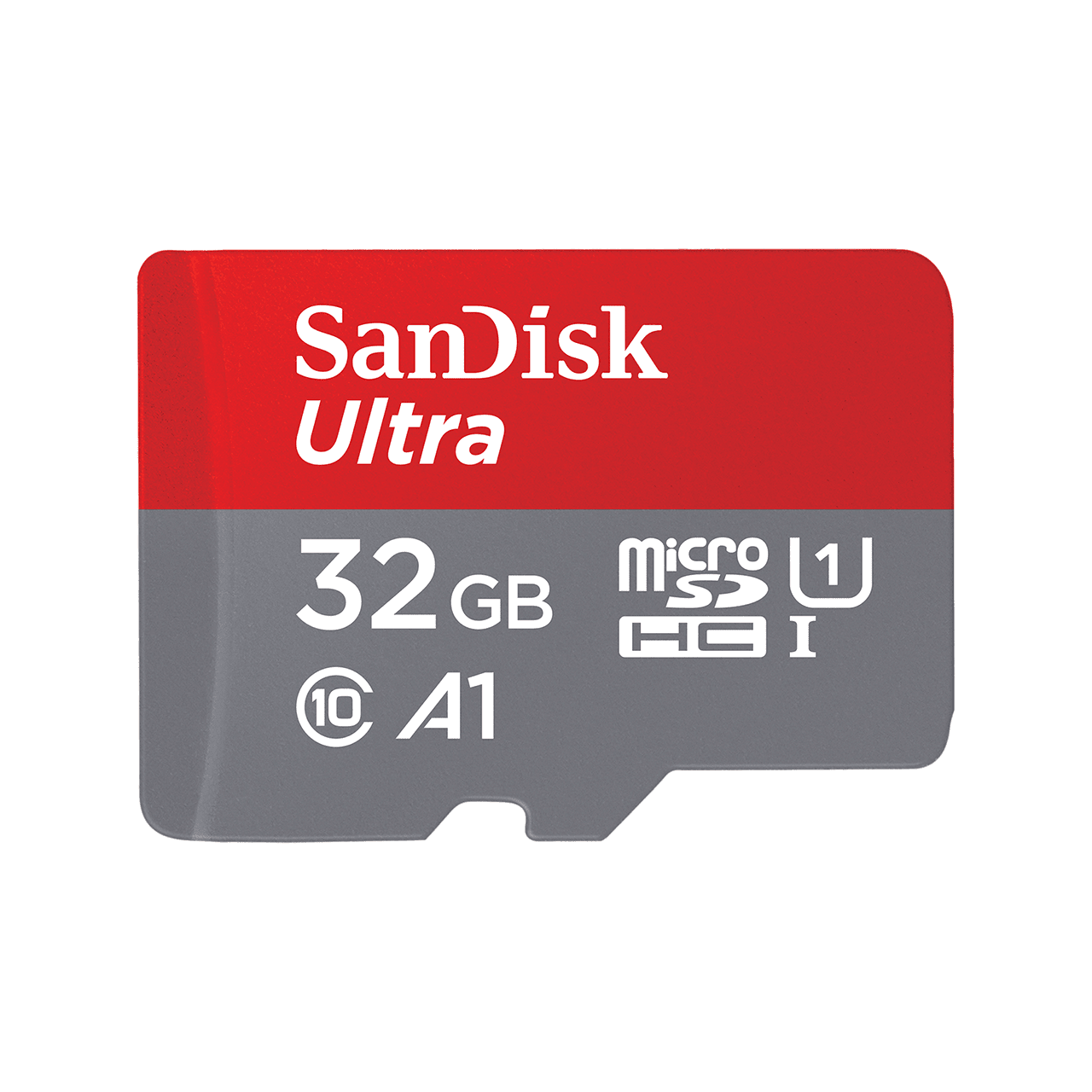
SanDisk Ultra 32GB microSDHC UHS-I Memory Card with Adapter SDSQUA4-032G-GN6MA
Sandisk
Buy — Its 32GB microSDHC specification falls within Samsung’s documented support for microSDHC cards up to 32GB.
A suitable storage choice that matches the MV800’s documented card format and capacity limit. Its included SD adapter still requires a separate reader if your device lacks an SD slot.Available at Amazon(paid link) — opens Amazon in a new tab. Price and availability shown there.

Sources
Pages consulted while researching this article. None of these are affiliate links.
- Samsung: Innovative MultiView Camera Offers Great Photography from All Angles — news.samsung.com
- Samsung MV800 English User Manual — scribd.com
- Photography Blog: Samsung MV800 Review — photographyblog.com
- Photoxels: Samsung MV800 Handling & Feel — photoxels.com
- Samsung MV800 Manual: Using the Movie Mode — manualowl.com
- Samsung MV800 Manual: Battery Specifications and Battery Life — manualowl.com
- SanDisk Ultra 32GB microSDHC with SD Adapter: Specifications — sandisk.com