PS5 Pro Falls Back to HDMI 2.0 After Rest Mode: The Fix
The questionWhere do these come from?
Rest mode bugs the HDMI?
Just sharing what I've observed with my setup: LG 4K OLED (HDR+VRR+120Hz) and HDMI 2.0 // PS5 Pro. I usually leave my console in rest mode and try to always enable 120Hz when available.
A certified Ultra High Speed HDMI cable rules out the cable in a minute, but a fallback tied to rest mode is almost always a TV or console handshake fault.
Swap in a cable carrying the actual HDMI Forum Ultra High Speed Certification hologram before touching any settings — it takes the cable out of the guessing game in under a minute, and it’s a cheap way to remove one variable from a three-way fault (cable, TV, console). But if the drop from 4K 120Hz only happens after the PS5 Pro wakes from rest mode, and never after a full cold restart, the cable was very likely never the cause. A cable’s physical bandwidth doesn’t change between boots. What changes is which handshake the console runs — and rest mode runs a shorter one than a cold boot does.
Why the cable is worth testing anyway, even though it’s rarely the cause
An HDMI cable that isn’t genuinely certified can absolutely explain a permanent fallback to HDMI 2.0-level bandwidth: an 18Gbps-rated cable simply can’t carry the signal a 4K 120Hz, 4:2:2 or better output needs, so the link negotiates down every single time, cold boot included. That’s a real, common cause, and it’s why BGR’s rundown of PS5 cable problems tells owners whose PS5-bundled cable is damaged or lost to replace it with “an officially certified UHS HDMI cable, not just any HDMI cable” — Ultra High Speed cables carry up to 48Gbps versus roughly 18Gbps for the Cat2/High Speed cables that shipped with older consoles and TVs.
What a bad cable does not usually explain is an intermittent fallback that shows up specifically after rest mode and not after a fresh power-on. If the cable were physically incapable of the bandwidth, it would fail the same way every time, because the cable’s copper doesn’t know or care whether the console just woke up or just booted. So testing a certified cable is still worth the two minutes it takes — it’s a fast way to rule one variable in or out completely — but don’t expect it to be the fix if the fault is tied specifically to waking from rest.
What actually changes between a cold boot and a rest-mode wake
A cold boot forces the PS5 Pro and the display through a full HDMI link negotiation: hot-plug detect, a fresh EDID read, and link training at the highest resolution and refresh rate both ends claim to support. Waking from rest mode is not the same process. The console’s HDMI transmitter doesn’t fully power down in rest mode, so on wake it re-establishes the link through a shorter retrain rather than the complete handshake a cold boot runs. If that retrain doesn’t request the same timing the cold boot did — because the TV’s port briefly reports different capabilities, or the retrain defaults to a safer fallback mode — the display shows up connected, but at HDMI 2.0-level bandwidth (roughly 18Gbps) instead of the 2.1-level mode that supports 4K 120Hz and VRR.
This isn’t unique to the PS5 Pro or invented by any one user. Samsung’s own community forum has a long-running thread of owners reporting “no signal with my PS5 and/or any 8K/4K 120/4K 60 4:4:4” specifically after the console wakes, and Sony’s own UK support community has a thread on “HDMI Handshake issues with PS5” describing the same wake-time renegotiation failure on a Sony TV. Different TV brands, same symptom: the link that worked a minute ago comes back at a lower spec after standby.
Just want the recommendation?
Skip to the picksOne thing worth knowing before you go looking for a setting to fix this: PlayStation’s own support documentation for rest mode lists exactly two toggles — Supply Power to USB Ports and Stay Connected to the Internet — and neither one touches how the HDMI link behaves on wake. There is no console menu option that directly controls the wake-time handshake, which is why this fault can’t be configured away from inside rest mode settings. The closest related control is Enable HDMI Device Link, under Settings > System > HDMI, which governs whether your TV can pull the PS5 into and out of rest mode over the HDMI-CEC line. It’s a different mechanism, but disabling it is worth trying, because on several TVs the CEC-triggered wake path runs an even shorter handshake than a manual wake from the controller.
The bandwidth the PS5 Pro is actually asking for
The full HDMI 2.1 spec allows up to 48Gbps, and that’s the number printed on the box of every Ultra High Speed cable. Sony’s own console hardware doesn’t use all of it. Independent measurement by NotebookCheck found the base PS5’s HDMI 2.1 output capped at 32Gbps rather than the full 48Gbps the standard permits, which is enough bandwidth for 4K 120Hz but forces 4:2:2 chroma subsampling on HDR content at that combination rather than full 4:4:4. Community measurement threads on AVS Forum reported the same figure independently. Sony has not published a different number for the PS5 Pro, and TechInsights’ teardown of the PS5 Pro shows the console using a different southbridge (a Sony CXD90069GG) than the launch console’s HDMI bridge chip, so it’s not confirmed whether the ceiling changed — but even in the best case, it doesn’t exceed the 48Gbps a certified Ultra High Speed cable is tested to carry. Practically: once you own a cable that’s genuinely certified, buying a “higher spec” cable buys nothing further, because the console was never going to use it.
What to rule out on the TV before blaming the console
Two TV-side settings cause exactly this symptom and get missed constantly, because they’re per-port rather than global:
- The HDMI port’s bandwidth/format setting. Most 2021+ TVs label the relevant option “HDMI UHD Color,” “Enhanced Format,” “Input Signal Plus,” or similar, and it has to be turned on individually for the specific port the PS5 Pro is plugged into. Left off, that port behaves like an 18Gbps HDMI 2.0 connection regardless of what cable is attached to it — which looks identical to a cable fallback. Some TVs have been documented resetting this setting after a firmware update, which would explain a fault that comes and goes rather than one that’s constant.
- Whether anything sits between the console and the TV. An AV receiver or soundbar in the signal path means two handshakes instead of one, and it’s frequently the receiver’s HDMI board, not the TV or the console, that fails to retrain properly on wake. Plug the PS5 Pro directly into the TV’s own HDMI 2.1 input temporarily; if the fallback stops happening, the receiver — not the cable — is the actual cause.
If it only happens after rest mode, never after a full restart
This is the pattern described in the original report, and it’s the cleanest signal that the fault sits in the wake-time handshake rather than in cable bandwidth. A short troubleshooting order, cheapest and least disruptive first:
- Confirm the current resolution and refresh rate the PS5 Pro thinks it’s outputting, under Settings > Screen and Video > Video Output — this tells you whether the console believes it’s still running 4K 120 while the TV has actually dropped it, or whether the console itself renegotiated down.
- Turn off Enable HDMI Device Link (or just its Power Off Link half) under Settings > System > HDMI, so the TV standing by doesn’t pull the console into rest mode over CEC, and test whether a fully manual rest-mode entry and wake still triggers the fallback.
- Update the TV’s firmware. Both of the community threads cited above eventually trace back to a firmware fix on the TV side, not a console fix.
- Try a different HDMI 2.1 port on the TV. If the fault follows the console to a different port, that points at the console; if it stays with that one port, that points at the TV’s port controller.
- Only after that, swap in a cable you’ve verified carries the genuine hologram-labeled Ultra High Speed Certification — not just “2.1” printed on the jacket, which isn’t the same claim and isn’t policed the same way. Counterfeit “certified” cables exist; the HDMI Forum’s certification program lets you scan the cable’s label with its verification app to confirm the certification is genuine rather than printed on.
If the fallback survives all five steps — direct TV connection, a different port, current firmware, Device Link off, and a verified certified cable — the fault is very likely in the console’s own HDMI transmitter, and that’s a case for PlayStation Support rather than anything a cable or setting change can resolve. Sony’s Change Video Output tool in Safe Mode is worth running first, since it forces a resolution/HDCP reset that a normal wake doesn’t — but a fault that only ever shows up after rest mode, reproduces on a second cable and a second display, is a repair conversation, not a settings one.
Which certified cable actually rules the cable out
| Cable | Certification | Length / build | Best fit |
|---|---|---|---|
| Zeskit Maya Ultra High Speed HDMI 2.1 | HDMI Forum ATC-tested, hologram-verified, 48Gbps | Copper, 1.5–16 ft | A single, permanent PS5 Pro-to-TV run |
| Cable Matters Ultra High Speed HDMI 2.1 (3-pack) | Same ATC certification program | Copper, fixed 6.6 ft each | Testing more than one port or device at once |
| BlueRigger Ultra High Speed HDMI 2.1 Fiber | Same 48Gbps spec, CL3 in-wall rated | Fiber optic, up to 25+ ft | Runs longer than roughly 15 ft, in-wall or to a projector |
A single certified copper cable, run directly from the PS5 Pro to the TV, is the right choice for the overwhelming majority of setups and is what to buy to close off the cable question for good. Reach for the multi-pack instead only if you’re testing several ports or devices in the same session — it’s the same certification, just split across three shorter cables rather than one longer one, so it’s economical for isolation testing but wasteful if you only need a single run. Reach for the fiber option only if the physical distance between the console and the display is long enough that a copper run is genuinely at the edge of what 48Gbps signaling can carry reliably; fiber removes that margin entirely, at the cost of a cable that only works installed in one direction and is less tolerant of sharp bends than copper.
The bottom line
Two candidates — the symptom tells you which:
Top pick
Buy this
Zeskit Maya 8K Certified Ultra High Speed HDMI 2.1 Cable 48Gbps
Zeskit Maya
HDMI Forum ATC certification with a scannable hologram label confirms genuine 48Gbps signaling, which exceeds every bandwidth figure independently measured on PS5 hardware.
This is the certified Ultra High Speed HDMI 2.1 cable itself — ATC-tested to the HDMI Forum’s mandatory 48Gbps standard, well above the roughly 32Gbps the PS5 Pro’s HDMI output actually uses, so it removes cable bandwidth as a possible cause of the fallback in one swap.Available at Amazon(paid link) — opens Amazon in a new tab. Price and availability shown there.The alternative
It depends
BlueRigger 10K 8K Fiber Optic HDMI 2.1 Cable 25ft Ultra High Speed
BlueRigger
Certified to the same 48Gbps Ultra High Speed spec as copper cables, but fiber removes the signal-integrity margin that gets thin on copper runs past roughly 15 ft.
An alternative cable type to reach for only if the console-to-display distance is long enough that a copper Ultra High Speed cable is near its reliable limit — fiber carries the same certified 48Gbps signal without copper’s distance-driven signal loss, at the cost of a directional, more bend-sensitive cable.Available at Amazon(paid link) — opens Amazon in a new tab. Price and availability shown there.
Recommended products
Ordered by how well each one fits the situations above. Each link below is a paid link.
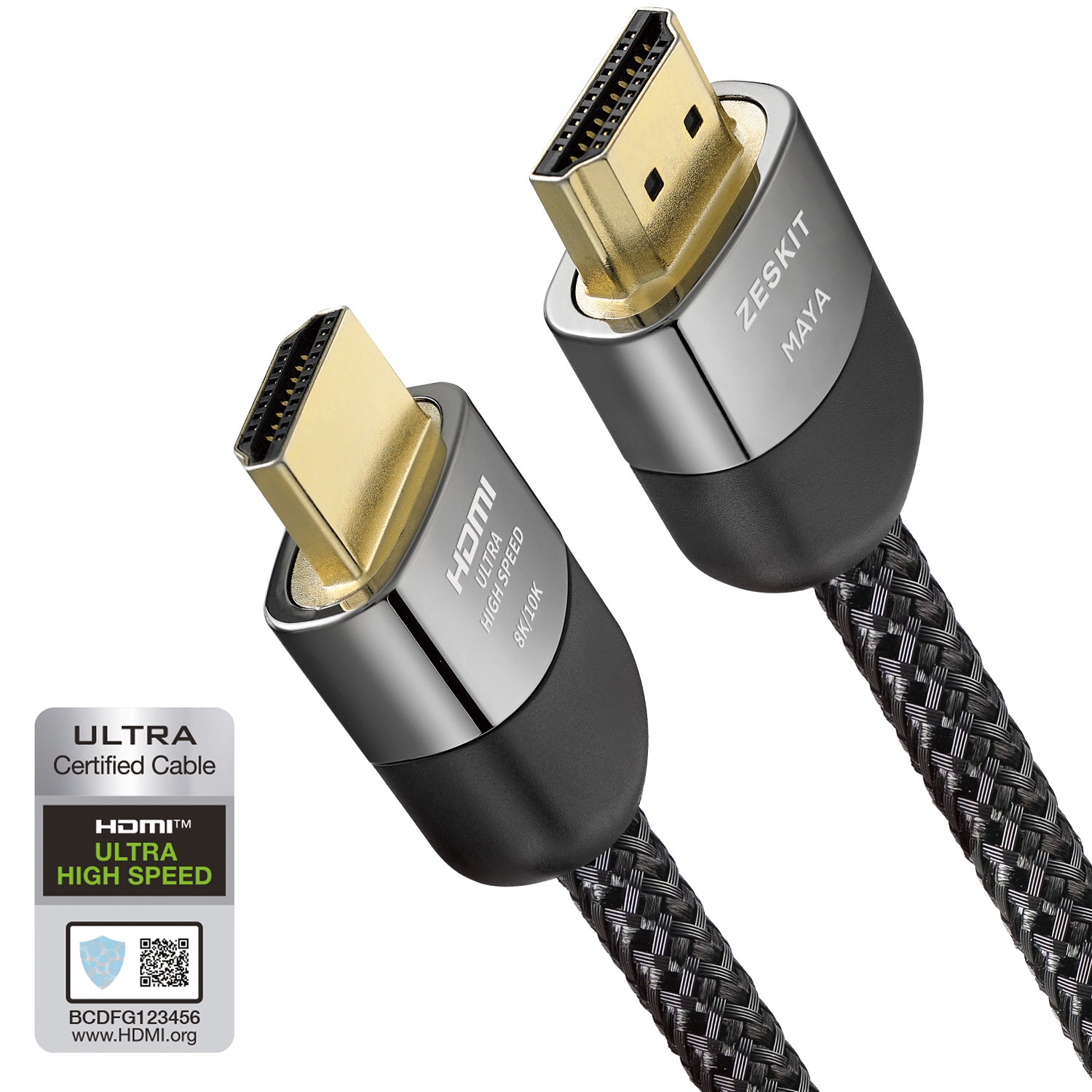
Zeskit Maya 8K Certified Ultra High Speed HDMI 2.1 Cable 48Gbps
Zeskit Maya
Buy — HDMI Forum ATC certification with a scannable hologram label confirms genuine 48Gbps signaling, which exceeds every bandwidth figure independently measured on PS5 hardware.
This is the certified Ultra High Speed HDMI 2.1 cable itself — ATC-tested to the HDMI Forum’s mandatory 48Gbps standard, well above the roughly 32Gbps the PS5 Pro’s HDMI output actually uses, so it removes cable bandwidth as a possible cause of the fallback in one swap.Available at Amazon(paid link) — opens Amazon in a new tab. Price and availability shown there.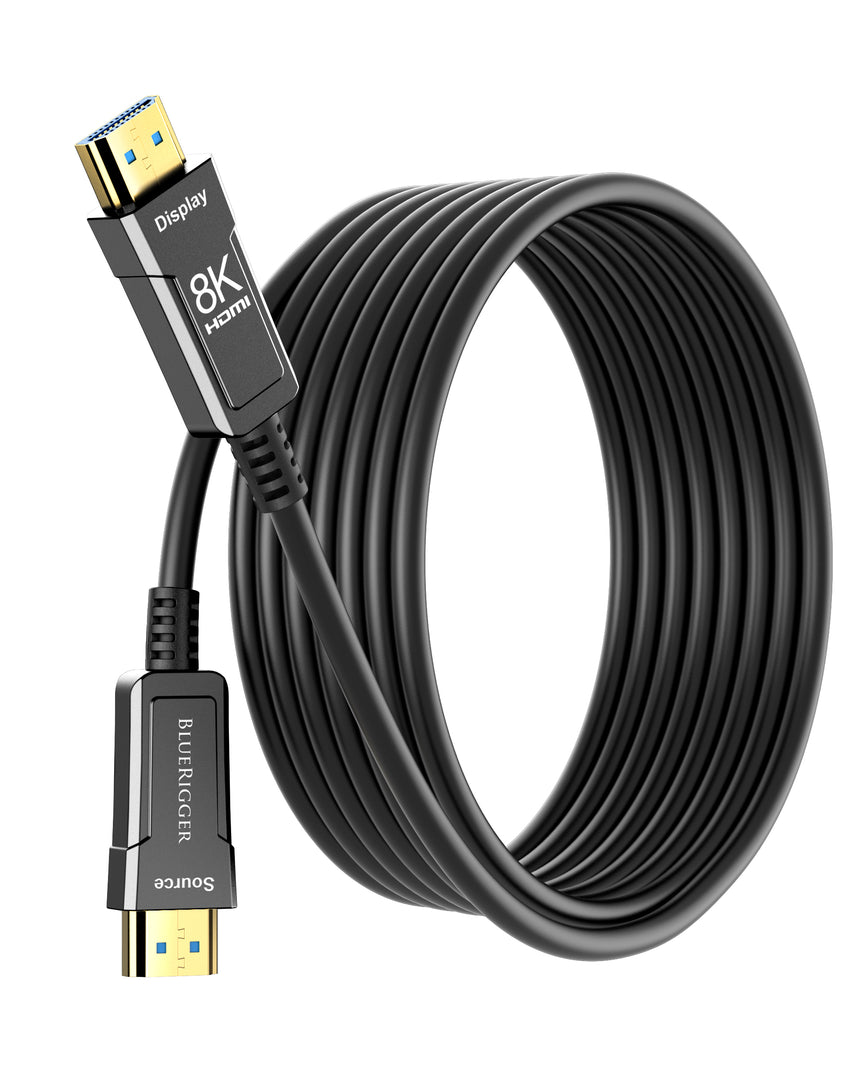
BlueRigger 10K 8K Fiber Optic HDMI 2.1 Cable 25ft Ultra High Speed
BlueRigger
It depends — Certified to the same 48Gbps Ultra High Speed spec as copper cables, but fiber removes the signal-integrity margin that gets thin on copper runs past roughly 15 ft.
An alternative cable type to reach for only if the console-to-display distance is long enough that a copper Ultra High Speed cable is near its reliable limit — fiber carries the same certified 48Gbps signal without copper’s distance-driven signal loss, at the cost of a directional, more bend-sensitive cable.Available at Amazon(paid link) — opens Amazon in a new tab. Price and availability shown there.
Sources
Pages consulted while researching this article. None of these are affiliate links.
- Ultra High Speed HDMI® Cable Certification Program — hdmiforum.org
- Ultra High Speed HDMI Cable - Bandwidth Up To 48Gbps — hdmi.org
- A Look at the Official HDMI® Cable Certification Programs — hdmi.org
- Deal-breaker alert: PS5 HDMI 2.1 bandwidth is capped at 32 Gbps, chroma subsampling is enforced on HDR games running in 4K 120 Hz — notebookcheck.net
- Put your console in rest mode - PlayStation Support — playstation.com
- PlayStation 5 Support — playstation.com
- Change Video Output (Safe Mode) - PlayStation Support — playstation.com
- S95C signal dropouts with Sony PlayStation 5 - Samsung Community — us.community.samsung.com