Nikon Z6 II Low-Light AF: Settings That Matter
The question this answersWhere do these come from?
What autofocus settings should I use for low-light shooting on the Nikon Z6 II?
The Z6 II’s −6 EV autofocus rating requires AF-S and Low-light AF; moving subjects need different settings and realistic expectations.
The Nikon Z6 II can focus in very dim light, but its advertised −6 EV limit applies to AF-S with Low-light AF enabled—not continuous tracking. For a stationary subject, start with AF-S, Single-point AF, and Custom Setting a10 → Low-light AF → On; Nikon warns that this extra sensitivity can make focusing slower. Nikon AF specifications, Low-light AF settings.
The useful distinction is whether the camera cannot acquire focus, cannot identify an eye, or cannot follow movement. Those failures can look similar through the viewfinder, but the same setting will not solve all three.
For stationary subjects, enable the slower AF-S mode
Use this starting procedure for interiors, night scenes, products, or someone who can hold still:
- Select photo mode and turn the mode dial to P, S, A, or M.
- Open the i menu → Focus mode → AF-S.
- Set AF-area mode → Single-point AF.
- Open Custom Settings → a: Autofocus → a10: Low-light AF → On.
- Position the point on a visible edge at the intended subject distance, then activate autofocus and allow it time to settle.
Single-point AF gives you control over the target. Pinpoint AF is a different option: Nikon explicitly warns that it can focus more slowly than Single-point AF. It is therefore a poor starting point when your complaint is excessive hunting or delay. Nikon focus-mode guide.
When Low-light AF actually engages, the display shows “Low-light”, and its refresh rate may drop. In photo mode, the setting takes effect only in P, S, A, and M. It is also disabled during interval-timer photography and time-lapse movie recording. If a night sequence behaves differently from an ordinary still photograph, that documented restriction matters. Nikon a10 documentation.
The specification has another easily missed qualification: both Nikon’s −4.5 EV normal limit and −6 EV Low-light AF limit were measured in photo mode using AF-S, ISO 100, an f/2 maximum-aperture lens, and a temperature of 20°C. The −4.5 EV number is not a separately documented AF-C tracking limit. Nikon specifications.
The difference between those thresholds is 1.5 stops. That describes additional sensitivity under Nikon’s test conditions; it does not specify acquisition time, eye-detection reliability, or the percentage of sharp photographs you will get at a reception.
To diagnose hunting, keep the camera position and subject unchanged while adding room light. Aim at a textured object rather than a blank wall. If focus becomes repeatable, the useful next step is improving illumination or lens aperture. If the camera confirms focus but the photograph remains blurred, repeat with a stationary subject and a supported camera before blaming autofocus. Subject movement and camera shake need separate checks.
Moving people need AF-C, not the −6 EV setting
For people walking toward you, children moving indoors, or dancing, use AF-C. Start with Wide-area AF (L-people) to direct face and eye detection toward a selected region. If recognition keeps choosing the wrong person or losing the face, try Dynamic-area AF and keep its selected point over the intended subject. Nikon describes Dynamic-area AF as using surrounding points when a moving subject briefly leaves the selected point. Nikon autofocus guide.
Turning on a10 does not add its low-light benefit to AF-C. Switching to AF-S merely to unlock that setting creates a different problem: focus will not continuously follow a person changing distance. For movement, retain continuous focus and improve the light reaching the subject where possible.
Just want the recommendation?
Skip to the picksIndependent measurements support trying a deliberately positioned focus point, without proving performance in darkness. RTINGS measured a 77% perfect-focus hit rate and 95% usable-focus hit rate in its Z6 II AF-C tracking test; its center-point test returned 97% and 99%, respectively. RTINGS identifies the NIKKOR Z 24–70mm f/4 S as the lens used for the center-point test. These are results from separate test routines, not a controlled measurement of the advantage in a dark venue. RTINGS Z6 II review.
Those figures also do not independently validate Nikon’s −6 EV threshold. The defensible takeaway is narrower: automatic tracking and keeping a chosen point on the subject are different workloads, and testing both can help identify your particular failure.
For video, do not carry the still-photo sensitivity rating over to continuous movie autofocus. Nikon additionally warns that face/eye detection can deteriorate at 3840 × 2160 60p or 50p, with 10-bit HDMI output, or with N-Log/HLG output. If detection changes when you change recording configuration, inspect those settings as well as the lighting. Nikon face/eye-detection limitations.
What helps before you replace the camera
For a nearby stationary subject, first try Custom Settings → a: Autofocus → a11: Built-in AF-assist illuminator → On. The Z6 II’s lamp operates as needed in photo mode with AF-S, and Nikon gives an approximate range of 1–3 metres. Remove the lens hood and ensure your hand does not obstruct it. This is useful across a small room; it is not a solution for a distant stage. Nikon AF-assist instructions.
Skip the Nikon SB-700 AF Speedlight if you are buying it specifically to make its AF-assist lamp fix Z6 II focus hunting: Nikon states that AF-assist illuminators on optional flash units will not light with this camera. The SB-700 remains compatible for supported flash exposure functions; the warning concerns its focusing lamp. That distinction matters when moving from a DSLR whose flash supplied an AF-assist pattern. Nikon flash compatibility documentation.
In a studio, Nikon recommends d9 → Apply settings to live view → Off to make the view easier to frame when using flash. Treat that as a display adjustment, not a documented increase in AF sensitivity. A brighter preview does not establish that the subject has enough actual illumination for reliable focus. Nikon flash and live-view guidance.
Consider the NIKKOR Z 50mm f/1.8 S if you currently rely on an f/4 lens and a fixed 50mm view suits your photography. Nikon specifies a native Z mount, autofocus, and an f/1.8 maximum aperture. At f/1.8 versus f/4, the geometric light advantage is approximately 4.9 times, or 2.3 stops, calculated from the aperture ratio and ignoring transmission differences. That is an exposure calculation, not a measured improvement in AF hit rate. Nikon lens specifications.
The tradeoffs are a fixed focal length and less depth of field when used wide open. Consider this lens when insufficient light is the bottleneck; it cannot guarantee eye recognition or rescue an incorrectly selected subject. If you already have a suitable fast lens, there is no evidence here that buying another one will solve the problem.
Before arranging service, check Setup Menu → Firmware version against Nikon’s download page. The page checked for this article lists C 1.70, which includes previous updates. Nikon’s earlier 1.40 changes specifically improved focusing on the central subject when Auto-area AF failed to detect a portrait subject’s face or eyes. That is a documented improvement, not a promise to eliminate low-light hunting. Nikon firmware history.
If AF-S still repeatedly fails on a well-lit, textured, stationary subject, repeat the check with another compatible lens if available. Record the lens, firmware, focus mode, and example files. Failure across lenses in that controlled situation warrants Nikon support or service assessment; the −6 EV specification cannot diagnose a faulty body or lens remotely.
The bottom line
Either works — what you already have picks one:
Top pick
It depends
Nikon NIKKOR Z 50mm f/1.8 S
Nikon NIKKOR
Its native Z mount and f/1.8 maximum aperture suit dim-light photography, but its fixed 50mm focal length limits framing flexibility.
Consider it when an f/4 lens leaves you short of light and a fixed 50mm view fits the subject. Its wider aperture brings shallower depth of field and does not guarantee better subject recognition.Available at Amazon(paid link) — opens Amazon in a new tab. Price and availability shown there.The alternative
Skip this
Nikon SB-700 AF Speedlight
Nikon
Nikon’s Z6 II manual states that AF-assist illuminators on optional flash units will not light.
Skip it specifically as an AF-assist fix for the Z6 II. It supports flash photography, but its AF-assist illuminator will not light on this camera.Available at Amazon(paid link) — opens Amazon in a new tab. Price and availability shown there.
Recommended products
Ordered by how well each one fits the situations above. Each link below is a paid link.
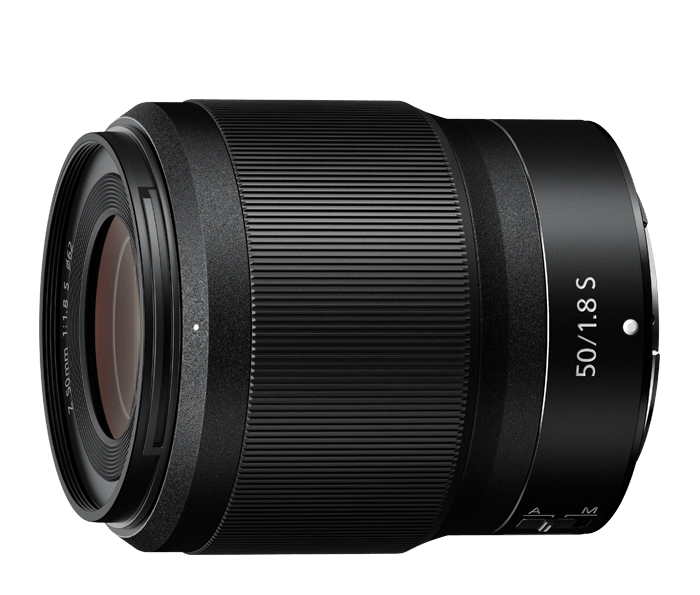
Nikon NIKKOR Z 50mm f/1.8 S
Nikon NIKKOR
It depends — Its native Z mount and f/1.8 maximum aperture suit dim-light photography, but its fixed 50mm focal length limits framing flexibility.
Consider it when an f/4 lens leaves you short of light and a fixed 50mm view fits the subject. Its wider aperture brings shallower depth of field and does not guarantee better subject recognition.Available at Amazon(paid link) — opens Amazon in a new tab. Price and availability shown there.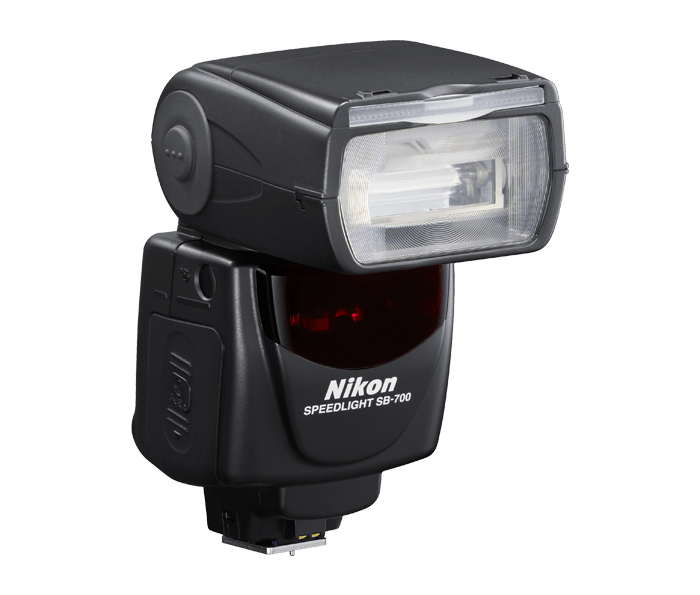
Nikon SB-700 AF Speedlight
Nikon
Skip — Nikon’s Z6 II manual states that AF-assist illuminators on optional flash units will not light.
Skip it specifically as an AF-assist fix for the Z6 II. It supports flash photography, but its AF-assist illuminator will not light on this camera.Available at Amazon(paid link) — opens Amazon in a new tab. Price and availability shown there.
Sources
Pages consulted while researching this article. None of these are affiliate links.
- Nikon Z7 II/Z6 II specifications — onlinemanual.nikonimglib.com
- Nikon a10: Low-Light AF — onlinemanual.nikonimglib.com
- Nikon focus modes and face/eye-detection limitations — onlinemanual.nikonimglib.com
- RTINGS Nikon Z6 II review and autofocus measurements — rtings.com
- Nikon a11: Built-in AF-Assist Illuminator — onlinemanual.nikonimglib.com
- Nikon compatible flash units and AF-assist restrictions — onlinemanual.nikonimglib.com
- Nikon NIKKOR Z 50mm f/1.8 S specifications — nikonusa.com
- Nikon Z6 II firmware and update history — downloadcenter.nikonimglib.com