Is the CDJ-3000 Still Worth Buying?
The question this answersWhere do these come from?
Is the CDJ-3000 still worth buying?
The CDJ-3000 earns its place in a matching club setup, but a two-deck all-in-one makes more sense for most home practice.
The Pioneer DJ CDJ-3000 is still worth buying when you need to match an existing booth or expand a separate-player setup. For two-deck home practice, the XDJ-RX3 is the more practical choice; for a new professional setup, compare the original with the newer CDJ-3000X before committing.
The deciding question is whether you need the CDJ-3000’s particular controls and modular layout often enough to justify owning separate players. Being comfortable on club equipment matters. Owning that exact equipment is only one way to get there.
Starting at home: buy a complete mixing setup
A CDJ-3000 is one playback deck. A conventional two-deck setup requires another playback source and a separate mixer. The XDJ-RX3 combines two decks and a two-channel mixer in one chassis.
| Setup detail | Pioneer DJ CDJ-3000 | Pioneer DJ XDJ-RX3 | AlphaTheta CDJ-3000X |
|---|---|---|---|
| Playback decks per unit | 1 | 2 | 1 |
| Main touchscreen | 9 inches | 10.1 inches | 10.1 inches |
| Integrated mixing section | None | 2 channels | None |
| Unit weight | 5.5 kg | 9.3 kg | 6.0 kg |
Specifications: Pioneer DJ CDJ-3000, Pioneer DJ XDJ-RX3, and AlphaTheta CDJ-3000X.
For a first home setup, the CDJ-3000 gets the equipment balance wrong: one unit cannot provide the two playback decks and mixing controls you need to practise transitions. The XDJ-RX3 supplies those together and borrows interface features from the CDJ-3000 and DJM-900NXS2. Its limitation is equally concrete: it remains a two-channel system, so it is the wrong recommendation for practising simultaneous three- or four-deck mixing.
The weight comparison also becomes clearer when you count the whole system. Two original CDJ-3000s total 11 kg before adding a mixer, cables or cases. The RX3’s 9.3 kg already includes its mixing section. That arithmetic matters if you repeatedly pack away the equipment or carry it to small events.
There is no blanket product warning here: all three are legitimate choices for different jobs. The mistake is treating a professional single player as an automatically better home mixing system.
Matching a booth is the original’s strongest case
The CDJ-3000 becomes easier to justify when you regularly perform on that exact model. Its eight physical Hot Cue buttons, dedicated Beat Jump controls and separate screen per player let you rehearse the same hand movements and browsing habits you will use during a set. Pioneer documents those controls on the CDJ-3000 product page.
That is a stronger reason to buy than a general ambition to become a club DJ. Ask which equipment actually appears at the venues you play. If the answer changes every weekend, familiarity with music preparation, cueing and manual correction may transfer better than memorising one screen layout.
For a venue or rental inventory, start with the required equipment list. Adding another original CDJ-3000 can make sense when matching existing units simplifies handovers and preparation. Buying a newer model does not automatically satisfy a request for a particular player; agree substitutions beforehand.
Check the mixer before assigning value to every advertised feature. Pioneer’s Touch Preview and Touch Cue documentation describes Link Cue operation through a compatible mixer and Pro DJ Link network, with the DJM-V10 and DJM-900NXS2 among the documented examples. A player’s normal audio connection alone does not establish that preview workflow. Pioneer DJ feature documentation
If your existing mixer cannot support a feature that motivates the purchase, reassess the complete setup before buying the deck.
Just want the recommendation?
Skip to the picksThe CDJ-3000X matters when buying from scratch
The CDJ-3000X adds a 10.1-inch capacitive touchscreen, built-in Wi-Fi, USB-C connectivity and NFC login using a smartphone running rekordbox. These are tangible workflow differences, especially if accessing cloud libraries is part of your routine. AlphaTheta CDJ-3000X documentation
For a new separate-player setup, those additions make the X the stronger candidate when connected browsing and easier account access are priorities. The original CDJ-3000’s smaller screen and lack of built-in Wi-Fi make it a weaker fit for that reader.
However, a DJ who arrives with prepared local music has less reason to replace functioning original players. Do not count every feature on the successor’s page as a benefit you will actually use.
There is also a less obvious reason to avoid assuming the original is obsolete: full-track caching is already available on it. Pioneer added full audio file caching in firmware 1.08, allowing a cached track to continue playing through problems such as an interrupted Pro DJ Link connection. This is not an exclusive reason to buy the X. Pioneer also advises against deliberately removing storage devices. CDJ-3000 caching update
Caching protects playback under specified circumstances; it does not establish an overall failure rate or guarantee that an entire performance can continue after a connection fails.
Check the library format before buying used
The firmware number matters more than a seller saying that a player is “updated.” Pioneer’s January 2026 release notes explicitly state that CDJ-3000 firmware 3.22 does not include OneLibrary support and continues loading the original Device Library format. The CDJ-3000X documentation lists OneLibrary. CDJ-3000 firmware 3.22 release notes, CDJ-3000X library specifications
That is a version-specific limitation, not a prediction about future updates. Before buying an original player, verify its installed firmware against the current official documentation and demonstrate playback from your own exported library. Do not assume that a drive working on a newer player proves that its library will appear correctly on the original.
To inspect the installed version, hold MENU / UTILITY for more than one second. The firmware version appears at the upper right of the Utility screen. AlphaTheta firmware update guide
For a used unit, also demonstrate repeated Play/Cue presses, every Hot Cue button, touchscreen input, jog response and the connections you intend to use. These checks are purchasing advice, not evidence that every CDJ-3000 develops those faults. An intermittent fault needs diagnosis before the unit becomes dependable performance equipment.
What measured testing actually establishes
In his September 2020 review, Selector Musical’s Teo Tormo reported loading in under one second for both a 20 MB MP3 and a 626 MB, 19-minute WAV at 24-bit/96 kHz. He also noted that a track with eight Hot Cues could take slightly longer than one second. Selector Musical’s CDJ-3000 review
Those are useful observations from actual testing, but they describe that reviewer’s files and early firmware. They do not establish current universal loading times, long-term reliability or a measured advantage over the CDJ-3000X. This article reports external evidence and does not claim hands-on testing.
The buying decision therefore rests on the job: choose the XDJ-RX3 for a self-contained two-deck practice setup, consider the original CDJ-3000 to match equipment you already use, and favour the CDJ-3000X when its connectivity improves a new modular setup. Keep working original players when none of those newer functions solves a real limitation.
The bottom line
Two answers, priced differently:
Top pick
It depends
Pioneer DJ CDJ-3000 Professional DJ Multi Player Black
Pioneer
Its eight physical Hot Cue buttons and dedicated Beat Jump controls support exact-model rehearsal, but one unit is only one deck.
Consider it to match an existing booth or expand a modular setup. Each unit provides one playback deck and requires a separate mixer for conventional mixing.Available at Amazon(paid link) — opens Amazon in a new tab. Price and availability shown there.The alternative
Buy this
Pioneer DJ XDJ-RX3 All-In-One DJ System Black
Pioneer
It combines two playback decks, a two-channel mixer and a 10.1-inch touchscreen in one unit.
Buy it for self-contained two-deck home practice with a rekordbox workflow. Its two-channel architecture limits it for simultaneous mixing beyond two decks.Available at Amazon(paid link) — opens Amazon in a new tab. Price and availability shown there.
Recommended products
Ordered by how well each one fits the situations above. Each link below is a paid link.
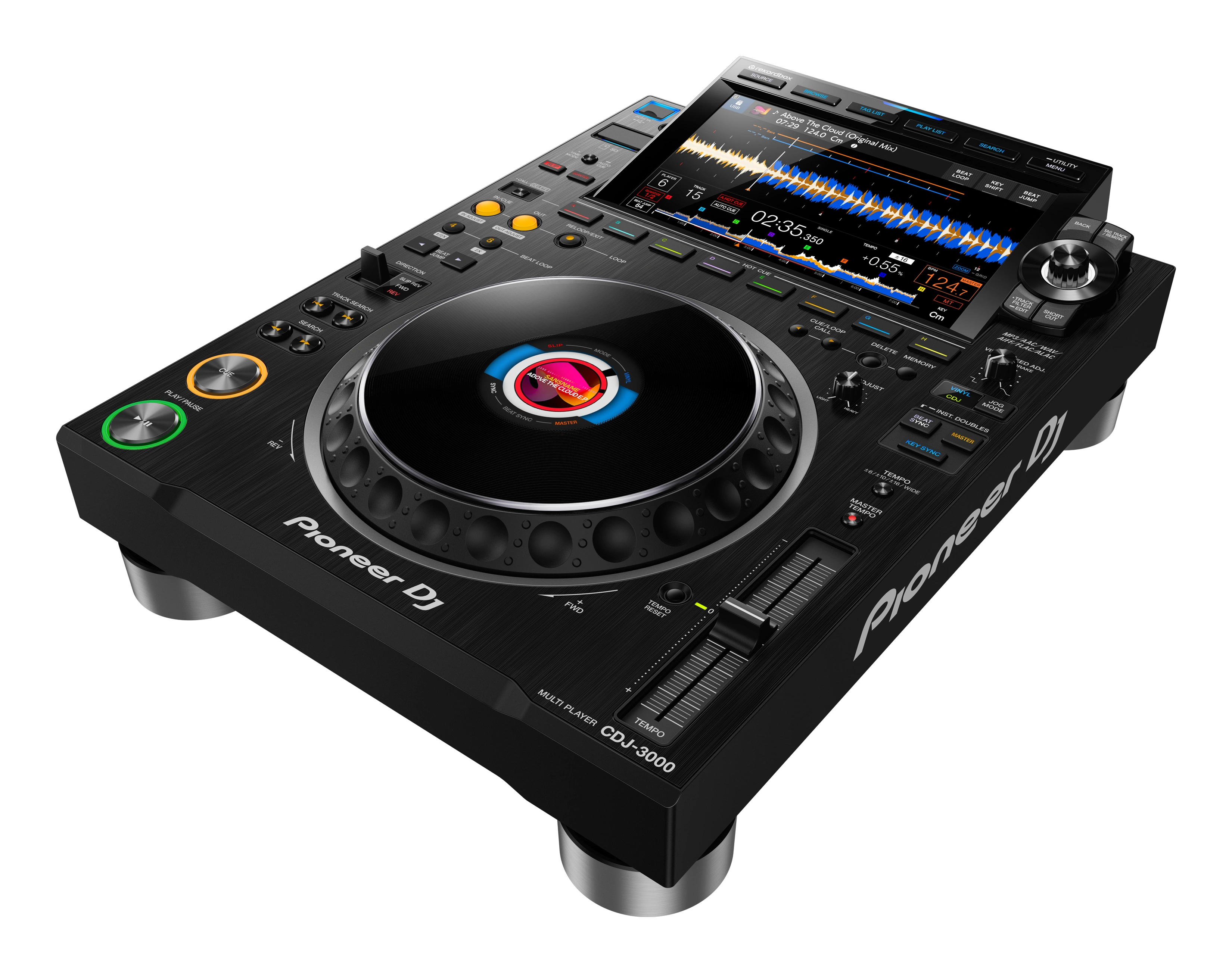
Pioneer DJ CDJ-3000 Professional DJ Multi Player Black
Pioneer
It depends — Its eight physical Hot Cue buttons and dedicated Beat Jump controls support exact-model rehearsal, but one unit is only one deck.
Consider it to match an existing booth or expand a modular setup. Each unit provides one playback deck and requires a separate mixer for conventional mixing.Available at Amazon(paid link) — opens Amazon in a new tab. Price and availability shown there.Pioneer DJ XDJ-RX3 All-In-One DJ System Black
Pioneer
Buy — It combines two playback decks, a two-channel mixer and a 10.1-inch touchscreen in one unit.
Buy it for self-contained two-deck home practice with a rekordbox workflow. Its two-channel architecture limits it for simultaneous mixing beyond two decks.Available at Amazon(paid link) — opens Amazon in a new tab. Price and availability shown there.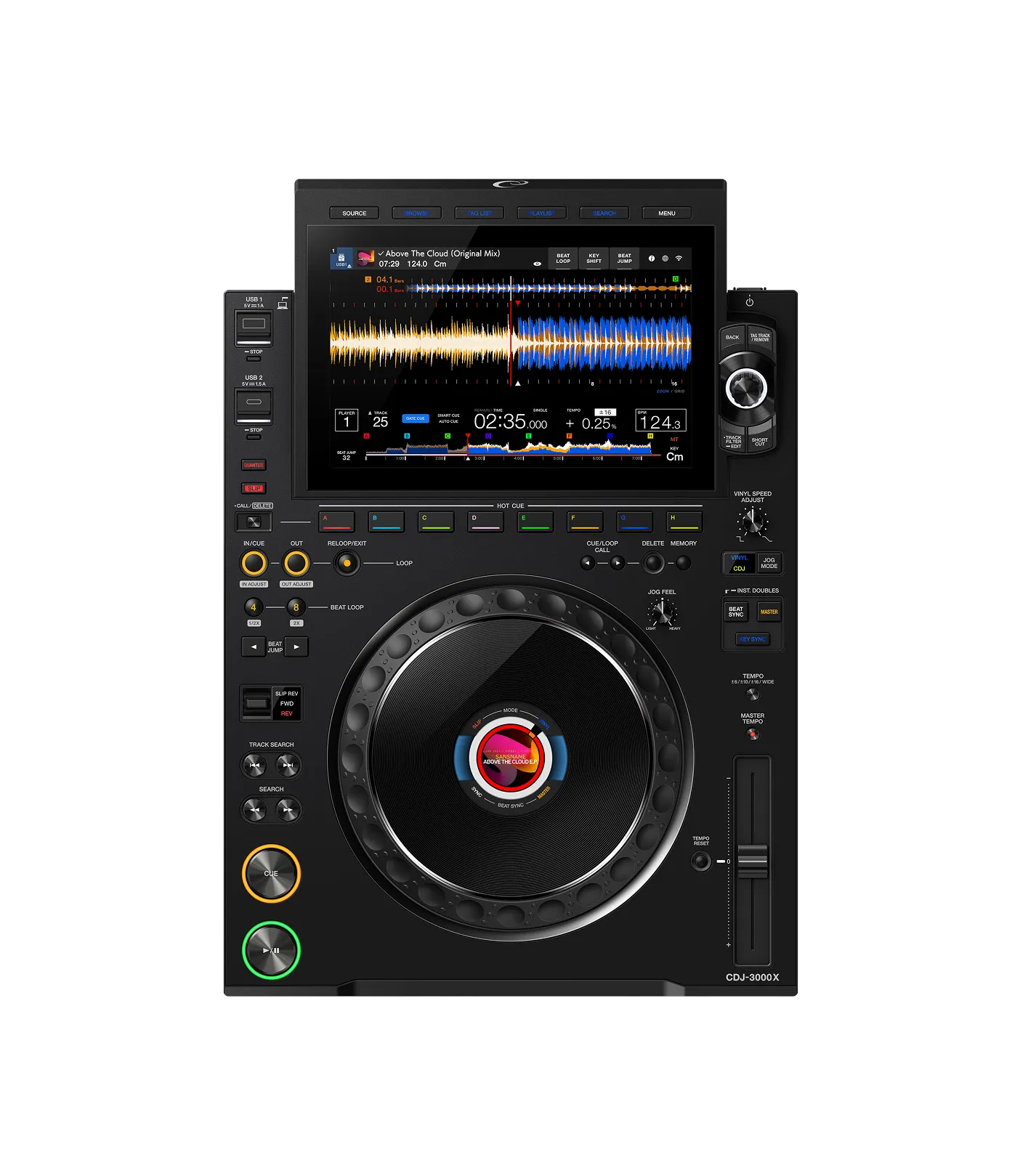
AlphaTheta CDJ-3000X Professional DJ Player Black
AlphaTheta CDJ
It depends — Built-in Wi-Fi, USB-C connectivity and a 10.1-inch touchscreen improve connected workflows without replacing the rest of a mixing setup.
Consider it for a new modular setup where Wi-Fi and modern library access matter. It still supplies only one playback deck and needs a separate mixer.Available at Amazon(paid link) — opens Amazon in a new tab. Price and availability shown there.
Sources
Pages consulted while researching this article. None of these are affiliate links.
- Pioneer DJ CDJ-3000 specifications and features — pioneerdj.com
- Pioneer DJ XDJ-RX3 specifications and features — pioneerdj.com
- AlphaTheta CDJ-3000X specifications and features — alphatheta.com
- CDJ-3000 support for full audio file caching — pioneerdj.com
- CDJ-3000 firmware 3.22: Device Library and OneLibrary support — pioneerdj.com
- AlphaTheta CDJ-3000 Firmware Update Guide — pioneer-support.zendesk.com
- Teo Tormo’s CDJ-3000 review and loading-time tests — selectormusical.com