DJM-A9 vs DJM-V10 for CDJ-3000s
The questionWhere do these come from?
DJM V5 or DJM A9
I am torn in between these 2 mixers. I can get them both for a really good deal. A9 - $2.4k and V5 for $1.8k. For some background I just sold my AZ for 2 CDJ 3000's and looking for a mixer.
Choose the DJM-A9 for open-format CDJ-3000 sets; choose the V10 only when six channels and layered send effects define your workflow.
Choose the DJM-A9 for a CDJ-3000 rig when open-format mixing, quick effects access and crossfader practice matter. Choose the standard DJM-V10 only when you will genuinely use six channels, 4-band EQ, per-channel compression and layered send effects; neither mixer sends audio to wireless headphones.
Skip the DJM-V10-LF if learning crossfader technique is part of the plan: Pioneer removed its crossfader and replaced the original V10’s 45 mm channel faders with 60 mm versions. That is excellent for long blends and exactly wrong for practicing crossfader transitions or cuts.
The decision in one table
| Mixer | Workflow that decides it | Crossfader and wireless audio | Verdict |
|---|---|---|---|
| Pioneer DJ DJM-A9 | 4 channels, 3-band EQ/ISO, 14 Beat FX and 6 Sound Color FX | Third-generation Magvel crossfader; Bluetooth input only | Buy for open-format CDJ-3000 sets |
| Pioneer DJ DJM-V10 | 6 channels, 4-band EQ, channel compressors, 4 internal send FX and sends for 2 external units | Crossfader present; no Bluetooth audio | Consider for layered electronic or hybrid sets |
| Pioneer DJ DJM-V10-LF | V10 workflow with longer 60 mm channel faders | No crossfader and no Bluetooth audio | Skip when crossfader learning matters |
The A9 is not a cheaper approximation of the V10. It is a different design: a direct continuation of the familiar four-channel DJM club workflow, updated with better effect assignment, two independent headphone cue systems and modern computer connections. The V10 is closer to a performance mixing console built for several decks, instruments and effect returns.
Why the A9 fits open-format mixing
Open-format sets reward speed. You may move from hip-hop into pop, switch tempo sharply, cut between vocals and instrumentals, or use an echo-out to leave a track without preparing a minute-long blend. The A9 keeps the familiar DJM pattern: three EQ knobs, one bipolar Sound Color FX knob per channel, channel-to-crossfader assignment switches and a dedicated Beat FX section.
The official DJM-A9 documentation lists 14 Beat FX, including Echo, Ping Pong, Roll, Triplet Roll, Triplet Filter and Mobius. Its dedicated effect-assignment buttons let you target a channel without turning through a selector. In an independent evaluation, Digital DJ Tips specifically found those buttons quicker and less error-prone than the older rotary assignment method. The Center Lock function can also stop a Sound Color FX knob at its neutral position, which helps when returning a filter to center quickly.
For open-format DJs moving rapidly between genres, the DJM-V10 gets the workflow wrong by replacing that familiar three-band, bipolar-Color-FX pattern with a denser four-band strip, compressor and selectable high-pass or low-pass filter. Those controls are valuable for long, layered blends, but they add decisions that do not improve a conventional two-deck transition.
A pair of CDJ-3000s also leaves two spare channels on the A9. That is enough room for turntables, a sampler or another line source without buying a six-channel mixer merely to obtain unused inputs. If this is primarily a home setup, when CDJ-3000 club familiarity earns its place is the more important question to settle first.
Effects: immediate moves or layered sound design
The A9 is the better effects workflow when you want recognizable DJ moves quickly. Its six Sound Color FX sit directly on the channel strips, while the Beat FX section provides a display, X-Pad and direct channel buttons. Its Multi I/O path can operate separately from Beat FX, so choosing the A9 does not prevent you from adding an external processor.
The V10 wins when effects are part of the structure of the set rather than punctuation between records. Pioneer’s V10 effects documentation specifies four internal send effects—Short Delay, Long Delay, Dub Echo and Reverb—and routing for as many as two external effect units. A return can feed an empty channel, where you can EQ or filter it again, or go directly to the master mix.
That routing matters if you intend to run three or four CDJs alongside a drum machine, synthesizer or effect return. It is excessive if the real routine is two CDJ-3000s, occasional Echo and Filter, and fast genre changes. Consider the DJM-V10 for hybrid or layered electronic sets; its drawback is the additional surface area and muscle memory demanded before those capabilities provide any benefit.
Crossfader learning does not require the V10
Both the A9 and standard V10 have a crossfader, so the V10 offers no inherent learning advantage. The A9’s Magvel crossfader came from the V10 design, and its panel provides A, THRU and B channel assignments plus three crossfader curves. Pioneer’s V10 fader tutorial likewise documents three crossfader-curve choices, although they are selected through the V10’s touchscreen settings.
Just want the recommendation?
Skip to the picksFor basic practice on the A9:
- Assign one CDJ channel to A and the other to B rather than leaving both on THRU.
- Begin with the gradual curve and practice full blends over eight and four counts.
- Move to the sharper curve for cuts, keeping both tracks gain-matched and their EQ controls neutral.
- Practice cueing through wired headphones so monitoring delay cannot mask timing errors.
The A9 is still a club mixer, not a dedicated two-channel battle mixer with extensive cut-in and tension controls. It is nevertheless the more transferable choice when the broader goal is learning the layout commonly used for four-channel DJM sets.
Wireless headphones are not an A9 feature
The A9’s Bluetooth marking is easy to misread. It receives audio from a phone or another source and routes that input to a mixer channel; it does not transmit the master or cue signal to headphones. AlphaTheta states this unambiguously in its Bluetooth-headphone support answer: sound cannot be heard from the A9 through Bluetooth headphones or speakers.
Bluetooth source audio is also delayed before the A9 outputs it, according to AlphaTheta’s support documentation. Treat that connection as an emergency or background source, not as a deck for beat-accurate mixing.
The V10 has no Bluetooth audio feature at all. Both mixers instead provide two independent wired headphone-monitoring systems, each with its own cue/master balance and level control. That is genuinely useful for handovers and back-to-back sets, but it does not make either mixer a wireless-headphone solution. For learning transitions and crossfader timing, wired monitoring remains the correct choice because it avoids codec and radio latency.
Where the V10 earns its extra complexity
The V10 becomes the better tool when at least two of these conditions are true:
- You regularly mix more than four live sources.
- A sampler, drum machine, synthesizer or external effects unit stays connected throughout the set.
- You use long blends that benefit from separate low-mid and high-mid EQ bands.
- You need per-channel compression to integrate older, quieter or unmastered material.
- Returning an effect to another channel for further EQ and filtering is part of the performance.
Pioneer’s 4-band EQ and compressor documentation confirms that the high and low bands can isolate completely while the two middle bands have separate curves. The full V10 specification also gives it six digital and six line inputs, three sends, three returns and a five-pin DIN MIDI output.
Physical space is another checkable distinction. The A9 measures 407.4 × 458.3 × 107.9 mm and weighs 10.2 kg; the V10 measures 437.6 × 467.0 × 107.9 mm and weighs 11.9 kg. Measure a booth cutout or flight case before assuming either will replace a narrower mixer cleanly.
The setup detail people miss
Connect each CDJ-3000 to the mixer with coaxial digital audio if you want to avoid an unnecessary analog conversion. PRO DJ LINK is a separate Ethernet network: the A9 has one LAN socket, not a built-in multiport network switch, so a pair of players and the mixer require an external Ethernet switch or router to share the network.
The A9’s Wi-Fi antenna does not replace that wired topology. It supports Stagehand access through the network. Digital DJ Tips confirmed during its A9 studio review that an external router remains necessary for the linked CDJ-3000 ecosystem.
There is no controlled independent A9-versus-V10 laboratory measurement cited here that supports choosing one on sound quality. The available converter, signal-to-noise and distortion numbers are manufacturer specifications. One independently measured operational figure is available: Bonedo timed the A9’s cold boot at approximately 12 seconds and then connected two CDJ-3000s digitally. That is useful for startup planning, but it is not evidence that one mixer sounds audibly better.
The buying decision should therefore rest on controls and routing. Buy the DJM-A9 for two-CDJ open-format work, familiar club workflow, immediate effects and crossfader practice. Consider the standard DJM-V10 when six-source layering and its send architecture are already part of a defined performance method. Skip the DJM-V10-LF when crossfader learning is a requirement, because Pioneer explicitly removed the crossfader to make room for its 60 mm channel faders.
The bottom line
Neither is wrong; the use case separates them:
Top pick
Buy this
Pioneer DJ DJM-A9 4-Channel Professional DJ Mixer
Pioneer
It combines four channels, 3-band EQ/ISO, 14 Beat FX, six Sound Color FX and a third-generation Magvel crossfader in the familiar club-DJM workflow.
This is the right match for two CDJ-3000s and open-format work because its four-channel, three-band club layout keeps effects and crossfader decisions immediate. Its Bluetooth connection is input-only, and its external-effects routing is less extensive than the V10’s.Available at Amazon(paid link) — opens Amazon in a new tab. Price and availability shown there.The alternative
It depends
Pioneer DJ DJM-V10 6-Channel Professional DJ Mixer
Pioneer
Its six channels, 4-band EQ, per-channel compression and routing for four internal plus two external send effects justify it when layered performance is central.
Choose it when six live sources, per-channel compressors, four-band EQ and multi-return effects are already part of the set. Its larger, denser layout is unnecessary for conventional two-deck open-format mixing.Available at Amazon(paid link) — opens Amazon in a new tab. Price and availability shown there.
Recommended products
Ordered by how well each one fits the situations above. Each link below is a paid link.
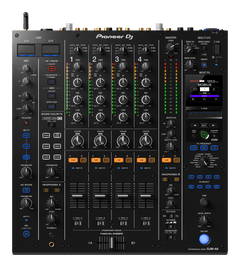
Pioneer DJ DJM-A9 4-Channel Professional DJ Mixer
Pioneer
Buy — It combines four channels, 3-band EQ/ISO, 14 Beat FX, six Sound Color FX and a third-generation Magvel crossfader in the familiar club-DJM workflow.
This is the right match for two CDJ-3000s and open-format work because its four-channel, three-band club layout keeps effects and crossfader decisions immediate. Its Bluetooth connection is input-only, and its external-effects routing is less extensive than the V10’s.Available at Amazon(paid link) — opens Amazon in a new tab. Price and availability shown there.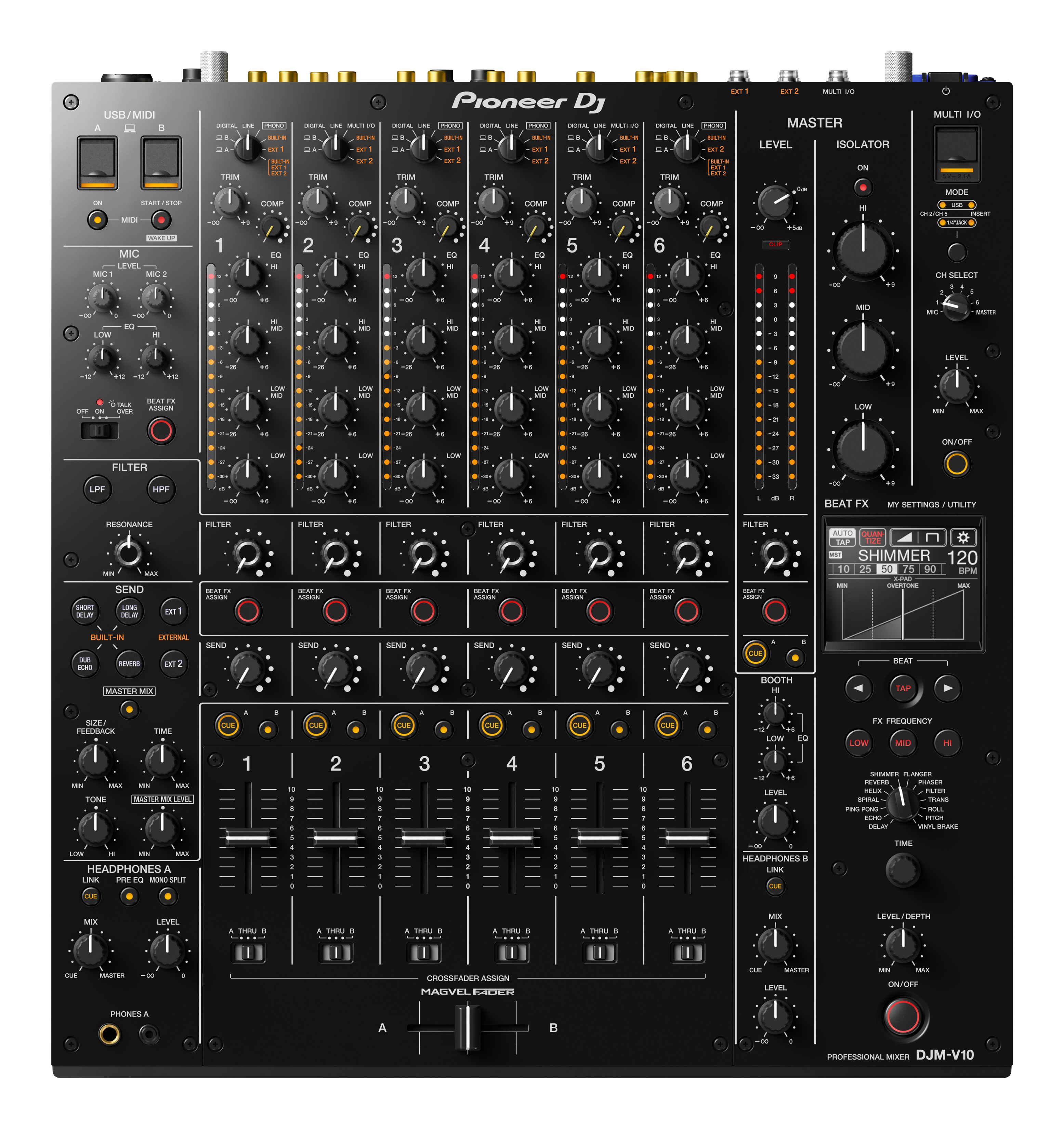
Pioneer DJ DJM-V10 6-Channel Professional DJ Mixer
Pioneer
It depends — Its six channels, 4-band EQ, per-channel compression and routing for four internal plus two external send effects justify it when layered performance is central.
Choose it when six live sources, per-channel compressors, four-band EQ and multi-return effects are already part of the set. Its larger, denser layout is unnecessary for conventional two-deck open-format mixing.Available at Amazon(paid link) — opens Amazon in a new tab. Price and availability shown there.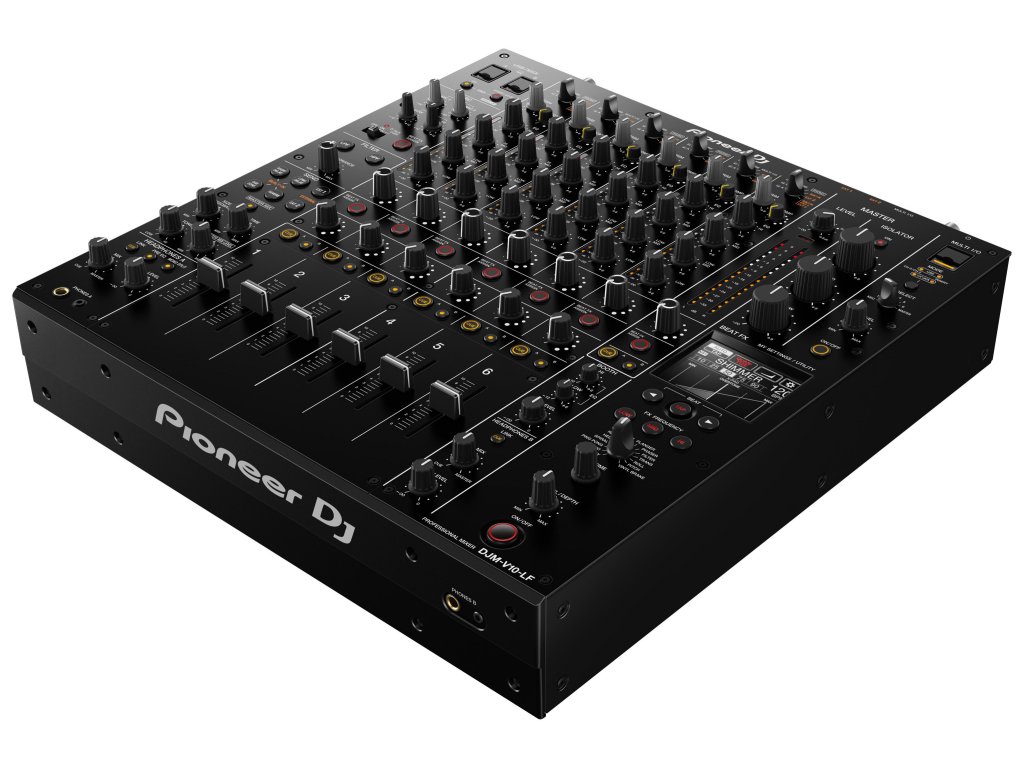
Pioneer DJ DJM-V10-LF 6-Channel Professional DJ Mixer with Long Faders
Pioneer
Skip — Pioneer removed the original V10 crossfader and replaced its 45 mm channel faders with 60 mm faders on the DJM-V10-LF.
Its 60 mm channel faders reward long, precise blends, but Pioneer removed the crossfader. That directly defeats the goal of learning crossfader transitions and cuts.Available at Amazon(paid link) — opens Amazon in a new tab. Price and availability shown there.
Sources
Pages consulted while researching this article. None of these are affiliate links.
- Pioneer DJ DJM-A9 product documentation — pioneerdj.com
- Pioneer DJ DJM-V10 product documentation — pioneerdj.com
- DJM-V10 effects and send routing — pioneerdj.com
- DJM-V10 4-band EQ and compressor — pioneerdj.com
- DJM-V10 features and full specifications — pioneerdj.com
- AlphaTheta: DJM-A9 Bluetooth headphones and speakers — support.alphatheta.com
- Pioneer DJ DJM-V10-LF product documentation — pioneerdj.com
- Digital DJ Tips DJM-A9 mixer review — digitaldjtips.com