Hisense PX3: What the 4K Laser Cinema Really Offers
The question this answersWhere do these come from?
How does the Hisense PX3 4K laser cinema projector differ from the PX3-PRO?
The Hisense PX3 is a 4K ultra short throw projector for 80–150-inch images; check regional features before confusing it with the PX3-PRO.
The Hisense PX3 Laser Cinema is a triple-laser, ultra short throw 4K projector that produces an 80–150-inch image, with a manufacturer rating of 2,800 lumens. It makes sense for a large cinema picture in a room where you can control the light, but the PX3 and PX3-PRO are distinct models whose regional specifications need checking before you buy. Hisense Australia PX3 specifications
Check whether the box says PX3 or PX3-PRO
Searching for the PX3 brings up extensive coverage of the PRO. That matters because a review of one does not establish the measured performance of the other.
These manufacturer specifications distinguish the German-market models:
| Specification | Hisense PX3 | Hisense PX3-PRO |
|---|---|---|
| Rated brightness | 2,800 ANSI lumens | 3,000 ANSI lumens |
| Image size | 80–150 inches | 80–150 inches |
| Stated static/native contrast | 3,000:1 | 3,000:1 |
| Smart platform | VIDAA U7 | VIDAA U7 |
Sources: Hisense PX3 specifications and Hisense PX3-PRO product sheet, with Hisense’s European PRO technical record.
The PRO’s brightness rating is only about 7.1% higher, calculated from 3,000 versus 2,800 lumens. That does not establish an equally sized improvement in accurate picture modes, and it is insufficient evidence to promise a transformation in daylight viewing.
There are feature differences beyond brightness. What Hi-Fi’s examination of the UK PX3 identified missing IMAX Enhanced and DTS support compared with the PRO, plus an integrated television tuner on the standard PX3. If IMAX Enhanced certification is a requirement, the standard PX3 is the wrong variant. What Hi-Fi PX3 review
Neither model deserves a blanket skip for cinema use. Buy the PX3 when its local features meet your needs; consider the PX3-PRO when its additional format support matters. Choosing the PRO solely to overcome a bright room asks too much of that small rated brightness increase.
Also dismiss the shortcut that “PX3 means VIDAA, PRO means Google TV.” Hisense advertises Google TV on the US PX3-PRO, while its European PRO documentation specifies VIDAA U7. Check the country-specific model before assuming a particular app platform is included. Hisense US PX3-PRO, European PX3-PRO technical record
Replacing a television requires a screen and room plan
“Laser Cinema TV” describes how you might use the PX3; the picture still comes from projection. What Hi-Fi’s UK PX3 review confirms that its review configuration did not include a screen. Check the contents of any bundle rather than assuming the advertised image size describes something supplied in the box. What Hi-Fi PX3 review
Just want the recommendation?
Skip to the picksThe maximum diagonal is not automatically the best choice. At the same aspect ratio, a 150-inch picture has 56.25% more area than a 120-inch picture. With equal projector output and screen gain, light per unit area consequently falls by 36%. Those are geometric calculations, not measurements of the PX3, but they explain why choosing a smaller screen can matter more than the PRO’s extra rated lumens.
A 150-inch, 16:9 image is approximately 3.32 metres wide and 1.87 metres tall, before adding its frame. Measure that rectangle on the wall before ordering. You also need space below it for the projector and furniture, rather than assuming the picture begins immediately above the cabinet.
Hisense lists the Australian PX3 chassis at 550 × 296 × 120mm and its throw ratio at 0.22. The 296mm chassis depth is not the complete furniture-depth requirement: placement must also accommodate the projection distance, connections and clearance specified in the installation guide. Use the diagram for your exact model and intended screen size before positioning the furniture. Hisense Australian PX3 specification sheet
The independent brightness evidence needs an equally clear boundary. ProjectorCentral measured the PX3-PRO at 2,669 ANSI lumens in HDR Vivid and 2,002 in SDR Filmmaker Mode, with laser luminance set to 10. The publication cautions that handheld UST brightness measurements have a higher potential margin of error. These are PRO measurements, not verified output figures for the standard PX3. ProjectorCentral PX3-PRO measurements
The practical buying judgment is to prioritise your intended picture mode, screen size and light control over the maximum brightness badge. A room used mainly for evening films is a stronger match than one where sunlight regularly falls on the screen.
For gaming, separate 4K resolution from refresh rate
The Australian PX3 specification sheet lists both 3840 × 2160 resolution and a 0.47-inch DMD described as native 2K. You should therefore not interpret the 4K label as a claim that the imaging chip itself has a native 3840 × 2160 mirror array. Hisense Australian PX3 specification sheet
Refresh-rate claims require similar care. HDMI 2.1 branding alone does not establish full-resolution 4K output at 120Hz. RTINGS describes the PX3-PRO as supporting 4K at 60Hz, with higher refresh rates available at lower resolutions, including 1080p at 240Hz. Do not buy either variant on the assumption that an Xbox badge establishes native 4K/120Hz display capability. RTINGS PX3-PRO testing
ProjectorCentral measured the PRO’s input lag at 21ms with a 2160p/60 signal and 7ms at 1080p/240, using DLP Turbo Mode. It also found that enabling that mode disables keystone correction. That creates a practical installation requirement for gaming: align the projector physically rather than relying on electronic correction you may have to switch off. These measurements and menu behaviour apply to the tested PRO, not automatically to the standard PX3. ProjectorCentral PX3-PRO review
Connecting a soundbar: read the port label
One easily missed regional detail affects installation immediately. Hisense’s Australian PX3 sheet assigns eARC to HDMI 2, alongside HDMI 1 as another HDMI 2.1 input and HDMI 3 as HDMI 2.0. A connection diagram copied from another regional variant can therefore send you to the wrong socket. Hisense Australian PX3 specification sheet
Match the soundbar connection to the eARC marking on the actual projector. Before purchasing, confirm the full model name, local smart platform, screen contents and placement dimensions. If the seller’s description conflicts with the regional documentation, ask Hisense to confirm the exact product code before treating those features as included.
The bottom line
Both justify the spend at different budgets:
Top pick
Buy this
Hisense PX3 Laser Cinema 4K 2800 ANSI Lumens
Hisense
Hisense specifies 80–150-inch projection, 3840 × 2160 resolution and a triple-laser light source for the PX3.
Buy for a large cinema image when you can control room lighting and plan the screen installation. Its 2,800-lumen rating is below the PRO’s, and regional features need checking.Available at Amazon(paid link) — opens Amazon in a new tab. Price and availability shown there.The alternative
It depends
Hisense PX3-PRO TriChroma Laser Cinema Projector
Hisense
The PX3-PRO adds IMAX Enhanced support and a 3,000-lumen rating, while the standard PX3 is rated at 2,800 lumens.
Consider when IMAX Enhanced support is a requirement. Its 3,000-lumen rating is only about 7.1% above the PX3’s, so brightness alone is a weak reason to change models.Available at Amazon(paid link) — opens Amazon in a new tab. Price and availability shown there.
Recommended products
Ordered by how well each one fits the situations above. Each link below is a paid link.
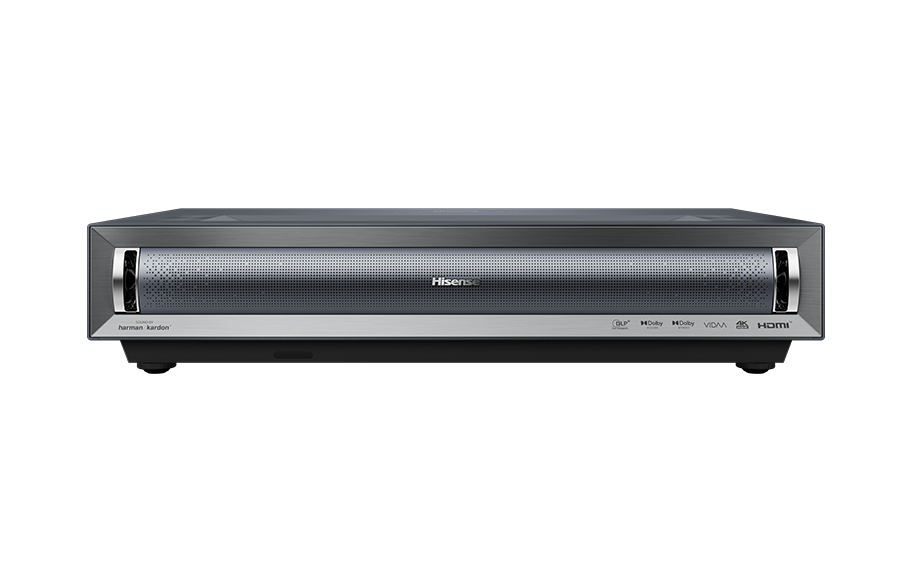
Hisense PX3 Laser Cinema 4K 2800 ANSI Lumens
Hisense
Buy — Hisense specifies 80–150-inch projection, 3840 × 2160 resolution and a triple-laser light source for the PX3.
Buy for a large cinema image when you can control room lighting and plan the screen installation. Its 2,800-lumen rating is below the PRO’s, and regional features need checking.Available at Amazon(paid link) — opens Amazon in a new tab. Price and availability shown there.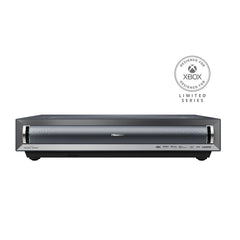
Hisense PX3-PRO TriChroma Laser Cinema Projector
Hisense
It depends — The PX3-PRO adds IMAX Enhanced support and a 3,000-lumen rating, while the standard PX3 is rated at 2,800 lumens.
Consider when IMAX Enhanced support is a requirement. Its 3,000-lumen rating is only about 7.1% above the PX3’s, so brightness alone is a weak reason to change models.Available at Amazon(paid link) — opens Amazon in a new tab. Price and availability shown there.
Sources
Pages consulted while researching this article. None of these are affiliate links.
- Hisense Australia: PX3 TriChroma 4K Laser Cinema — hisense.com.au
- Hisense Germany: PX3 specifications — de.hisense.com
- Hisense European PX3-PRO product sheet — hisense.hgecdn.net
- Hisense PX3-PRO European technical record — qrcode.hisense.com
- What Hi-Fi: Hisense PX3 review — whathifi.com
- Hisense USA: PX3-PRO TriChroma Laser Projector — hisense-usa.com
- Hisense Australia: PX3 consumer specification sheet — dtc-aus-api.hisense.com
- ProjectorCentral: Hisense PX3-PRO RGB Laser UST Review — projectorcentral.com