AX210 DHCP Failures on the GA402XY: What to Try Next
The questionWhere do these come from?
Having a recurring network issue (2023)
I am having a recurring issue where I cannot obtain wifi connection from my home wifi. When troubleshooting through Windows it gives me the message "DHCP Server Not Responding.
AX210 DHCP failures on a GA402XY usually trace to MAC randomization, power-saving, or a router-side bug — not a bad card. Here's what to check next.
If you’ve already reinstalled the Intel driver, run the Windows network troubleshooter, forgotten and re-added the network, and cycled ipconfig /release and /renew, the AX210’s DHCP failures on a GA402XY almost never trace to a bad radio. They trace to one of four things those steps don’t touch: Windows rotating the card’s MAC address mid-session, the radio going into a power-saving state between lease renewals, a driver mismatch from Windows Update overwriting Intel’s own package, or — less obviously — a bug in the ASUS router on the other end of the connection. Work through these in order before you consider swapping the card.
Turn off random hardware addresses for your home network
Windows 11 assigns your Wi-Fi adapter a randomized MAC address per network by default, and it can re-randomize it on reconnect depending on the per-network setting you have selected. Every time that address changes, your router treats the laptop as a brand-new device and issues a fresh DHCP lease — which looks exactly like “recurring DHCP failures” from the Windows side, especially on routers that keep a small lease table or apply MAC-based filtering, parental controls, or QoS rules. Intel’s own community forum has an active thread describing this exact interaction with random MAC addressing on Windows 11 24H2 causing repeated connection drops on Intel Wi-Fi 6E hardware.
Fix it per network, not globally: go to Settings > Network & Internet > Wi-Fi > Manage known networks, select your home network, and set Random hardware addresses to Off. Leaving it on for public networks and off at home is the setting Microsoft’s own documentation describes as the intended use case — you’re not disabling a security feature everywhere, just pinning your identity on the one network where DHCP needs to recognize you consistently.
Stop the radio from sleeping mid-lease
The AX210’s power management is the second most common cause, and it’s easy to think you’ve already fixed it if you’ve only unchecked the obvious box. In Device Manager, under the adapter’s Power Management tab, confirm Allow the computer to turn off this device to save power is unchecked — but also open the Advanced tab and check two settings Intel documents separately: Power Saving Mode, which should be set toward maximum performance rather than maximum power saving, and Roaming Aggressiveness, which Intel’s own support article recommends setting to its lowest value if the adapter is renegotiating with access points more often than it needs to. If your GA402XY is on a dual-band or tri-band mesh setup, also try forcing Preferred Band to 5 GHz rather than leaving it on automatic — band-hopping between 2.4 GHz and 6 GHz radios is a common trigger for a fresh DHCP request mid-session.
Confirm which Wi-Fi card is actually in your unit
This is the detail that trips up a lot of GA402XY troubleshooting: ASUS’s own spec sheet for the 2023 Zephyrus G14 series lists the wireless card only as “Wi-Fi 6E (802.11ax) (Triple band) 2x2 + Bluetooth 5.3 Wireless Card,” with no chipset named. In practice, ASUS sourced this part from two different vendors across the GA402X production run — some units shipped with the Intel AX210, others with the MediaTek MT7922 — which is why review units and forum posts about the “same” laptop sometimes describe completely different Wi-Fi behavior and driver histories. Open Device Manager and confirm the exact adapter name before you chase driver fixes: if Windows Update has ever silently pushed a generic Intel driver package onto a unit, or vice versa, mismatches between the installed driver and the actual silicon produce exactly this kind of intermittent DHCP failure. Download the driver from Intel’s own Wi-Fi driver page rather than relying on whatever Windows Update selected, and uninstall any leftover Killer Control Center or Killer Performance Suite software if Device Manager shows the adapter under a Killer brand name — Intel’s own support documentation walks through the clean-install process because leftover Killer services are a known source of exactly this kind of intermittent connectivity behavior on top of Intel silicon.
Just want the recommendation?
Skip to the picksCheck the router side: ASUS’s own DHCP renewal bug
If your home router is also an ASUS unit, this is worth checking before you touch the laptop again. ASUS’s router forum has a documented bug report describing the Traffic Analyzer feature triggering a DHCP lease renewal that disconnects every connected device from the network, not just one client. If Traffic Analyzer, AiProtection, or any traffic-monitoring feature is enabled on your router, disable it and see whether the drops stop clustering around lease renewal time. Separately, check your router’s DHCP lease time under its LAN/DHCP settings — a lease set to an hour or less forces frequent renewals, and any hiccup during that renewal (a busy channel, a firmware bug, a brief AP reboot) reads to Windows as a DHCP failure. Extending the lease to 24 hours removes most of the opportunities for that failure to happen at all.
Roaming and band-steering settings that make it worse
If your home network uses a mesh system or a router with band-steering, 802.11k/v/r fast-roaming features can cause a client to hand off between access points or bands mid-session, and if the new AP doesn’t map to the same subnet or VLAN, the client is forced to pull a new DHCP lease to keep working — which is functionally identical to a failure from the user’s side. This isn’t AX210-specific, but Wi-Fi 6E’s extra 6 GHz radio gives mesh systems one more band to steer a client onto, and one more opportunity for a handoff to go wrong. If you have a mesh network, try temporarily disabling fast roaming or 802.11r on the router side and see if the pattern changes before you conclude the laptop’s card is at fault.
Which driver package to actually install
Go to Intel’s Wi-Fi driver download page directly rather than accepting whatever version Windows Update or ASUS’s own utility offers — Intel ships its Wi-Fi and Bluetooth driver as a combined package, and OEM-forked versions lag behind Intel’s own release cadence by months. If you’ve already updated and the problem started after that update, a clean uninstall (using Intel’s uninstaller, not just Device Manager’s “Uninstall device”) followed by a fresh install of the current package is different from an in-place upgrade and resolves cases where a partial update leaves mismatched driver and firmware files behind.
AX210 vs the alternatives, if you’re ready to swap the card
If you’ve worked through all of the above and the failures persist, the next question is whether to replace the card at all — and the honest answer is that in most reported cases, the fix is software, not hardware. But if you’re at that point, here’s how the options actually compare:
| Card | Verdict | What decides it | The catch |
|---|---|---|---|
| Intel Wi-Fi 6E AX210 (what’s likely already installed) | Consider | Shares Windows’ most actively updated Wi-Fi driver stack, and most documented DHCP failures against it resolve through settings, not replacement | The fault reports above are real and well-documented on Intel’s own community forum |
| MediaTek MT7922 Wi-Fi 6E (the card ASUS ships in other GA402X units) | Consider | Confirmed physical and electrical fit for the same M.2 socket, since ASUS already dual-sources this exact chassis with either chip | Requires opening the base panel, and MediaTek’s driver has its own separate history of Windows Update regressions |
| Intel BE200 Wi-Fi 7 | Skip | Shares the AX210’s M.2 2230 CNVio2 connector, so it looks like a drop-in upgrade | ROG owners who tried the equivalent AX211-to-BE200 swap on an AMD-based ROG board have reported bootloops consistent with the BIOS rejecting the card’s hardware ID |
Skip the BE200 swap specifically on this laptop. The card is physically compatible with the connector, but the GA402XY’s BIOS was validated against a specific set of wireless hardware IDs, and ASUS’s ROG boards on AMD platforms are not documented as open to arbitrary third-party cards the way some other manufacturers’ laptops are. A bootloop from a rejected Wi-Fi card is a worse outcome than the DHCP issue you started with. If you do decide to swap, moving to the MediaTek MT7922 is the safer bet, because it’s a card ASUS already validates and ships in this exact chassis — it just means you’re trading one chipset’s driver history for another’s rather than eliminating the risk entirely.
When it’s time to stop troubleshooting and call support
If you’ve disabled random MAC addressing, adjusted power management and roaming settings, confirmed the correct driver is installed for the correct chip, ruled out your router’s own DHCP and lease-time behavior, and the failures still recur on your home network specifically — not on other networks — that pattern points at either a marginal antenna connection inside the chassis or a genuine firmware defect that a registry tweak won’t fix. At that point, the honest next step is ASUS support and a possible board-level repair, not another driver reinstall. Note which networks are affected (home only vs. everywhere) when you contact them, since that detail is what separates a card-side hardware fault from a router-side configuration issue, and it’s the first thing a technician will ask.
The bottom line
Two parts fix this, depending on which failed:
Top pick
It depends
MediaTek MT7922 Wi-Fi 6E M.2 wireless card
MediaTek
ASUS's GA402X spec sheet lists a generic, chipset-unnamed Wi-Fi 6E card, confirming both chips are validated for the same socket, though this one carries its own separate driver history.
The alternate card ASUS already ships in other GA402X units — a same-chassis swap for owners who’ve exhausted the software fixes and still want a different chipset.Available at Amazon(paid link) — opens Amazon in a new tab. Price and availability shown there.The alternative
Skip this
Intel BE200 Wi-Fi 7 M.2 wireless card
Intel
Owners who tried the equivalent AX211-to-BE200 swap on an AMD-based ROG board reported bootloops consistent with a BIOS hardware-ID whitelist rejecting the card.
Shares the AX210’s physical connector and looks like an easy upgrade, but the risk on this specific laptop outweighs the benefit.Available at Amazon(paid link) — opens Amazon in a new tab. Price and availability shown there.
Recommended products
Ordered by how well each one fits the situations above. Each link below is a paid link.
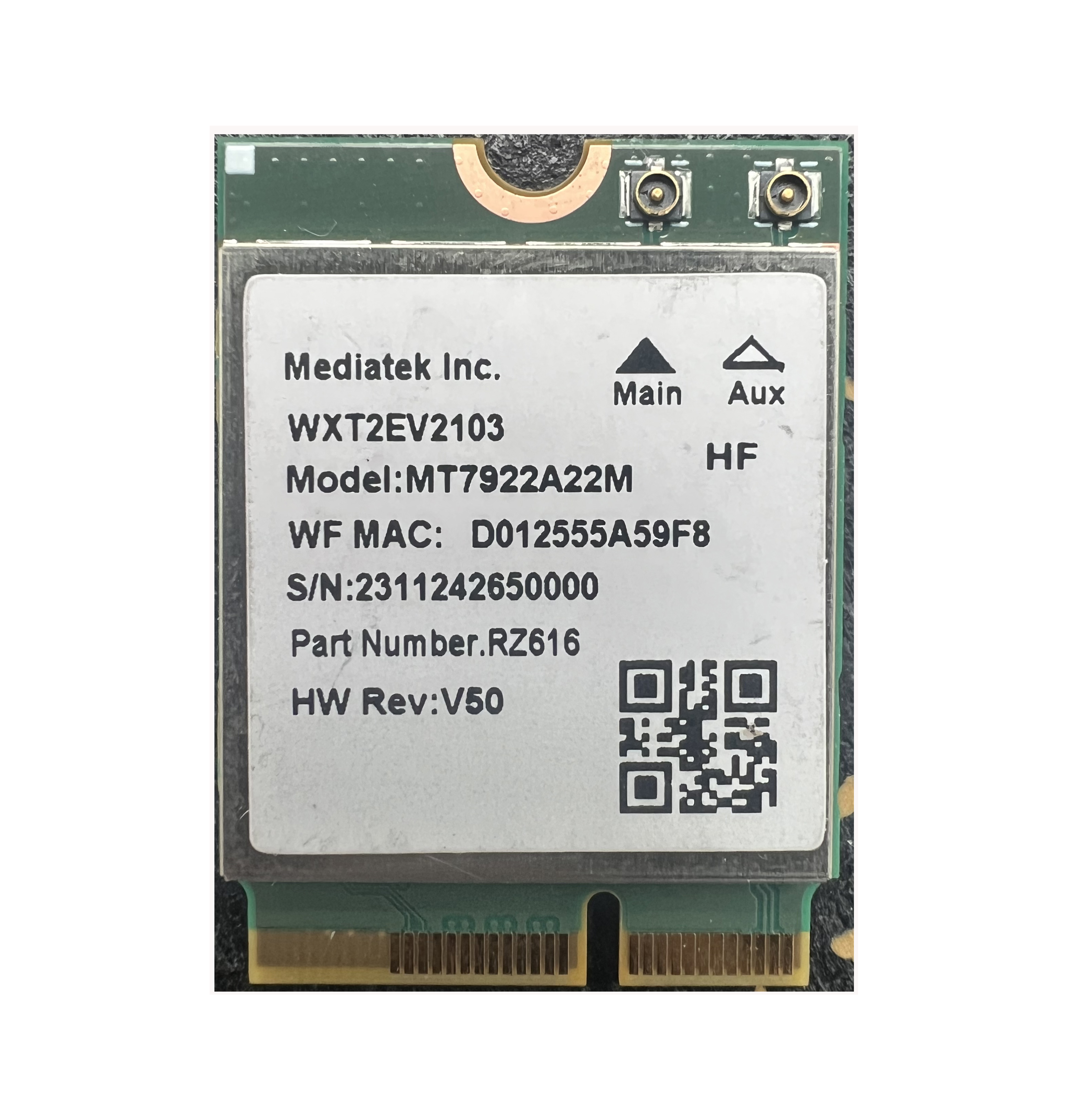
MediaTek MT7922 Wi-Fi 6E M.2 wireless card
MediaTek
It depends — ASUS's GA402X spec sheet lists a generic, chipset-unnamed Wi-Fi 6E card, confirming both chips are validated for the same socket, though this one carries its own separate driver history.
The alternate card ASUS already ships in other GA402X units — a same-chassis swap for owners who’ve exhausted the software fixes and still want a different chipset.Available at Amazon(paid link) — opens Amazon in a new tab. Price and availability shown there.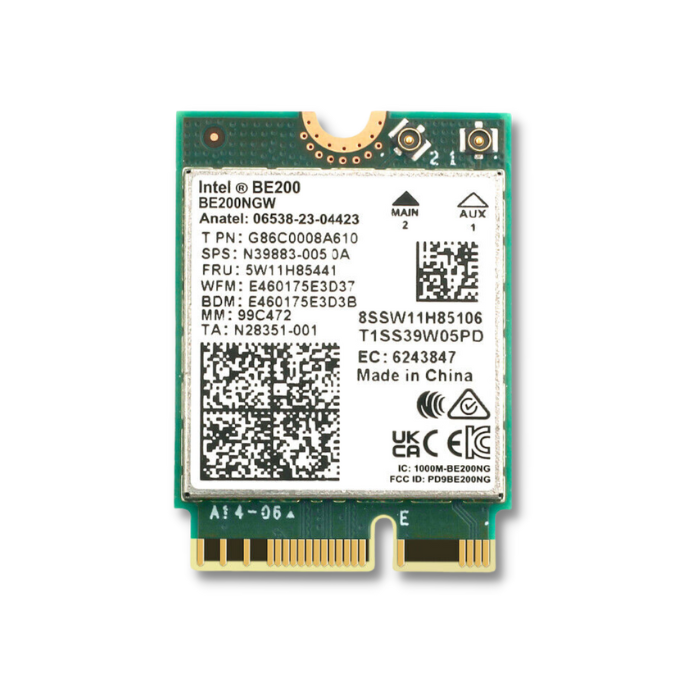
Intel BE200 Wi-Fi 7 M.2 wireless card
Intel
Skip — Owners who tried the equivalent AX211-to-BE200 swap on an AMD-based ROG board reported bootloops consistent with a BIOS hardware-ID whitelist rejecting the card.
Shares the AX210’s physical connector and looks like an easy upgrade, but the risk on this specific laptop outweighs the benefit.Available at Amazon(paid link) — opens Amazon in a new tab. Price and availability shown there.
Sources
Pages consulted while researching this article. None of these are affiliate links.
- Intel Wi-Fi 6E AX210 (Gig+) - Product Specifications — intel.com
- How to use random hardware addresses in Windows - Microsoft Support — support.microsoft.com
- Wi-Fi connection bug with random MAC address feature (Windows 11 24H2) - Intel Community — community.intel.com
- Advanced Intel Wireless Adapter Settings — intel.com
- Wi-Fi Roaming Aggressiveness Setting - Intel — intel.com
- Power Management Settings for Intel Wireless Adapters — intel.com
- ROG Zephyrus G14 (2023) GA402 - Specifications - ASUS — rog.asus.com
- Asus ROG Zephyrus G14 GA402XY - Notebookcheck Reviews Collection — notebookcheck.net