WD Elements 8TB vs My Book for a Media Server
The questionWhere do these come from?
Storage Solutions for m4 Mac Mini
I've started building my own home server to host Emby server and cloud storage. I don't want to spend a fortune since I'm new and I'll keep removing movies/shows as soon as I watch them.
Choose the WD Elements 8TB for a small media server; My Book adds a longer warranty and encryption, but not documented extra performance.
The WD Elements Desktop 8TB is a sensible drive for an affordable, one- or two-user Plex or Jellyfin server. Choose the WD My Book 8TB instead only when its three-year warranty or password-based hardware encryption matters; Western Digital documents no performance, workload, or internal-drive advantage for it.
The decision in one table
| Drive | Verdict | What decides it | The catch |
|---|---|---|---|
| WD Elements Desktop 8TB (WDBWLG0080HBK-NESN) | Buy | 8TB, 5Gbps USB connection, no enclosure-level encryption | Two-year warranty; exact internal HDD is not promised |
| WD My Book 8TB (WDBBGB0080HBK-NESN) | Consider | Three-year warranty and 256-bit AES hardware encryption | Encryption and bundled software do not improve media serving |
Neither drive deserves a blanket warning: both can hold and stream a personal media library. The meaningful documented difference is that My Book adds a year of warranty coverage, hardware encryption, and management software—not a guaranteed faster or more reliable disk.
The My Book gets an unattended ARM-based server wrong if you intend to enable its password feature: Western Digital says its WD Security software does not support ARM processors, which includes common Raspberry Pi server configurations. In that situation, choose the Elements and use encryption supported directly by the server operating system if encryption is required.
A drive is not the media server
The WD Elements is direct-attached storage, not a server or NAS. It has no processor for running Plex, Jellyfin, Docker, file sharing, or media-library artwork. Its USB cable connects it to a host computer, mini PC, compatible router, or NAS; that host runs the server software and makes the files available over the network.
Western Digital supplies the Elements with a 5Gbps SuperSpeed USB-A cable and a separate AC adapter. The official specification lists USB 3.2 Gen 1, USB 3.0, and USB 2.0 compatibility, although USB 2.0 should be avoided for a large media library. The same document gives the 8TB model a two-year worldwide warranty and an operating-temperature range of 5°C to 35°C. The enclosure weighs 0.86kg and measures 135 × 48 × 165.8mm. Western Digital’s Elements data sheet contains these less-visible details.
“8TB” means eight trillion bytes. An operating system reporting capacity in binary units will therefore show about 7.28TiB before filesystem overhead. That discrepancy is unit conversion, not missing storage.
Streaming speed is not the limiting factor
An independent review by Poc Network measured approximately 150–176MB/s while writing large files to the WD Elements Desktop 8TB. That is a result for reviewed samples, not a guaranteed specification, but it shows the relevant scale: even a 100Mbps video file consumes only 12.5MB/s while playing. Poc Network’s measured review therefore supports using the drive for several direct-play streams under ordinary conditions.
Small random reads are much slower on any mechanical hard drive. Keep the Plex or Jellyfin application, database, thumbnails, and transcode directory on the server’s SSD; put the large movie, television, and music files on the Elements. That arrangement makes menus and searches responsive without wasting SSD capacity on media that is normally read sequentially.
Transcoding performance comes from the host’s CPU or GPU, not this drive. Replacing the Elements with My Book will not make an unsupported video codec transcode faster. Network speed can also become the real limit: gigabit Ethernet has a practical ceiling far below the USB interface’s advertised 5Gbps, while ordinary Wi-Fi may be slower or less consistent still.
What My Book actually adds
The current WD My Book 8TB has the same published 5Gbps USB-A connection and the same 5°C-to-35°C operating range. Its documented advantages are a three-year warranty, exFAT formatting for Windows and macOS, and downloadable device-management and backup software. It is slightly larger and heavier at 139.3 × 49 × 170.6mm and 0.96kg. Those figures come from the current My Book data sheet.
Just want the recommendation?
Skip to the picksThe My Book manual documents 256-bit AES hardware encryption and password protection through WD Security. That can be useful when the drive contains private files and will regularly move between supported Windows or macOS computers. Western Digital’s My Book manual describes the feature.
It is less compelling for a server expected to boot and remount storage without intervention. Western Digital warns that forgetting the WD Security password makes the data inaccessible and requires erasing the drive, while ARM processors are unsupported. WD’s security instructions state both limitations. My Book is therefore the narrower choice: consider it for the extra warranty or supported desktop encryption, but not because its name implies better server hardware.
CMR, SMR and reliability cannot be inferred from the box
Western Digital’s current specifications for both products omit the internal HDD model, recording technology, rotational speed, cache size, annual workload rating, and mean time between failures. Reports that a particular Elements or My Book contained a WD80EMAZ, WD80EDAZ, or another white-label disk describe an individual production batch; they do not bind the drive being sold today.
That omission also means published bare-drive reliability tables cannot establish an Elements-versus-My-Book winner. Backblaze’s 2025 report analyzed 344,196 data drives across 30 named models and recorded a fleet-wide annualized failure rate of 1.36%. Those are valuable measurements, but the company reports results by exact internal model. Because Western Digital does not promise which internal model an Elements enclosure contains, assigning a Backblaze failure rate to WDBWLG0080HBK-NESN would be false precision. Backblaze’s 2025 Drive Stats shows why model identity and drive age matter.
The honest reliability finding is therefore limited: no public, controlled dataset demonstrates that the current My Book 8TB lasts longer than the current Elements 8TB. The My Book’s extra warranty year reduces replacement risk to the owner, but a warranty replaces hardware—it does not restore the files on it.
Using the Elements safely around the clock
Keep the enclosure upright with its vents unobstructed and place it in open air rather than a sealed television cabinet. Connect it directly to a USB 3.x port when possible; hubs add another power and connection failure point. Monitor its SMART temperature if the server and USB bridge expose that data, particularly during the initial multi-terabyte library copy.
On a Linux server, reformat the empty drive to a native filesystem such as ext4 before copying the library. Formatting destroys existing contents, so do it before the drive becomes the only copy. Western Digital officially lists Windows 10 or later for Elements and says macOS requires reformatting; Linux is not part of its published compatibility promise.
Do not shuck the disk merely because forum reports identify desirable mechanisms inside older units. Western Digital’s hardware-encryption compatibility matrix says removing a drive from a single-bay enclosure voids its warranty. The same document confirms that USB 3.0 Elements models lack hardware encryption, whereas current WDBBGB My Book models include it.
Most importantly, one Elements 8TB is storage, not backup. Media that can be recreated may justify accepting that risk, but family video, photographs, documents, and carefully curated files need another copy on a separate disk or system. RAID is also not a backup: it can maintain availability after a disk failure, but it does not protect against accidental deletion, corruption, theft, or damage to the server.
For a modest media library with an SSD handling the server application and an independent backup protecting irreplaceable files, the WD Elements Desktop 8TB is the cleaner choice. Move to My Book only for its documented warranty or encryption benefits, not for an internal-drive advantage Western Digital never promises.
The bottom line
Neither is wrong; the use case separates them:
Top pick
Buy this
Western Digital 8TB WD Elements Desktop External Hard Drive WDBWLG0080HBK-NESN
Western Digital
It supplies 8TB over a 5Gbps USB interface without enclosure-level encryption, with a documented two-year worldwide warranty.
Buy this for straightforward USB storage attached to a small Plex or Jellyfin host. Its drawback is the two-year warranty, and WD does not promise which internal HDD mechanism a given unit contains.Available at Amazon(paid link) — opens Amazon in a new tab. Price and availability shown there.The alternative
It depends
Western Digital 8TB My Book Desktop External Hard Drive WDBBGB0080HBK-NESN
Western Digital
It has a three-year warranty and 256-bit AES hardware encryption, but WD Security explicitly does not support ARM processors.
Consider this when the extra warranty year or WD’s password-based hardware encryption is genuinely useful. The encryption adds no streaming performance, and WD Security does not support ARM processors.Available at Amazon(paid link) — opens Amazon in a new tab. Price and availability shown there.
Recommended products
Ordered by how well each one fits the situations above. Each link below is a paid link.
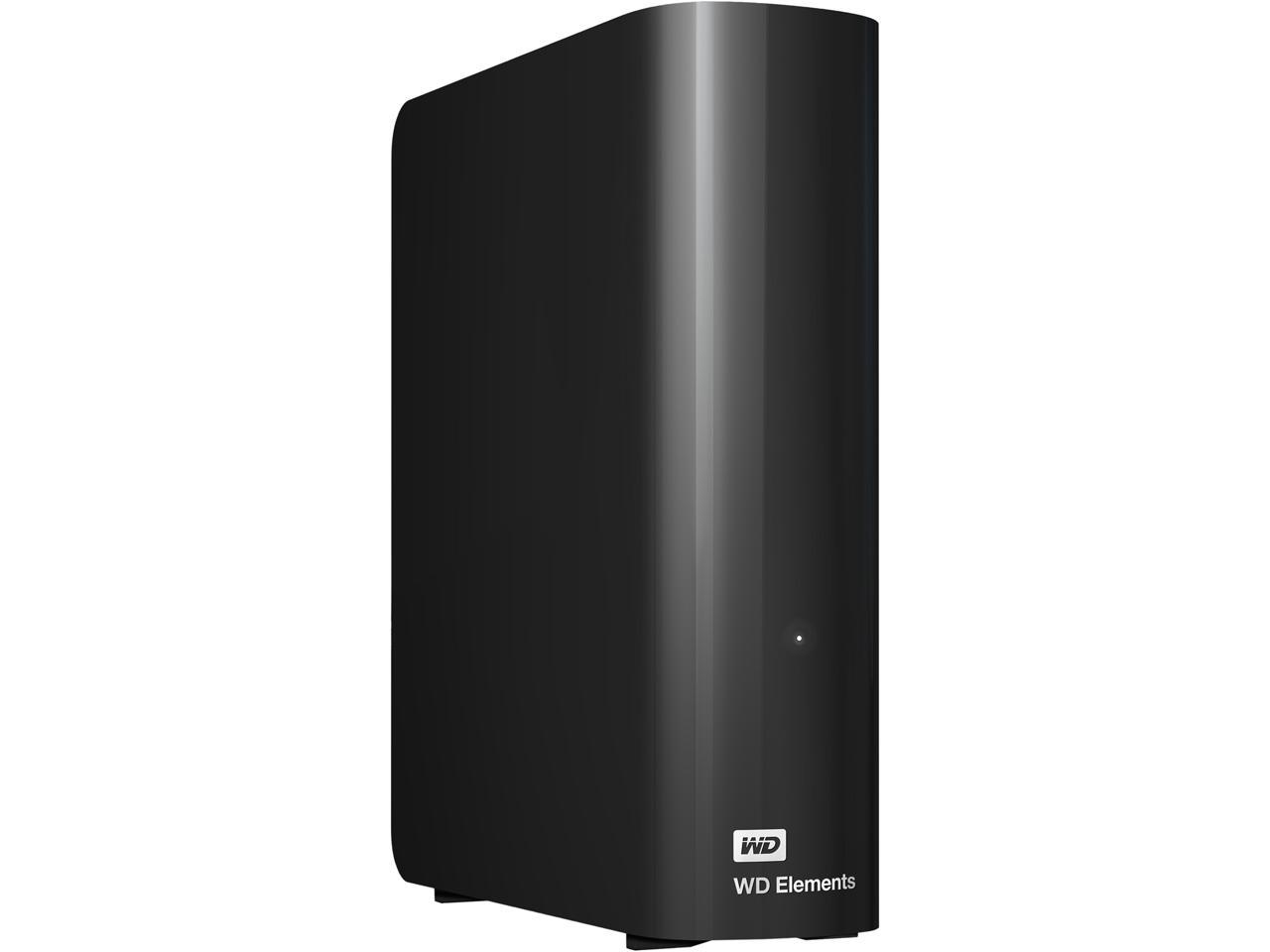
Western Digital 8TB WD Elements Desktop External Hard Drive WDBWLG0080HBK-NESN
Western Digital
Buy — It supplies 8TB over a 5Gbps USB interface without enclosure-level encryption, with a documented two-year worldwide warranty.
Buy this for straightforward USB storage attached to a small Plex or Jellyfin host. Its drawback is the two-year warranty, and WD does not promise which internal HDD mechanism a given unit contains.Available at Amazon(paid link) — opens Amazon in a new tab. Price and availability shown there.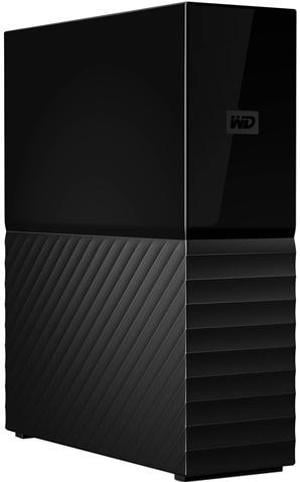
Western Digital 8TB My Book Desktop External Hard Drive WDBBGB0080HBK-NESN
Western Digital
It depends — It has a three-year warranty and 256-bit AES hardware encryption, but WD Security explicitly does not support ARM processors.
Consider this when the extra warranty year or WD’s password-based hardware encryption is genuinely useful. The encryption adds no streaming performance, and WD Security does not support ARM processors.Available at Amazon(paid link) — opens Amazon in a new tab. Price and availability shown there.
Sources
Pages consulted while researching this article. None of these are affiliate links.
- WD Elements Desktop HDD Storage Data Sheet — documents.westerndigital.com
- My Book Desktop HDD Storage Data Sheet — documents.westerndigital.com
- Western Digital My Book User Manual — studio.westerndigital.com
- How to Install and Use WD Security Software — support-en.wd.com
- WD External Drive Hardware Encryption Compatibility Matrix — support-en.wd.com
- Western Digital 8TB Elements Desktop USB 3.0 Hard Drive Review — pocnetwork.net
- Backblaze Drive Stats for 2025 — backblaze.com