ThinkPad T460 1080p Upgrade: Does the N140HGE-EA1 Fit?
The questionWhere do these come from?
Screen replacement in a T460
Hi, i am thinking about upgrading my T460 to a 1080p screen, from the basic 720p one. I want to buy the INNOLUX N140HGE-EA1 for it, but i don't know if i will run into issues with it.
On a standard 20FM/20FN T460 the N140HGE-EA1 fits and works, but it's a TN panel, not the IPS many listings claim.
Yes, on a standard ThinkPad T460 — but “standard” is doing real work in that sentence. If your machine’s model number is Type 20FM or 20FN, the Innolux N140HGE-EA1 will physically connect and drive an image, because it uses the same 30-pin eDP interface as the factory 1920x1080 panel Lenovo already sold on that exact chassis. What it won’t do is match an IPS panel’s viewing angles, whatever the eBay listing title says — Innolux’s own spec sheet lists this panel as TN, not IPS. Both facts matter more than most swap threads let on, so here’s what actually decides whether this works and what to expect once it does.
Confirm Your Exact T460 Before You Order
Lenovo split the T460 name across three different machines with three different service parts, and the LCD cable is one of the parts that doesn’t carry over between them:
- Type 20FM / 20FN is the standard T460 — the one that shipped with either a 1366x768 panel (Lenovo FRU 00UP061) or a 1920x1080 panel, both wired through the same 30-pin eDP cable family. This is the machine the N140HGE-EA1 is a realistic drop-in for.
- Type 20F9 / 20FA is the T460s, a thinner chassis with its own LCD cable design serviced separately by Lenovo.
- Type 20J6 / 20J7 is the T460p, a different mainboard generation entirely (quad-core H-series CPUs instead of the T460’s dual-core U-series).
The type number is printed on the bottom cover label. If you’re on a 20F9/20FA or 20J6/20J7 unit, treat everything below as informative rather than a direct match — you’ll need to verify your own cable FRU before ordering a panel, since a 20FM/20FN cable won’t necessarily fit a T460s or T460p mainboard connector even though the panel-side pin count is the same 30 pins.
Why the Connector Match Is All That Has to Line Up
The reason a resolution swap like this is possible without a BIOS update or a different mainboard comes down to how eDP panels report themselves. Every eDP display carries EDID (Extended Display Identification Data) in an onboard chip, and the host reads it automatically over the panel’s AUX channel during boot to learn the native resolution, refresh rate, and timing — the same mechanism that lets you plug an arbitrary external monitor into a laptop and get the right resolution with no driver install. The Detailed Timing Descriptor inside that EDID block can express any pixel count exactly, which is why the T460’s Skylake-generation graphics can drive 1920x1080 the moment a 1920x1080 panel is connected, with no need to tell the system in advance what resolution to expect.
That’s a meaningful difference from the CCFL/LVDS panels ThinkPads used a decade earlier, where resolution was effectively hardwired into the cable and mainboard pairing. It’s also why this swap is documented as working without any BIOS or EC changes: one detailed teardown log of exactly this upgrade on a T460 notes the machine has no EDID whitelisting, meaning it doesn’t reject a panel just because its serial identity doesn’t match what Lenovo originally shipped. As long as the electrical interface and pin order match — 30-pin eDP, 2 lanes, standard backlight control pins — the mainboard doesn’t know or care which vendor made the glass.
The Panel Is TN, Whatever the Listing Says
A lot of N140HGE-EA1 listings use the phrase “FHD IPS” in the title. Innolux’s own published specification for this exact part number says otherwise: Display Mode is listed as TN, Normally White, with a viewing angle spec of 45/45/20/40 degrees (typical, CR≥10) — left/right around 45 degrees, but only 40 degrees looking down from above and a narrow 20 degrees looking up from below. A true IPS or AHVA panel is symmetric across all four directions, typically in the high 80s. This one isn’t, and the asymmetry is the giveaway that the marketing label is aspirational.
That’s not disqualifying — it’s a 300 cd/m² matte 1920x1080 panel with a 500:1 contrast ratio and a hard 3H coating, which is a real upgrade over a 1366x768 TN panel regardless of viewing angle. It just means colors will shift and contrast will dim if you tilt the lid forward or view it from the side, the same behavior you’d expect from any budget TN panel. If that’s a dealbreaker, there’s a documented alternative.
Just want the recommendation?
Skip to the picksN140HGE-EA1 vs. the IPS Alternative
| Technology | Viewing angle | Color gamut | Contrast | Connector | |
|---|---|---|---|---|---|
| Innolux N140HGE-EA1 | TN, matte | 45/45/20/40° | 60% (262K colors) | 500:1 | eDP, 2-lane, 30-pin |
| AUO B140HAN01.3 | AHVA (IPS-type) | 89/89/89/89° | 72% (CIE1931) | 700:1 | eDP, 2-lane, 30-pin |
The AUO B140HAN01.3 uses AUO’s AHVA panel technology, which behaves like IPS for viewing-angle purposes — symmetric 89 degrees in all four directions against the N140HGE-EA1’s lopsided 45/45/20/40, plus a wider color gamut and a higher contrast ratio. It’s the same 30-pin eDP interface, so it’s not a harder physical install, and a published T460 teardown log identifies it as one of Lenovo’s own alternate FRUs for FHD configurations of this machine — meaning Lenovo itself considered it a valid factory-equivalent part, not just an aftermarket workaround.
Buy the N140HGE-EA1 if the goal is simply more pixels on a budget and the T460 mostly sits flat on a desk in front of one person. Buy the B140HAN01.3 instead if you view the screen off-angle often, care about color accuracy, or the current TN panel’s contrast shift already bothers you — it costs more and individual listings are less consistently stocked, but the specification gap between the two panels is real and measurable, not marketing.
What Still Goes Wrong When the Pins Match
Matching pin count doesn’t guarantee every pin does the same job. The 30-pin eDP connector on panels in this class carries more than video data — datasheet pinouts for panels in this same family list dedicated backlight Enable, PWM, and Power pins alongside the two eDP data lanes and the AUX channel. If a specific panel unit’s backlight control doesn’t behave the way the embedded controller expects, the picture can display correctly while the brightness keys (Fn+Home/End) stop doing anything. That exact failure mode is reported in the field: one T460 owner’s swap notes explicitly warn that “getting the wrong firmware may result in being unable to change the brightness,” and recommends buying a unit a seller specifically identifies as sourced for a Lenovo ThinkPad rather than generic industrial stock.
The N140HGE-EA1 also exists in at least three hardware revisions (REV.C1, REV.C2, REV.C3), and most listings pool all three under one SKU without telling you which you’ll get. If brightness control matters to you as much as resolution, look for a listing that names the revision and confirms Lenovo compatibility rather than the cheapest generic match.
Replacing the Panel: What the Teardown Involves
The physical swap on a 20FM/20FN T460 needs a Phillips #1 screwdriver, a spudger, and tweezers — no soldering, no adhesive removal tools beyond what’s already in a basic kit. In order: disconnect the battery, remove eight captive screws to free the bottom cover, then work through the internal cabling — the LCD cable, the camera/microphone cable, and the Wi-Fi antenna coax (color-coded gray and black, plus red and blue if a WWAN card is fitted) all have to come free before four hinge screws let the display separate from the base. The bezel itself is held by clips and a strip of adhesive rather than screws in the visible areas, so it peels off and can usually be reused with a fresh strip of double-sided tape on reassembly — on this chassis, going from a 1366x768 to a 1920x1080 panel doesn’t require a different bezel part, since Lenovo used the same bezel across both resolution configurations. The panel-side cable connector is a flat-topped design secured by a small locking bar, which is the detail most worth double-checking before you close the lid back up.
If the Screen Doesn’t Come Up Clean
If there’s no image and no backlight at all, recheck the cable connector before assuming the panel is dead — a locking-bar eDP connector that isn’t fully seated typically produces a completely dark screen rather than a garbled one. If the image is correct but the brightness keys don’t respond, that’s the backlight-control mismatch described above; updating the Intel graphics driver is worth trying first, since brightness handling on this generation is partly driver-mediated, but if it doesn’t resolve, the panel unit likely needs to be exchanged for one the seller can confirm shares Lenovo’s backlight wiring. If the picture dims or shifts color when you tilt the lid even slightly, that’s the TN panel’s 20-degree vertical viewing angle doing exactly what its spec sheet says it will — not a defect, and not something a driver update fixes.
If the T460’s battery, keyboard, and hinges are also showing their age, it’s worth weighing the cost of a good panel plus your time against a newer used machine before committing — see Refurbished ThinkPad T14 Gen 2: Still Worth Buying? for what that trade looks like on a similar ThinkPad generation.
The bottom line
Both fit — your exact model decides:
Top pick
Buy this
Innolux N140HGE-EA1 14 inch FHD 1920x1080 laptop LCD screen
Innolux
It matches the 30-pin eDP connector the T460's own factory FHD panel uses, and the machine has no EDID whitelist, so it drives the new resolution without a BIOS or cable change.
The direct budget swap for a 20FM/20FN T460 going from 1366x768 to 1920x1080 — same 30-pin eDP connector as Lenovo’s own FHD panel. It’s TN, not IPS, with only a 20-degree vertical viewing angle, so expect contrast shift when the lid tilts.Available at Amazon(paid link) — opens Amazon in a new tab. Price and availability shown there.The alternative
It depends
AUO B140HAN01.3 14 inch FHD IPS laptop LCD screen
AUO
Its symmetric 89/89/89/89-degree viewing angle and 72% color gamut beat the N140HGE-EA1's lopsided 45/45/20/40-degree spec and 60% gamut on the exact same connector.
The panel to get instead if color accuracy or off-angle viewing matters more than price — Lenovo used it as an alternate FRU on FHD T460 units, at the same 30-pin eDP connector. It costs more and is less consistently stocked than the N140HGE-EA1.Available at Amazon(paid link) — opens Amazon in a new tab. Price and availability shown there.
Recommended products
Ordered by how well each one fits the situations above. Each link below is a paid link.

Innolux N140HGE-EA1 14 inch FHD 1920x1080 laptop LCD screen
Innolux
Buy — It matches the 30-pin eDP connector the T460's own factory FHD panel uses, and the machine has no EDID whitelist, so it drives the new resolution without a BIOS or cable change.
The direct budget swap for a 20FM/20FN T460 going from 1366x768 to 1920x1080 — same 30-pin eDP connector as Lenovo’s own FHD panel. It’s TN, not IPS, with only a 20-degree vertical viewing angle, so expect contrast shift when the lid tilts.Available at Amazon(paid link) — opens Amazon in a new tab. Price and availability shown there.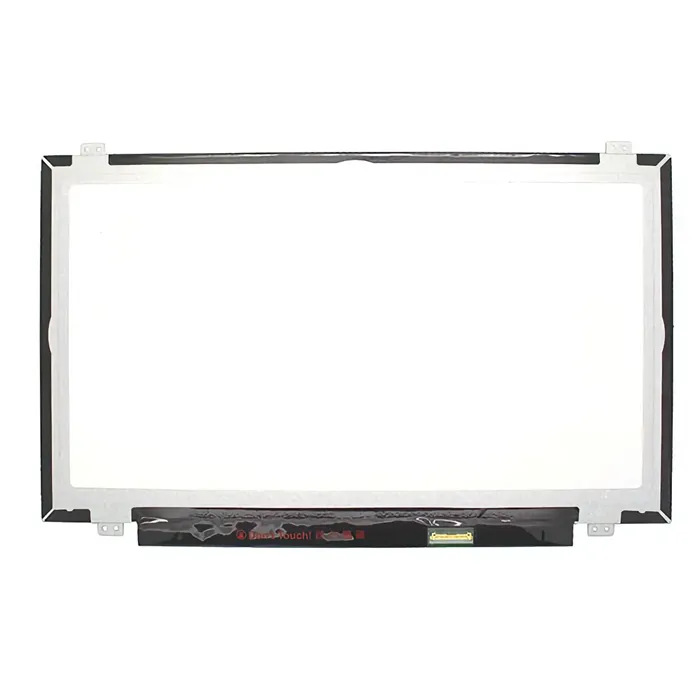
AUO B140HAN01.3 14 inch FHD IPS laptop LCD screen
AUO
It depends — Its symmetric 89/89/89/89-degree viewing angle and 72% color gamut beat the N140HGE-EA1's lopsided 45/45/20/40-degree spec and 60% gamut on the exact same connector.
The panel to get instead if color accuracy or off-angle viewing matters more than price — Lenovo used it as an alternate FRU on FHD T460 units, at the same 30-pin eDP connector. It costs more and is less consistently stocked than the N140HGE-EA1.Available at Amazon(paid link) — opens Amazon in a new tab. Price and availability shown there.
iFixit Pro Tech Toolkit
iFixit
It depends — The stock T460 disassembly uses small Phillips screws and adhesive-backed bezel clips that generic hardware-store screwdrivers tend to strip or crack.
Covers the Phillips #1 driver, spudger, and tweezers the T460 teardown needs to release the bottom cover, antenna cables, and bezel clips without cracking anything. Skip it if you already own a decent precision driver set.Available at Amazon(paid link) — opens Amazon in a new tab. Price and availability shown there.
Sources
Pages consulted while researching this article. None of these are affiliate links.
- Innolux N140HGE-EA1 14" 1920x1080 Panel Specification — TWScreen — twscreen.com
- AUO B140HAN01.3 14" FHD Panel Specification — TWScreen — twscreen.com
- AUO B140HAN01.1 Panel Datasheet (full text) — Internet Archive — archive.org
- ThinkPad T460 Replacement Screens — maidavale.org — maidavale.org
- Lenovo ThinkPad T460 LCD Panel Replacement — iFixit — ifixit.com
- Understanding EDID — Extron — extron.com
- VESA Rolls Out DisplayID Version 2.0 Standard — VESA — vesa.org
- Extended Display Identification Data — Wikipedia — en.wikipedia.org