Staedtler Noris Digital Jumbo on BOOX: Will It Work?
The question this answersWhere do these come from?
Will the Staedtler Noris Digital Jumbo work with my BOOX tablet?
The Noris Digital Jumbo works with compatible EMR BOOX tablets, but Go 7 and Go 10.3 Gen II models use a different pen system.
The Staedtler Noris Digital Jumbo works with compatible Wacom EMR BOOX tablets, including the Note Air, Note Air3 and Tab Mini C, without charging or pairing. Skip the Jumbo for the Go 7, Go Color 7 Gen II and Go 10.3 Gen II—including Lumi—because those models use InkSense rather than the Jumbo’s EMR system. Staedtler compatibility list, BOOX Go 7 announcement, BOOX Go 10.3 Gen II announcement.
The model generation matters more than the BOOX logo. Once compatibility is established, the remaining questions are whether the rear eraser works in your apps and whether you prefer the Jumbo’s grip and nib.
Check the exact BOOX model before buying
Use this table as a starting point. It separates models explicitly listed by Staedtler from those identified through BOOX’s own pen documentation.
| BOOX model | Documented pen support | Noris Digital Jumbo verdict |
|---|---|---|
| Note Air, Note Air3, Tab Mini C | Listed by Staedtler | Compatible |
| Original Go 10.3 | Pen Plus; EMR | Compatible technology |
| Go 7, Go Color 7 Gen II | InkSense | Incompatible |
| Go 10.3 Gen II and Gen II Lumi | InkSense Plus | Incompatible |
| Original Go Color 7, Go 6, Palma, Palma 2 | Stylus not supported | Incompatible |
Staedtler’s compatibility PDF, dated 2 February 2026, explicitly names the first row’s devices. BOOX’s specification table identifies the original Go 10.3’s Pen Plus and the models without stylus support; its pen guide identifies Pen Plus as an EMR pen. The Go 10.3 Gen II launch announcement specifies InkSense Plus instead. This is a hardware distinction, so installing a drawing app cannot bridge it. Staedtler compatibility list, BOOX device specifications, BOOX pen guide, Gen II announcement.
There is another exception worth checking: BOOX explicitly excludes Tab X C from its conventional EMR pen compatibility guidance. Do not transfer advice about the Tab X to the Tab X C simply because their names are similar. BOOX pen guide.
This is not an exhaustive compatibility table. For an unlisted BOOX, look up its exact model and generation, then check the supported pen technology. A missing entry in Staedtler’s list is not automatically a rejection; it means the list alone does not settle the question. Likewise, a broad statement that BOOX supports EMR is insufficient for newer devices.
For a compatible model, choose Noris Digital Jumbo 180J 22-1. Staedtler specifies a triangular body approximately 140 × 9.1 mm, weighing 10 g, with 4,096 pressure levels and a replaceable 0.7 mm point. Those are manufacturer specifications, not independently measured performance results. The package includes five replacement nibs and a removal tool. Staedtler Jumbo fact sheet.
The rear eraser works, but the app controls its behavior
The Jumbo’s rear end is a functional digital eraser, not a decorative pencil cap. BOOX-specific evidence includes Basem’s published review using the Jumbo with a Note 3, which describes the working eraser and its rubber-like friction. That supports this particular pairing; it does not establish identical behavior across every BOOX app and firmware version. Basem’s Note 3 pairing review.
Just want the recommendation?
Skip to the picksStaedtler explicitly says eraser support depends on app programming. Writing compatibility and eraser compatibility are therefore separate checks. An app can accept the writing tip while handling the rear eraser differently—or not handling it at all. Staedtler compatibility documentation.
When you first use the Jumbo, make a disposable page in BOOX Notes, write several strokes, then turn the pen around and erase them. Repeat in NeoReader on a disposable annotated PDF, followed by any Android app you actually use. Check both whether it erases and how much it removes. Do not judge compatibility solely by whether the eraser footprint matches its physical rubber end.
Independent reviewer Teoh Yi Chie at Parka Blogs demonstrated that the rear eraser’s width can differ from the software eraser’s width. His tests used a Samsung Tab S7+, so they establish that app behavior matters, rather than promising a particular BOOX eraser size. Parka Blogs’ Jumbo tests.
If the rear eraser works in Notes but fails in another app, use that app’s onscreen eraser while checking its stylus settings or contacting its developer. Buying another Jumbo is unlikely to resolve a repeatable app-specific limitation. The Jumbo also has no side button, so it cannot provide a barrel-button shortcut as an alternative. Staedtler FAQ.
Choose the grip and nib, then troubleshoot before replacing
The Jumbo makes sense if you want a thicker triangular grip and the familiar action of flipping a pencil to erase. It is less suitable if your main requirement is a side button. Measure your case’s pen holder before relying on it: the documented 9.1 mm body dimension is useful here, and the triangular profile also affects fit.
Parka Blogs’ drawing tests found little visible wobble in slow diagonal lines and slightly greater initial activation force than the original Noris Digital. The reviewer also described a rubberized tip that softened tapping sounds. These are attributed observations on a Samsung tablet, not BOOX latency measurements. No independent instrumented measurements of Jumbo-on-BOOX latency or activation force were found for this article. There is consequently no basis here for promising faster handwriting than the supplied BOOX pen. Parka Blogs’ Jumbo tests.
For replacements, choose Staedtler Noris Digital 18022 SN nibs. Staedtler lists a set containing five nibs and a tweezer tool. Use the spares supplied with the Jumbo first; an additional pack is useful once those run low. Do not assume that pens sharing a screen technology must also share mechanically interchangeable nibs. Staedtler stylus and replacement-nib catalog.
If a compatible BOOX stops recognizing the Jumbo, or it draws before touching the screen, work through these checks:
- Try another known-compatible pen. A working original BOOX pen helps narrow the fault to the Jumbo; finger touch alone does not prove that pen input works.
- Inspect the Jumbo’s nib. Replace a bent or damaged nib with a correct Staedtler spare, following Staedtler’s removal instructions.
- Restart and retest in Notes. Keep the test simple before returning to another app.
- Contact support if both pens fail. BOOX recommends checking the firmware and touch-version information for blank or unknown entries. Its documented locations are Settings beneath the device model name, or Settings > About Device, according to interface type.
These steps follow BOOX’s unresponsive-pen guidance and Staedtler’s nib replacement instructions. If only the Jumbo still fails after a correct nib replacement, seek Staedtler support or a warranty replacement. If multiple compatible pens fail, BOOX support needs to investigate the tablet.
The bottom line
Two that fit, depending on the model you have:
Top pick
It depends
STAEDTLER Noris digital jumbo 180J 22-1
STAEDTLER Noris
Its EMR technology suits compatible BOOX tablets, but excludes Go 7, Go Color 7 Gen II and Go 10.3 Gen II models.
A thicker triangular stylus with a rear eraser for compatible EMR BOOX tablets. It has no side button and will not work with InkSense-based models.Available at Amazon(paid link) — opens Amazon in a new tab. Price and availability shown there.The alternative
It depends
STAEDTLER Noris digital 18022 SN Replacement Nibs
STAEDTLER Noris
Staedtler supplies five replacement nibs and a tweezer tool in this set, while five spare nibs already accompany the Jumbo.
The specified replacement set for a worn or damaged Noris Digital nib. The Jumbo already includes five spares, so an extra set is only necessary once those run low.Available at Amazon(paid link) — opens Amazon in a new tab. Price and availability shown there.
Recommended products
Ordered by how well each one fits the situations above. Each link below is a paid link.
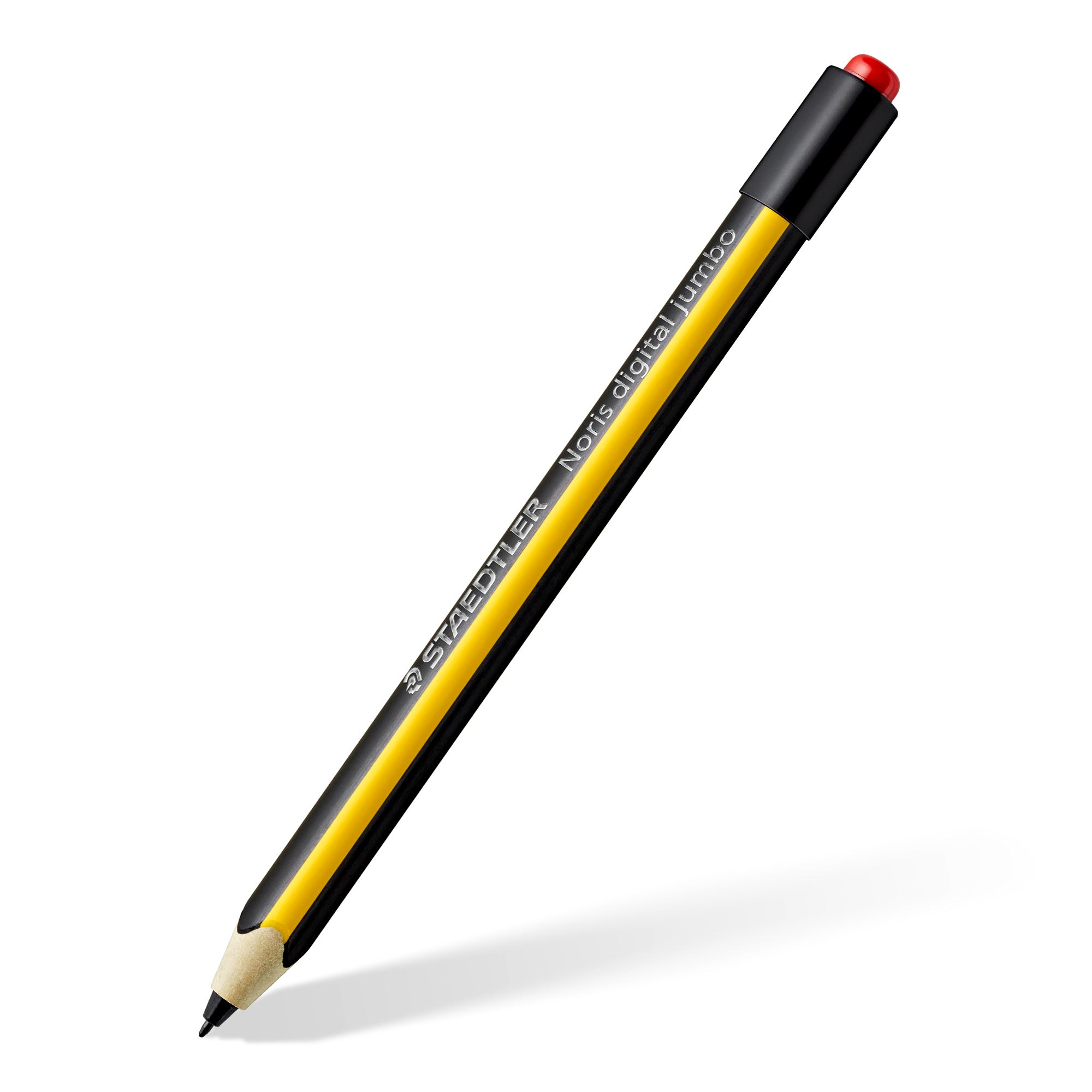
STAEDTLER Noris digital jumbo 180J 22-1
STAEDTLER Noris
It depends — Its EMR technology suits compatible BOOX tablets, but excludes Go 7, Go Color 7 Gen II and Go 10.3 Gen II models.
A thicker triangular stylus with a rear eraser for compatible EMR BOOX tablets. It has no side button and will not work with InkSense-based models.Available at Amazon(paid link) — opens Amazon in a new tab. Price and availability shown there.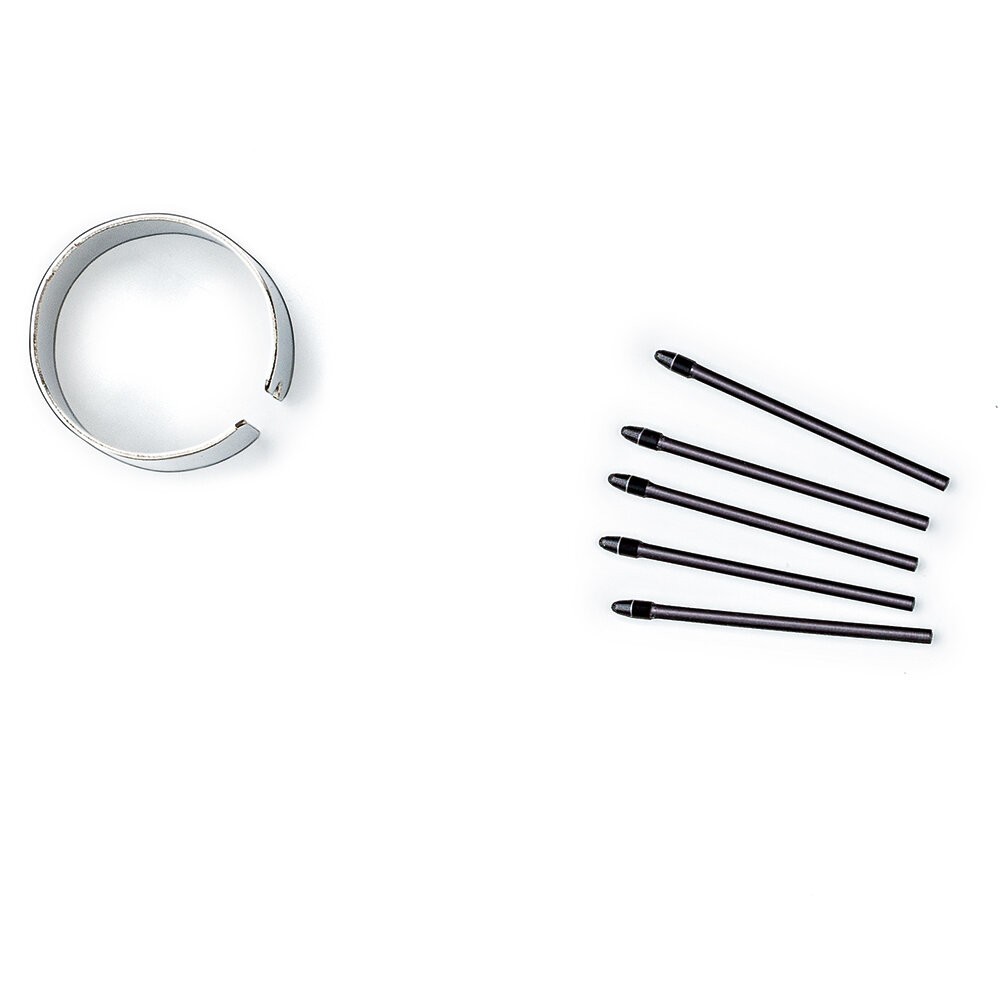
STAEDTLER Noris digital 18022 SN Replacement Nibs
STAEDTLER Noris
It depends — Staedtler supplies five replacement nibs and a tweezer tool in this set, while five spare nibs already accompany the Jumbo.
The specified replacement set for a worn or damaged Noris Digital nib. The Jumbo already includes five spares, so an extra set is only necessary once those run low.Available at Amazon(paid link) — opens Amazon in a new tab. Price and availability shown there.
Sources
Pages consulted while researching this article. None of these are affiliate links.
- Staedtler Noris Digital compatibility list, 2 February 2026 — e.staedtlercdn.com
- BOOX introduces the Go 7 series and InkSense support — shop.boox.com
- BOOX Go 10.3 Gen II series announcement — shop.boox.com
- BOOX device specifications — booxsupport.zendesk.com
- BOOX Stylus & Pen Guide — booxsupport.zendesk.com
- Staedtler Noris Digital Jumbo manufacturer fact sheet — e.staedtlercdn.com
- Basem: Review of Staedtler Noris Digital Jumbo with BOOX Note 3 — myereader.substack.com
- Parka Blogs: Staedtler Noris Digital Jumbo drawing and eraser tests — parkablogs.com