Razer Naga V2 Onboard Memory: What You Can Save
The question this answersWhere do these come from?
Does the Razer Naga V2 have onboard memory?
Both Naga V2 models have onboard memory: five profiles on the Pro and one on the HyperSpeed, with limits on software-dependent features.
Yes—both the Razer Naga V2 Pro and Naga V2 HyperSpeed have onboard memory. The Pro supports five profiles, described by Razer as 4+1, while the HyperSpeed has one; neither profile count means every Synapse function works independently of the software. Razer Pro specifications, HyperSpeed specification discussion on Razer Insider.
The useful distinction is between keeping a button layout on the mouse and reproducing everything Synapse does on your computer. If you are checking before buying, decide whether you need one portable layout, several selectable layouts, or a particular macro that must work on a computer without Synapse.
One saved layout or several: check the model name
“Naga V2” can refer to two different mice. Check the full name on the box or underside before following instructions for saving profiles.
| Feature | Naga V2 Pro | Naga V2 HyperSpeed |
|---|---|---|
| Model family | RZ01-0440x | RZ01-03600 |
| Onboard profile capacity | 5, specified as 4+1 | 1 |
| Connections | USB wired, 2.4 GHz, Bluetooth | 2.4 GHz, Bluetooth |
| Side-button arrangement | Interchangeable 2-, 6-, and 12-button plates | Fixed 12-button grid |
The model identifiers, connections, and button layouts appear in Razer’s Pro support documentation and HyperSpeed support documentation. The HyperSpeed’s one-profile specification is reproduced in its Razer Insider launch discussion.
Both are valid choices for onboard memory; neither deserves a blanket warning simply for having it. Choose the Pro when you need several hardware profiles. The HyperSpeed is unsuitable for switching among multiple onboard layouts without Synapse because it stores only one.
Do not confuse DPI stages with profiles. The HyperSpeed manual allows up to five sensitivity stages within its settings. Those are selectable pointer sensitivities, not five separate button layouts. Its default stages are 400, 800, 1600, 3200, and 6400 DPI. Razer HyperSpeed master guide.
If you are considering the Pro solely for its extra memory, account for the physical mouse too. RTINGS measured its default weight at 133.1 g. That is a relevant drawback if you prefer a light mouse, although the measurement does not establish which macros survive without software. RTINGS Naga V2 Pro review.
Using the mouse without Synapse: separate storage from execution
Onboard storage lets compatible settings travel with the mouse. Razer explicitly describes its hybrid memory system as allowing saved configurations to be used on computers without Synapse or internet access. You still use configuration software to create and change those settings. Razer’s explanation of hybrid storage.
Just want the recommendation?
Skip to the picksFor a portable setup, start with ordinary keyboard assignments and your preferred sensitivity. Mapping a thumb button to a single keyboard key gives you a straightforward way to check that the mouse retained the configuration. A working mapping while Synapse is open establishes only that the software profile works.
Macros need a separate check. A recorded sequence, a text-expansion command, and an application-launch shortcut are different functions. The documentation reviewed does not provide a complete, current matrix of Naga V2 macro compatibility across both models and connection modes. Consequently, a promise that every macro works without Synapse would go beyond the evidence.
There is a particularly useful distinction in Razer’s June 4, 2026 beta release notes. They list a fix for the HyperSpeed being unable to save macros on imported profiles, but do not say that those macros execute from onboard memory without Synapse. The same notes explicitly identify a Pro fix involving custom scroll stages and onboard profiles. A software-profile fix therefore cannot be treated as proof of hardware macro playback. Razer Synapse and Chroma beta release notes.
Lighting deserves the same separation. The HyperSpeed has no Chroma RGB lighting, according to Razer’s product FAQ. For the Pro, do not interpret its five-profile specification as a guarantee that your custom Chroma effects travel with it. If lighting persistence is your main concern, the related Basilisk V3 Pro Chroma-profile explanation addresses that distinction in another Razer mouse. Razer HyperSpeed FAQ.
Verify the saved profile before moving computers
Use this short check before relying on either mouse at work or on another operating system:
- Create a recognizable configuration. Assign one thumb button to an ordinary letter and choose a noticeably different sensitivity. Keep the initial check free of macros.
- Save to hardware where the interface provides that option. Razer’s documented Synapse 3 procedure uses the memory-card icon, followed by dragging a profile into the onboard-memory section. That procedure is relevant to the Pro’s selectable slots; do not assume the HyperSpeed must display the same multi-slot panel.
- Fully exit Synapse. Closing its window can leave it running in the background. Test the assigned letter in an empty text document.
- Power-cycle the mouse and test again. Then connect it to the destination computer without Synapse running there. On the Pro, select the intended stored profile using its underside profile button.
- Test each advanced assignment separately. Repeat the check using the connection you actually intend to use. Success through the receiver does not, by itself, verify Bluetooth behavior.
The memory-card and drag-and-drop steps come from Razer’s Synapse 3 profile guide. Razer now recommends Synapse 4 for migration: Synapse 3 stopped receiving updates and cloud services on February 3, 2026, although already-installed devices remain configurable. Older screenshots should therefore be read as version-specific instructions, not an exact map of every current interface.
If the basic letter assignment survives but a macro fails, you have narrowed the problem to that assignment or its execution requirements. If even the basic assignment disappears, investigate profile selection and saving before concluding that the mouse lacks memory.
For a Pro whose custom scroll stages disappear, check software updates against the documented onboard-scroll fix. If a simple saved configuration still fails after updating and repeating the check, contact Razer support with the model number, firmware version, Synapse version, and connection mode. That evidence is needed to distinguish a configuration bug from a device fault; an RMA should follow support’s diagnosis rather than the assumption that onboard memory is absent.
The bottom line
Two options, and the revision you own picks one:
Top pick
Buy this
Razer Naga V2 Pro
Razer
Razer specifies advanced onboard memory with 4+1 profiles and a dedicated profile button.
Choose it for several stored button layouts and interchangeable side plates. Its extra capacity does not guarantee every Synapse function works offline, and RTINGS measured a substantial 133.1 g default weight.Available at Amazon(paid link) — opens Amazon in a new tab. Price and availability shown there.The alternative
It depends
Razer Naga V2 HyperSpeed
Razer
Its one onboard profile suits a single saved configuration rather than multiple hardware-selectable layouts.
Consider it when one portable button layout is enough. Its single onboard profile cannot replace the Pro’s multiple stored layouts, and essential macros need separate verification.Available at Amazon(paid link) — opens Amazon in a new tab. Price and availability shown there.
Recommended products
Ordered by how well each one fits the situations above. Each link below is a paid link.
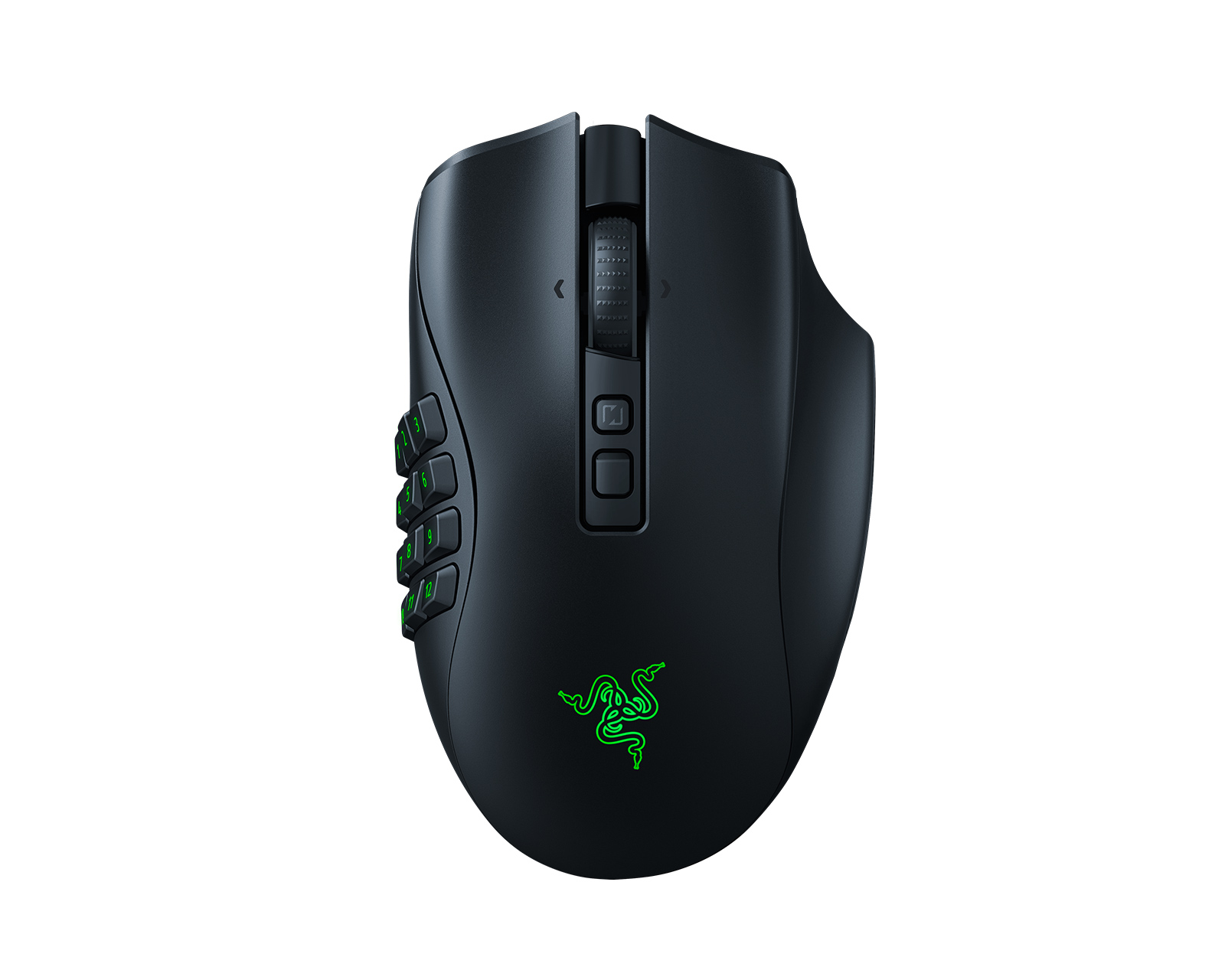
Razer Naga V2 Pro
Razer
Buy — Razer specifies advanced onboard memory with 4+1 profiles and a dedicated profile button.
Choose it for several stored button layouts and interchangeable side plates. Its extra capacity does not guarantee every Synapse function works offline, and RTINGS measured a substantial 133.1 g default weight.Available at Amazon(paid link) — opens Amazon in a new tab. Price and availability shown there.
Razer Naga V2 HyperSpeed
Razer
It depends — Its one onboard profile suits a single saved configuration rather than multiple hardware-selectable layouts.
Consider it when one portable button layout is enough. Its single onboard profile cannot replace the Pro’s multiple stored layouts, and essential macros need separate verification.Available at Amazon(paid link) — opens Amazon in a new tab. Price and availability shown there.
Sources
Pages consulted while researching this article. None of these are affiliate links.
- Razer Naga V2 Pro | RZ01-0440x Support & FAQs — mysupport.razer.com
- Naga V2 HyperSpeed launch discussion and reproduced specifications — insider.razer.com
- Razer Naga V2 HyperSpeed | RZ01-03600 Support & FAQs — mysupport.razer.com
- Razer Naga V2 HyperSpeed Master Guide — dl.razerzone.com
- RTINGS Razer Naga V2 Pro Review — rtings.com
- What is Hybrid On-board and Cloud Storage? — mysupport.razer.com
- Razer Synapse and Chroma for Windows Beta Release Notes — insider.razer.com
- Razer Naga V2 HyperSpeed Features and FAQ — razer.com