Lenovo Yoga Slim 7 14IMH9 Gaming: Know Its Limits
The question this answersWhere do these come from?
Is the Lenovo Yoga Slim 7 14IMH9 good for gaming?
The Yoga Slim 7 14IMH9 handles lighter games, but its integrated graphics and 60Hz screen limit demanding and competitive gaming.
The Lenovo Yoga Slim 7 14IMH9 is suitable for lighter games and occasional gaming alongside work or study. Skip it as a purchase primarily for demanding games or competitive play: its integrated Intel Arc graphics and 60Hz display impose limits that a Core Ultra processor badge cannot remove. Lenovo specifications
The useful distinction is whether you want to play games on a portable everyday laptop, or choose a laptop around gaming. The Yoga makes sense for the first group, provided you accept reduced settings. It is a conditional recommendation, not a laptop every gamer should avoid.
Lighter games are its strongest case
Notebookcheck tested the Yoga Slim 7 14IMH9 with a Core Ultra 7 155H, 32GB LPDDR5X-7467 memory and integrated Arc graphics. These are measured averages from that configuration, not estimates for every Yoga carrying the Slim 7 name. Notebookcheck’s review
| Game | Tested settings | Average frame rate |
|---|---|---|
| Dota 2 Reborn | 1920×1080, Ultra | 74.4 fps |
| Far Cry 5 | 1920×1080, Medium | 44 fps |
| Tiny Tina’s Wonderlands | 1920×1080, Low, DX12 | 47.4 fps |
| Cyberpunk 2077 | 1920×1080, Low, FSR off | 32.9 fps |
These results come from Notebookcheck’s game benchmarks. They demonstrate a substantial gap between lighter multiplayer games and demanding single-player titles. They do not establish minimum frame rates or guarantee identical performance after game and driver updates.
LaptopMedia independently recorded 74 fps in Dota 2 at 1080p High on its Core Ultra 7 review unit. That supports treating this Yoga as capable of some enjoyable multiplayer gaming. However, LaptopMedia’s Counter-Strike measurements concern CS:GO, so they should not be quoted as Counter-Strike 2 performance. LaptopMedia’s measured results
For Fortnite, Valorant, Minecraft or a heavily modified game, check the exact game version and settings before expecting a particular frame rate. The measurements above do not establish those results. Minecraft with shaders, for example, should be evaluated separately from an unmodified installation.
Demanding games need compromises; competitive play needs more
Treat 30 fps as a possible target in demanding games, rather than assuming that selecting Low guarantees 60 fps. Decide whether that is acceptable before buying. A slower single-player game can remain enjoyable at a consistent lower frame rate; a fast competitive shooter places different demands on responsiveness.
There is also a resolution detail that benchmark summaries can hide. Lenovo specifies a 1920×1200 panel, while the tests above use 1920×1080. Native resolution contains approximately 11.1% more pixels, calculated from those dimensions. That does not translate into an exact performance penalty, but it means a 1080p result is not a native-resolution result. Lenovo display specifications
Just want the recommendation?
Skip to the picksThe built-in display’s 60Hz refresh rate also limits how frequently it can show new images. Rendering above 60 fps can still help input responsiveness, but it does not make this a high-refresh gaming screen. OLED contrast does not change that limitation.
If demanding games are the main reason for buying a laptop, move to a model with dedicated graphics and assess its measured performance in your games. The Acer Nitro V 15 versus Lenovo LOQ comparison covers that more appropriate category. Choose the GPU configuration deliberately; a family name alone is insufficient.
Choose the exact configuration before buying
Verify Yoga Slim 7 14IMH9, then the full configuration. Do not transfer results from a Yoga Pro 7, a Snapdragon Yoga Slim 7x or a later Slim 7 generation.
Lenovo lists 16GB and 32GB soldered memory configurations with no memory slots. For a new purchase intended to handle work plus occasional gaming, the Core Ultra 7 155H, 32GB RAM, 1TB SSD configuration is the one to consider. The memory cannot be upgraded later. Lenovo memory specifications
Intel documents that the 155H’s integrated GPU uses shared system memory. That makes memory capacity relevant when Windows, background applications and a game compete for resources. However, 32GB does not provide 32GB of dedicated video memory, and doubling capacity does not promise doubled frame rates. The recommendation provides more capacity for mixed workloads; it is not a measured gaming uplift over the 16GB model. Intel GPU architecture documentation
If you already own the 16GB version, try your actual games before replacing it. A configuration that meets your needs does not become unsuitable merely because another has more memory.
Already own it? Establish a sensible gaming baseline
Use this sequence to find settings you can sustain:
- Connect the appropriate power adapter and place the laptop on a hard surface with its vents clear.
- Select Performance in Lenovo Vantage. In Windows, open Settings → System → Power & battery → Power mode and select Best performance while plugged in. LaptopMedia used these performance presets for its benchmarks. LaptopMedia’s test setup
- Begin with Low settings and ray tracing disabled. Try 1920×1080 for comparison with published benchmarks, or 1280×800 where available to preserve the screen’s aspect ratio while reducing rendering load.
- Try the game’s supported upscaling option. Compare image quality and responsiveness yourself; a named preset is not a universal performance guarantee.
- Set a sustainable frame-rate cap. Test a demanding section of gameplay, rather than judging performance from a quiet opening scene or menu.
These are starting settings, not additional benchmark claims. Change one setting at a time so you can identify what helps. If the game still cannot maintain a frame rate you find comfortable, the Yoga’s gaming limit has been reached for that workload. More storage or a faster charger will not turn its integrated graphics into a dedicated gaming GPU.
The bottom line
Where the money goes:
Top pick
It depends
Lenovo Yoga Slim 7 14IMH9 Intel Core Ultra 7 155H 32GB RAM 1TB SSD OLED
Lenovo
The Core Ultra 7 and 32GB configuration averaged 74.4 fps in Dota 2 at 1080p Ultra but only 32.9 fps in Cyberpunk 2077 at 1080p Low with FSR off in Notebookcheck’s tests.
Consider this configuration for an everyday laptop with occasional lighter gaming. Its soldered 32GB memory offers capacity for mixed workloads, but integrated graphics and a 60Hz screen limit gaming ambition.Available at Amazon(paid link) — opens Amazon in a new tab. Price and availability shown there.
Recommended products
Ordered by how well each one fits the situations above. Each link below is a paid link.
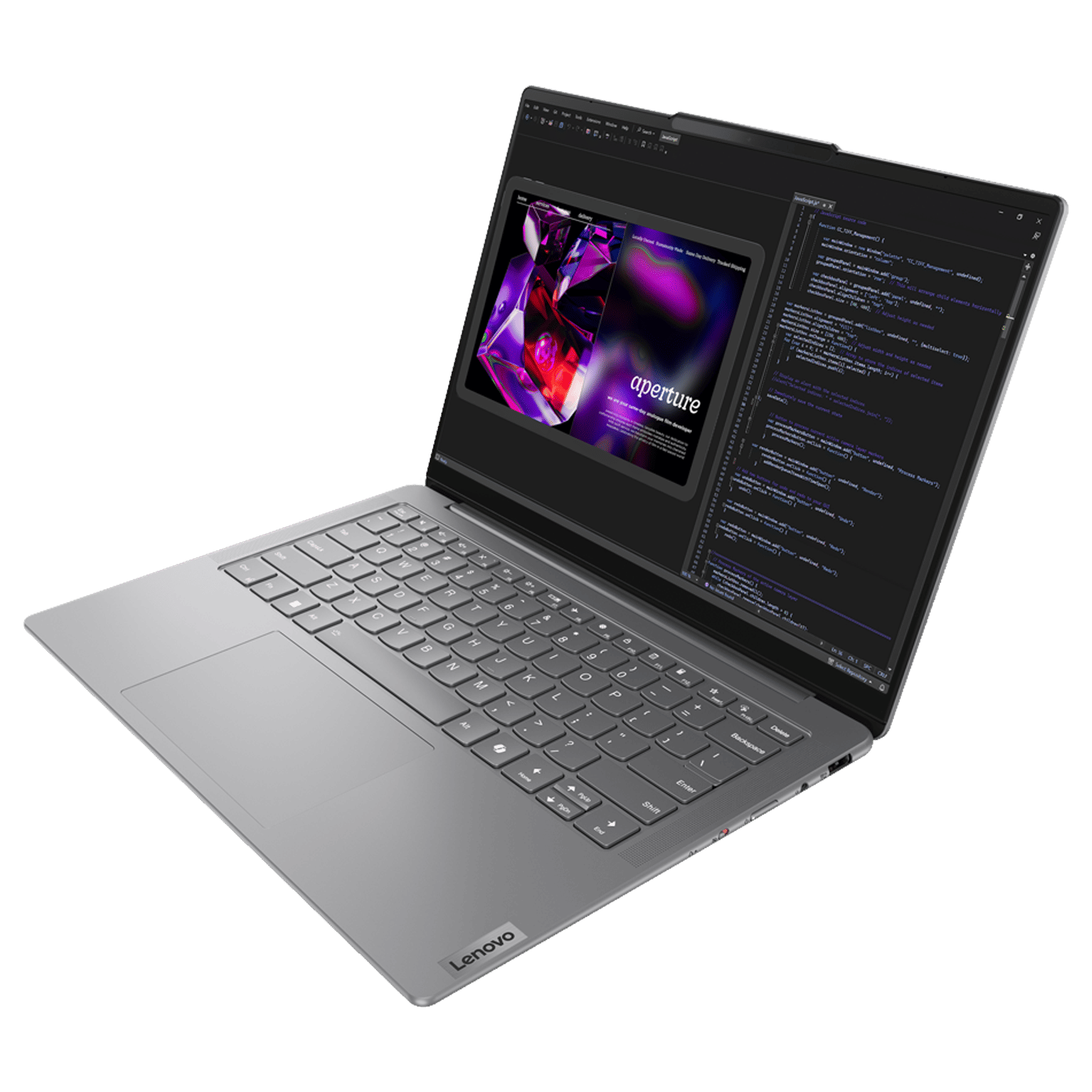
Lenovo Yoga Slim 7 14IMH9 Intel Core Ultra 7 155H 32GB RAM 1TB SSD OLED
Lenovo
It depends — The Core Ultra 7 and 32GB configuration averaged 74.4 fps in Dota 2 at 1080p Ultra but only 32.9 fps in Cyberpunk 2077 at 1080p Low with FSR off in Notebookcheck’s tests.
Consider this configuration for an everyday laptop with occasional lighter gaming. Its soldered 32GB memory offers capacity for mixed workloads, but integrated graphics and a 60Hz screen limit gaming ambition.Available at Amazon(paid link) — opens Amazon in a new tab. Price and availability shown there.
Sources
Pages consulted while researching this article. None of these are affiliate links.
- Lenovo Yoga Slim 7 14IMH9 Product Specifications Reference — psref.lenovo.com
- Notebookcheck: Lenovo Yoga Slim 7 14 G9 laptop review — notebookcheck.net
- LaptopMedia: Lenovo Yoga Slim 7i (14, Gen 9) review — laptopmedia.com
- Intel Xe GPU Architecture — intel.com