iPhone 13 Battery Replacement Guide
The questionWhere do these come from?
iPhone 13 at 75% battery health is overheating, lagging, and dying halfway through the day. Should I upgrade to iPhone 17 or are there better value options?
Replace the iPhone 13 battery if the phone is otherwise healthy; upgrade only if damage, storage, or repair problems are piling up.
You do not have to jump straight to an iPhone 17, but you do have to stop treating that iPhone 13 as a normal working phone. At 75% battery health, the battery is already past the point where it can be trusted for a full day, and the heat, lag, and sudden drain are all consistent with an aged battery struggling to supply power.
If the iPhone 13 is otherwise sound
The cheapest sensible fix is a battery replacement. If your iPhone 13 is otherwise in good shape, meaning no cracked back, no damaged charging port, no camera problems, no water history, and enough storage for your life, a genuine battery service can make it feel much less broken. Apple says iPhone batteries age chemically, lose capacity, and can lose the ability to deliver peak power; when that happens, iOS may manage performance to avoid shutdowns. Apple also says iPhone 14 and earlier batteries are designed around retaining 80% capacity after 500 complete charge cycles under ideal conditions. You are below that. This is not a Settings toggle problem.
So the first decision is simple: is the iPhone 13 still the phone you want, just with a dead battery? If yes, replace the battery and keep it. You will not get a better screen, USB-C, newer cameras, Apple Intelligence support, or a fresh warranty on the whole device, but you will probably solve the worst daily pain for far less waste than replacing the phone. The downside is that you are putting money into a 2021 phone. If something else fails in six months, that battery job will feel annoying.
If you want the best long-term upgrade
If you want a phone for the next three to five years, buy the regular iPhone 17. Not the iPhone 17 Pro by default. The base iPhone 17 is the sweet spot here because it fixes the specific things that make your iPhone 13 feel old without making you pay for Pro features you may not use.
The jump from iPhone 13 to iPhone 17 is bigger than it looks on a spec sheet. You get USB-C instead of Lightning, a newer A19 chip, a 6.3-inch OLED display, ProMotion up to 120Hz, Always-On display, a 48MP main camera with a useful 2x crop, a 48MP ultra wide, and much better battery life on paper. Apple lists iPhone 17 video playback at up to 30 hours. Current reviews also land in the same place: the regular iPhone 17 is fast, smooth, and no longer feels like the compromised non-Pro model because Apple finally brought over the screen features that used to make the base phones feel behind.
| Option | Best fit | Main gains | Main caution |
|---|---|---|---|
| iPhone 13 battery service | Money is tight and the phone is physically sound | Solves the worst daily battery pain with less waste | Still a 2021 phone with no USB-C, newer cameras, or Apple Intelligence support |
| iPhone 17 | Best long-term value | USB-C, A19, 6.3-inch OLED, ProMotion up to 120Hz, Always-On display, 48MP main and ultra wide cameras | Does not add Pro camera hardware or USB 3 transfer speeds |
| iPhone 16 | Reliable fallback if iPhone 17 stretches too far | USB-C, Dynamic Island, A18, Apple Intelligence support, 48MP main camera | No 120Hz ProMotion display |
| Renewed iPhone 15 Pro | ProMotion and telephoto without the newest Pro | ProMotion, Always-On display, USB-C, Apple Intelligence support, Pro camera system | Battery health and return terms matter |
That matters here because the issue isn’t needing the best camera Apple makes — it’s a phone that runs hot, lags, and dies by afternoon. The regular iPhone 17 addresses that directly. A new battery alone addresses it too, but only inside the old iPhone 13 body.
If the Pro features are actually useful
The iPhone 17 Pro is the right answer only if you know why you need it. The Pro gives you the better camera system, including a dedicated telephoto, more serious sustained performance, USB 3 transfer speeds, and stronger thermal hardware. Reviews of the 17 Pro specifically call out improved heat management from the vapor chamber design. If you shoot lots of 4K video, edit on the phone, play heavy games, use your phone outdoors in heat, or care about zoom shots at concerts and travel, the Pro is defensible.
Just want the recommendation?
Skip to the picksBut if your normal use is messaging, Reddit, maps, photos, social apps, browser tabs, banking, music, and occasional video, the Pro is not the value move. It is heavier, more expensive, and the extra camera hardware is wasted if you mostly shoot normal 1x and 2x photos. Coming from an iPhone 13 with a dying battery, the regular iPhone 17 will already feel like a massive upgrade.
If the iPhone 17 costs too much
The iPhone 16 is the better value fallback if the iPhone 17 stretches you too far. It still gets you USB-C, Dynamic Island, the A18 chip, Apple Intelligence support, and a 48MP main camera. It does not give you the same 120Hz ProMotion display as the iPhone 17, and that is the catch. If you have used a 120Hz iPhone before, going without it feels worse. If you have only used the iPhone 13, the iPhone 16 will still feel familiar and quick. The iPhone 16 is the right choice when the alternative is keeping a failing phone for too long or buying an old used Pro with an unknown battery.
If you are also considering leaving iOS because you want a smaller phone with wired audio, the tradeoffs are different; start with the small Android with a headphone jack on Verizon question instead.
When used models become risky
Be careful with used iPhone 15 Pro listings. A 15 Pro can be a very good buy because it has ProMotion, Always-On display, USB-C, Apple Intelligence support, and a real Pro camera system in a smaller body. The risk is battery health. You are already living the reason this matters. Do not buy a used or renewed 15 Pro unless the seller clearly states battery condition, return terms are solid, and you are prepared to replace the battery if it arrives below a healthy level. A used Pro with 82% battery health is not a clever upgrade from a 75% iPhone 13; it is just a nicer version of the same problem waiting to happen.
Skip the iPhone 14 unless it is a very clean hand-me-down. It keeps Lightning, lacks Apple Intelligence support, and is old enough that battery condition becomes a real lottery. The iPhone Air is also the wrong choice if battery life and heat are the problem being solved here. It may tempt anyone who likes thin phones, but thinness does nothing for battery and heat pain. Bias toward boring battery confidence, not thinness.
What to check before you decide
Before buying anything, do two checks. First, go to Settings, Battery, Battery Health & Charging, and see whether it says service is recommended or whether peak performance has been affected. Second, check iPhone Storage. If you are constantly nearly full, that can add to sluggishness. If your phone has both a 75% battery and almost no free storage, a battery replacement will help, but it may not make the phone feel new.
The recommendation order is this: if money is tight and the phone is physically sound, get the iPhone 13 battery replaced and keep it for another year. If you are ready to buy and want the best long-term value, get the regular iPhone 17 with enough storage for your photos and apps. If the iPhone 17 is too much but you need a reliable phone now, get the iPhone 16. If you specifically want ProMotion and a telephoto lens without going all the way to the newest Pro, consider a renewed iPhone 15 Pro only from a seller with a strong return policy and clear battery expectations.
The best device for you is the regular iPhone 17. The practical budget move is battery service. The option to be most careful with is any used Pro model, because battery health is exactly why you are replacing your current phone.
The bottom line
Neither is wrong; the use case separates them:
Top pick
Buy this
Apple iPhone 17, US Version, 256GB, eSIM, Mist Blue- Unlocked (Renewed Premium)
Apple
The article names the regular iPhone 17 the best long-term upgrade, citing USB-C, ProMotion up to 120Hz, and up to 30 hours of video playback.
Best overall choice if you want a long-term replacement. It gives you the smooth 120Hz display, USB-C, newer cameras, and enough battery headroom that your current iPhone 13 lacks.Available at Amazon(paid link) — opens Amazon in a new tab. Price and availability shown there.The alternative
It depends
Apple iPhone 16, 128GB, Black - Unlocked (Renewed)
Apple
The iPhone 16 is recommended if the iPhone 17 costs too much, with the stated compromise that it lacks a 120Hz ProMotion display.
Best value fallback if the iPhone 17 is more than you want to spend. You give up the iPhone 17’s ProMotion display, but you still get a modern USB-C iPhone with strong everyday performance.Available at Amazon(paid link) — opens Amazon in a new tab. Price and availability shown there.
Recommended products
Ordered by how well each one fits the situations above. Each link below is a paid link.
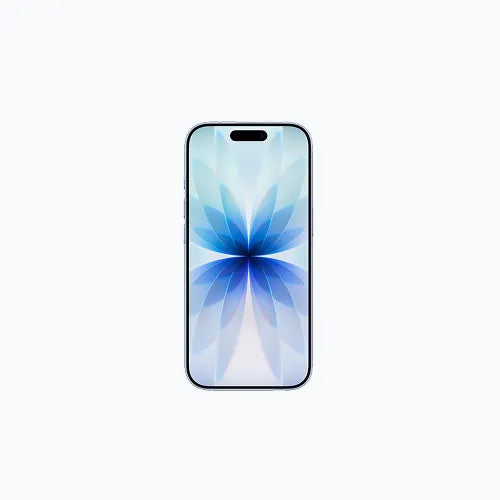
Apple iPhone 17, US Version, 256GB, eSIM, Mist Blue- Unlocked (Renewed Premium)
Apple
Buy — The article names the regular iPhone 17 the best long-term upgrade, citing USB-C, ProMotion up to 120Hz, and up to 30 hours of video playback.
Best overall choice if you want a long-term replacement. It gives you the smooth 120Hz display, USB-C, newer cameras, and enough battery headroom that your current iPhone 13 lacks.Available at Amazon(paid link) — opens Amazon in a new tab. Price and availability shown there.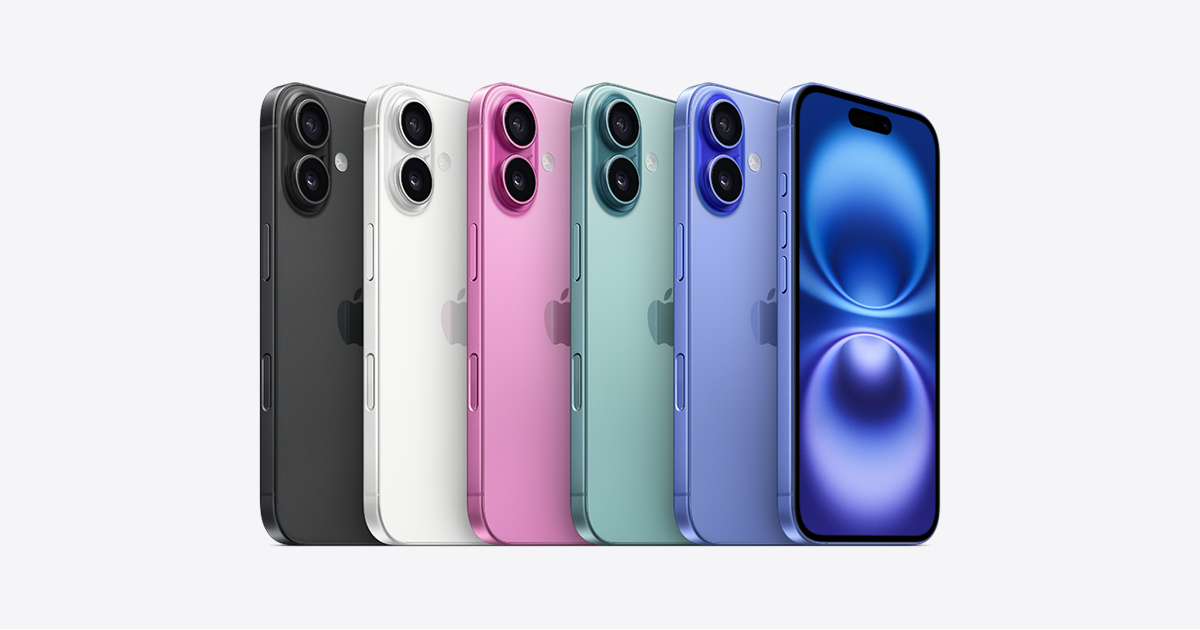
Apple iPhone 16, 128GB, Black - Unlocked (Renewed)
Apple
It depends — The iPhone 16 is recommended if the iPhone 17 costs too much, with the stated compromise that it lacks a 120Hz ProMotion display.
Best value fallback if the iPhone 17 is more than you want to spend. You give up the iPhone 17’s ProMotion display, but you still get a modern USB-C iPhone with strong everyday performance.Available at Amazon(paid link) — opens Amazon in a new tab. Price and availability shown there.
Apple iPhone 15 Pro, 256GB, Black Titanium - Unlocked (Renewed)
Apple
It depends — The renewed iPhone 15 Pro suits buyers wanting ProMotion and telephoto, but only with clear battery condition, strong return terms, and readiness to replace the battery if necessary.
Worth considering only if you want ProMotion plus a real telephoto camera and can verify return terms and battery condition. A weak used battery would defeat the whole point of upgrading.Available at Amazon(paid link) — opens Amazon in a new tab. Price and availability shown there.
Apple iPhone 17 Pro, US Version, 256GB, eSIM, Deep Blue- Unlocked (Renewed Premium)
Apple
It depends — The iPhone 17 Pro is justified for demanding video, gaming, telephoto, or heat-management needs through its dedicated telephoto, USB 3 speeds, and vapor chamber, but is heavier and more expensive for ordinary use.
Only choose this if you shoot lots of video, need telephoto zoom, game heavily, or care about sustained performance and heat management. It is the better phone, but not the default value pick for this problem.Available at Amazon(paid link) — opens Amazon in a new tab. Price and availability shown there.
Sources
Pages consulted while researching this article. None of these are affiliate links.
- iPhone battery and performance - Apple Support — support.apple.com (accessed 2026-08-09)
- Batteries - Service and Recycling - Apple — apple.com (accessed 2026-08-09)
- iPhone 17 - Technical Specifications - Apple — apple.com (accessed 2026-08-09)
- iPhone 16 and iPhone 16 Plus - Technical Specifications - Apple — apple.com (accessed 2026-08-09)
- iPhone 15 Pro - Tech Specs - Apple Support — support.apple.com (accessed 2026-08-09)
- Apple iPhone 17 review: fast, fun, and the best-value iPhone yet - TechRadar — techradar.com (accessed 2026-08-09)
- Apple iPhone 17 review: Sometimes boring is best - Ars Technica — arstechnica.com (accessed 2026-08-09)
- Apple iPhone 17 Pro review: Come for the camera, stay for the battery - Ars Technica — arstechnica.com (accessed 2026-08-09)