CZUR Shine Ultra Foot Pedal: Setup and Replacements
The question this answersWhere do these come from?
How does the foot pedal on the CZUR Shine Ultra work, and can I use a replacement if mine breaks?
The Shine Ultra includes a foot pedal that connects to the scanner’s USB-A port; replacement pedals need explicit model compatibility.
The CZUR Shine Ultra includes a foot pedal for triggering scans while your hands hold the book open. It plugs into the scanner’s USB-A port; the separate USB-B connection links the scanner to your computer. CZUR specifications, CZUR user manual
For a missing or broken pedal, request a replacement explicitly confirmed for Shine Ultra. The documentation reviewed establishes how the original pedal connects, but does not establish that an arbitrary USB foot switch will work in its place.
Connect the pedal to the scanner first
The two sockets have different jobs. Connect the original pedal to the rectangular USB-A socket on the scanner, then connect the scanner’s USB-B socket to your computer with its USB cable. Open the appropriate CZUR scanning application and check that you have a live document preview.
CZUR’s manual describes operating the pedal with your heel on the floor and your toes on the switch. It also identifies the base knob as the light control: pressing it switches illumination, while turning it adjusts brightness. Pressing that knob is therefore not the equivalent of pressing the scan pedal. Shine user manual
Before starting a book, make one capture using the software control, then another using the pedal. Check that both appear in the capture list. This quick comparison gives you a useful baseline before you spend time positioning pages.
You have three documented capture options:
| Capture method | What starts the capture | Best reason to use it |
|---|---|---|
| Original foot pedal | Foot press | Keep both hands on the book |
| Software trigger | On-screen command | Occasional scans or checking a pedal fault |
| Auto-scan | Automatic capture mode | Work without pressing the pedal |
CZUR lists foot control, software triggering and auto-scan for the Shine Ultra. The pedal is useful, but it is not required for every scanning session. Shine Ultra features and specifications
Keep your hands still during each capture and check the result before turning the page. A successful pedal press confirms that capture started; it does not confirm that the page was positioned correctly or that the resulting image is usable.
Just want the recommendation?
Skip to the picksBuying a replacement requires more than a USB plug
A USB-A connector alone does not prove Shine Ultra compatibility. The connector identifies the physical connection; it does not establish which commands a replacement switch sends or whether the scanner understands them. Treat a generic computer foot switch as an unverified substitute unless its maker documents this exact application.
The same caution applies to an accessory described only as a “CZUR foot pedal.” Before ordering, ask for confirmation against the full scanner model, and provide a photograph of the original pedal and connector if available. For an existing scanner, CZUR support should identify the correct replacement before you buy anything. The manufacturer lists support@czur.com on its Shine Ultra support page.
There is no adequately supported named aftermarket pedal to recommend or warn against here. That is a compatibility evidence gap, not evidence that every alternative fails. Standalone Amazon availability for the correct replacement pedal was not verified during this research.
If you are buying your first scanner, the CZUR Shine Ultra 13MP package already lists a foot pedal among its contents. It is a reasonable option when you want the scanner and hands-free capture together; buying another complete scanner solely to replace a pedal is unnecessary. Check the contents separately for used or incomplete packages. CZUR’s package specification
When pressing the pedal does nothing
Start by separating a pedal problem from a scanner connection problem. The following checks are diagnostic reasoning based on the documented connections, rather than a manufacturer-confirmed repair procedure.
- Try the software capture control. If that saves an image, the camera and application can complete a capture. Attention can shift toward the pedal, its connection or the scanner’s accessory input.
- Reseat the pedal at the scanner. Check for visible damage around the plug and cable. Repeat the software-versus-pedal comparison with the same document in place.
- If neither method works, check the computer connection. Reconnect the scanner cable, try another computer USB port and, where practical, temporarily remove an intervening hub. Change one thing at a time so the result tells you something.
- Borrow a known-working data cable before buying one. If a cable swap restores both preview and capture, replacing the computer cable is justified. It does not follow that a new cable will repair an isolated pedal fault.
For that last, narrower case, the StarTech.com USB2HAB6 is a 6-foot USB 2.0 cable with USB-A male and USB-B male connectors, rated for 480 Mbps. Those connectors match the documented scanner-to-computer connection. It requires a computer USB-A port or a suitable adapter, and it does not replace the pedal’s own lead. StarTech USB2HAB6 datasheet
Also check the software against the scanner’s own support page. At the September 2026 check, CZUR listed CZUR Shine 2.2.260112 for Windows and CZUR Scanner 5.5.3 in separate Apple Silicon and Intel Mac downloads. Those are identification details, not evidence of a pedal-specific fix; no such fix was established from the published update information. CZUR software downloads
If software capture consistently works but the original pedal remains unresponsive, contact support with your scanner model, operating system, application version and the results of those checks. Without a known-compatible replacement pedal to compare, you cannot reliably distinguish a failed switch from a failed scanner accessory input. Support may need to arrange a replacement part or an RMA.
The pedal’s benefit is control over capture timing, rather than a guaranteed scanning rate. In an independent owner report, Tistory author 카멜리아 시넨시스 recorded 20 minutes for 300 pages using the foot pedal and finger cots, excluding post-processing. That is one owner’s measured workflow, not a laboratory benchmark or a pedal durability test. No independent measurements of this pedal’s actuation force or service life were found. Owner’s timed Shine Ultra scanning report
The bottom line
Both fit — your exact model decides:
Top pick
It depends
StarTech.com USB2HAB6 6 ft USB 2.0 Certified A to B Cable
StarTech
Its USB-A male and USB-B male connectors match the documented computer connection, but it addresses cable faults rather than pedal-switch failures.
Consider this only if testing identifies a faulty scanner-to-computer cable. It needs a computer USB-A connection and cannot replace or repair the foot pedal.Available at Amazon(paid link) — opens Amazon in a new tab. Price and availability shown there.The alternative
It depends
CZUR Shine Ultra 13MP Document Scanner
CZUR Shine
CZUR lists a foot pedal in the Shine Ultra package, making it suitable for a complete setup rather than a standalone pedal replacement.
Consider the complete scanner if you need your first book-scanning setup with an included pedal. It is unnecessary as a replacement purchase when only an existing pedal has failed.Available at Amazon(paid link) — opens Amazon in a new tab. Price and availability shown there.
Recommended products
Ordered by how well each one fits the situations above. Each link below is a paid link.
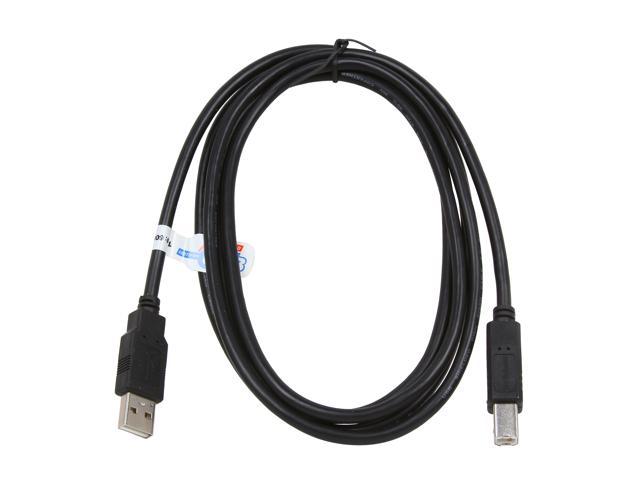
StarTech.com USB2HAB6 6 ft USB 2.0 Certified A to B Cable
StarTech
It depends — Its USB-A male and USB-B male connectors match the documented computer connection, but it addresses cable faults rather than pedal-switch failures.
Consider this only if testing identifies a faulty scanner-to-computer cable. It needs a computer USB-A connection and cannot replace or repair the foot pedal.Available at Amazon(paid link) — opens Amazon in a new tab. Price and availability shown there.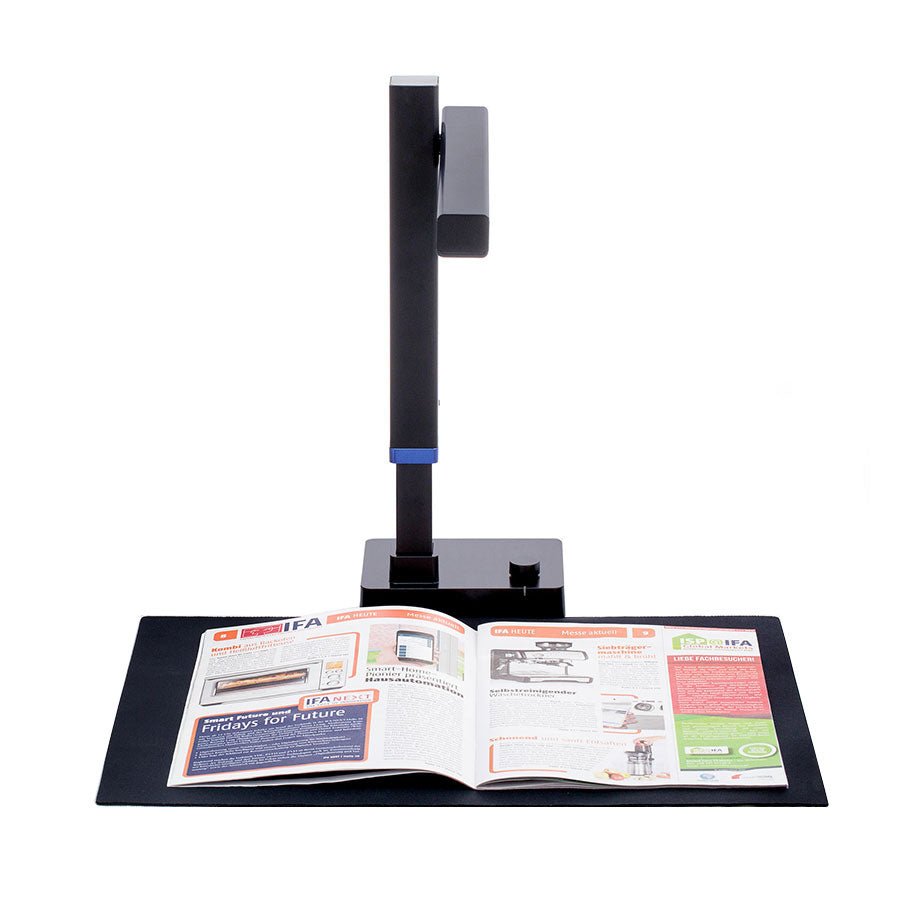
CZUR Shine Ultra 13MP Document Scanner
CZUR Shine
It depends — CZUR lists a foot pedal in the Shine Ultra package, making it suitable for a complete setup rather than a standalone pedal replacement.
Consider the complete scanner if you need your first book-scanning setup with an included pedal. It is unnecessary as a replacement purchase when only an existing pedal has failed.Available at Amazon(paid link) — opens Amazon in a new tab. Price and availability shown there.
Sources
Pages consulted while researching this article. None of these are affiliate links.
- CZUR Shine Ultra / Ultra Pro specifications and package contents — czur.com
- CZUR Shine Ultra User Manual — static.czur.cc
- CZUR Shine Ultra software downloads and support — czur.com
- StarTech.com USB2HAB6 manufacturer datasheet — media.startech.com
- CZUR Shine Ultra owner report: scanning time and image quality — seup-uni.tistory.com