Audient iD24 or Scarlett Solo? The Upgrade That Matters
The questionWhere do these come from?
Interface suggestions
Wassup bros I have a focus rite scarlet solo want to upgrade for best sound quality. Budget is $1k but really looking for 500 range. Let me know.
Choose the iD24 for two mic preamps and expandable routing; keep or buy the Solo if one mic and one instrument cover your work.
Choose the Audient iD24 if you need two microphone preamps, ADAT expansion, outboard inserts or serious monitor routing. Choose the Scarlett Solo 4th Gen—or keep the Solo you already have—if you record one microphone and one instrument and expect the interface alone to transform your vocal sound.
The iD24 is the more capable studio hub. It is not automatically the better-sounding purchase for a simple one-microphone vocal setup.
The comparison that decides it
This table compares the Audient iD24 with the current Scarlett Solo 4th Gen. Older Solo generations are addressed separately below.
| Deciding specification | Audient iD24 | Scarlett Solo 4th Gen |
|---|---|---|
| Microphone inputs | 2 XLR/TRS combo inputs | 1 XLR microphone input |
| Microphone gain | 0 to +58 dB, plus a -10 dB pad | 57 dB gain range |
| Balanced line outputs | 4 | 2 |
| Digital expansion | 8-channel ADAT at 44.1/48 kHz; 4-channel SMUX at 88.2/96 kHz | None |
| Maximum sample rate | 96 kHz | 192 kHz |
Those figures expose the real difference. The Solo already records a microphone and a guitar at the same time through its separate mic and line/instrument inputs. The iD24 earns its place when you need two microphones, two flexible line inputs, additional outputs or a path toward a larger multichannel studio.
Audient advertises a 68 dB gain range, but its detailed specification divides that into a preamp adjustable from 0 to +58 dB and a -10 dB pad. In other words, 68 dB describes the total adjustment span from -10 to +58 dB; it does not mean the iD24 supplies +68 dB of maximum amplification. Focusrite specifies a 57 dB range for the Solo, so the iD24 has essentially no maximum-gain advantage for a quiet dynamic microphone. Audient’s technical specifications and Focusrite’s Solo specifications provide the underlying figures.
An independent Audiofanzine bench test supports that interpretation: its Audio Precision setup measured the iD24’s maximum microphone gain at 57.917 dB. The same test reported 117.983 dB of dynamic range and a real round-trip latency of 6.463 ms at 44.1 kHz with a 32-sample buffer. Those are strong results, but the measured gain is still approximately 58 dB—not 68 dB of positive gain. Audiofanzine published its complete iD24 measurements.
Vocal quality will not jump as far as the feature list
Moving from a Scarlett Solo to an iD24 can improve the monitoring system, routing and available recording configurations. With a well-functioning Solo, however, the microphone signal is already passing through a low-noise, largely transparent preamp. Do not expect changing the interface to alter a voice like changing the microphone, its position or the room acoustics would.
This is particularly important with a sensitive condenser microphone. The Neumann TLM 103, for example, produces 23 mV/Pa and has 7 dB-A self-noise. Neumann specifically describes its high sensitivity as sufficient for low-noise operation with modest interfaces and preamps. Either interface supplies the required 48-volt phantom power and ample gain for a microphone of this type. Neumann publishes the TLM 103’s sensitivity and noise data.
The manufacturer converter figures do not produce a simple Audient victory either. Audient specifies 122 dB A-weighted dynamic range for the iD24’s A/D converter and 126.5 dB for D/A. Focusrite specifies 120 dB for the Solo’s A/D converter and 130 dB A-weighted for D/A. These are manufacturer measurements of converter stages rather than guaranteed end-to-end recording results, but they show why “the larger interface has better converters” is too crude a verdict.
For a single condenser-vocal chain, spend the effort first on microphone distance, angle, room reflections, background noise and recording level. Replace a working Solo with the iD24 when one of the iD24’s concrete capabilities solves a limitation—not solely to make the same microphone sound dramatically richer.
Two microphones and future expansion change the answer
The Solo has two analogue inputs, but only one is an XLR microphone input. Its other input accepts line or instrument signals. That works well for voice plus guitar, but it cannot record two conventional XLR microphones without another preamp and a different connection strategy.
The iD24 provides two XLR/TRS combo channels, each with phantom power, a -10 dB pad, polarity reversal and a 100 Hz high-pass filter. It can therefore capture two vocalists, a stereo microphone pair or two drum microphones directly. Plugging into the front JFET instrument input takes over channel 1, leaving channel 2 available for a microphone.
ADAT is the larger dividing line. An eight-channel ADAT microphone preamp can expand the iD24 to ten input channels at 44.1 or 48 kHz. At 88.2 or 96 kHz, SMUX reduces the optical connection to four channels. Its optical ports can instead operate as stereo S/PDIF up to 96 kHz. Audient documents the ADAT and S/PDIF channel limits.
The Solo has no digital input or output, so its physical input configuration is its permanent ceiling. If recording drums, a live ensemble or several hardware instruments is a realistic next step, the iD24 prevents another complete interface replacement later.
Just want the recommendation?
Skip to the picksInserts are the iD24 feature most comparisons miss
Each iD24 input has a balanced insert send and return. That lets you place a hardware compressor or EQ after the microphone preamp but before conversion. More unusually, connecting an external preamp to an insert return bypasses both the onboard microphone preamp and line-input stage, feeding a differential line stage into the converter. Audient explains the insert-return bypass path.
That matters if you already use rack preamps, want to print compression while tracking, or need a clean conversion path for external hardware. The Solo has a line input, but it has neither analogue inserts nor a dedicated return that bypasses its normal input stage.
For a studio made entirely of microphones, software instruments and plug-ins, the inserts may remain unused. Do not treat unused professional connectivity as a sound-quality upgrade.
Monitoring is where the iD24 feels like a studio controller
The iD24 supplies four balanced line outputs, allowing a second monitor pair, an external headphone amplifier or a dedicated re-amping send. Its software mixer supports a main mix and two cue mixes, while programmable hardware controls can handle functions such as dim, mono, speaker selection and talkback.
Its front panel has both 6.35 mm and 3.5 mm headphone sockets, but they are not two independently routed headphone amplifiers. They carry the same headphone feed. You can give that feed a cue mix separate from the speaker mix, and the two sockets are convenient for different plugs or occasional shared listening, but two performers needing independent balances still require outputs 3–4 and an external headphone amplifier. Audient’s cue-mix instructions clarify the headphone routing.
The iD24 also has substantially greater specified headphone power: 232 mW into 30 ohms, 295 mW into 60 ohms and 104 mW into 600 ohms. Focusrite specifies 32 mW into 33 ohms and 22 mW into 300 ohms for the Solo. The iD24 is therefore the clearer choice for demanding studio headphones, although its available level can be lower when it is connected through USB-A rather than a properly powered USB-C port.
The Solo remains straightforward: one separately controlled headphone output, one stereo monitor pair and direct monitoring through Focusrite Control 2. Its simpler routing is enough when the performer and engineer are the same person.
Air mode versus a neutral recording path
The Scarlett Solo 4th Gen offers two Air settings on its microphone input. Air Presence applies an analogue presence boost; Air Presence and Harmonic Drive adds harmonics and works at sample rates up to 96 kHz. The iD24 instead supplies a neutral preamp path, pad, polarity reversal and high-pass filter without a comparable selectable coloration mode. Focusrite documents both Solo Air modes.
Air can be useful when you want a brighter vocal or deliberate coloration on the way in. It is not an automatic improvement, especially with an already forward microphone or a sibilant voice. The iD24’s 100 Hz high-pass filter may be more useful when reducing stand vibration, traffic rumble or unnecessary low-frequency energy before conversion.
Do not confuse the Solo with the Scarlett 2i2 4th Gen: the Solo does not include Auto Gain or Clip Safe. Gain remains manual on both the Solo and iD24.
Streaming and loopback are not exclusive to either interface
Both devices support software loopback. The Scarlett Solo 4th Gen exposes a stereo loopback pair as inputs 3–4 and can send its direct-monitor mix into that pair. The iD24 exposes loopback as inputs 11–12 and can source it from DAW playback, the main mix or either cue mix. Its additional playback channels and mixer make it better suited to complex streams, but a basic microphone-plus-computer-audio stream does not require the iD24.
This distinction changes with older Scarletts. Focusrite confirms that the Scarlett Solo and 2i2 3rd Gen do not support loopback, whereas all 4th Gen Scarlett models do. Focusrite’s loopback compatibility table separates the generations.
What changes when the Solo is an older generation
A Scarlett Solo 3rd Gen has 56 dB of microphone gain, 111 dB of specified microphone-input dynamic range and 104 dB of headphone-output dynamic range. The 4th Gen moves those figures to 57 dB, 113 dB and 112–115 dB respectively, while adding loopback and the second Air character. Focusrite retains the complete Solo 3rd Gen specifications.
Consequently, an iD24 is a broader upgrade from a 3rd Gen Solo than from a 4th Gen model, particularly for headphone monitoring, streaming and studio routing. It still does not provide a meaningful increase in maximum microphone gain: 58 dB versus 56 dB is only a 2 dB difference.
An owner of any Solo generation should keep it when the setup remains one microphone, one instrument, one monitor pair and one headphone mix. The iD24 becomes the right replacement when you can name the missing connection: a second XLR preamp, ADAT expansion, balanced inserts, four line outputs, a separate artist cue, talkback or more headphone power. That is the real upgrade; improved vocal recordings then come from the complete recording chain rather than the interface badge alone.
The bottom line
Both are defensible — the split is what you do with it:
Top pick
Buy this
Audient iD24 USB-C Audio Interface
Audient
The iD24 provides two microphone preamps, ADAT expansion, balanced inserts and four balanced line outputs for a studio upgrade that adds recording and routing capabilities.
Choose this when you need two microphone preamps, ADAT expansion, balanced inserts or flexible monitor and cue routing. Its drawback is that those studio features bring little benefit to a simple one-microphone setup, and recording is limited to 96 kHz.Available at Amazon(paid link) — opens Amazon in a new tab. Price and availability shown there.The alternative
It depends
Focusrite Scarlett Solo 4th Gen USB Audio Interface
Focusrite
The Solo suits one-microphone, one-instrument recording, but its single microphone input and lack of ADAT or inserts limit expansion.
Choose this for a compact one-microphone, one-instrument recording setup with Air modes, direct monitoring and loopback. Its fixed one-mic configuration, two outputs and lack of ADAT or inserts leave no path to a larger tracking rig.Available at Amazon(paid link) — opens Amazon in a new tab. Price and availability shown there.
Recommended products
Ordered by how well each one fits the situations above. Each link below is a paid link.

Audient iD24 USB-C Audio Interface
Audient
Buy — The iD24 provides two microphone preamps, ADAT expansion, balanced inserts and four balanced line outputs for a studio upgrade that adds recording and routing capabilities.
Choose this when you need two microphone preamps, ADAT expansion, balanced inserts or flexible monitor and cue routing. Its drawback is that those studio features bring little benefit to a simple one-microphone setup, and recording is limited to 96 kHz.Available at Amazon(paid link) — opens Amazon in a new tab. Price and availability shown there.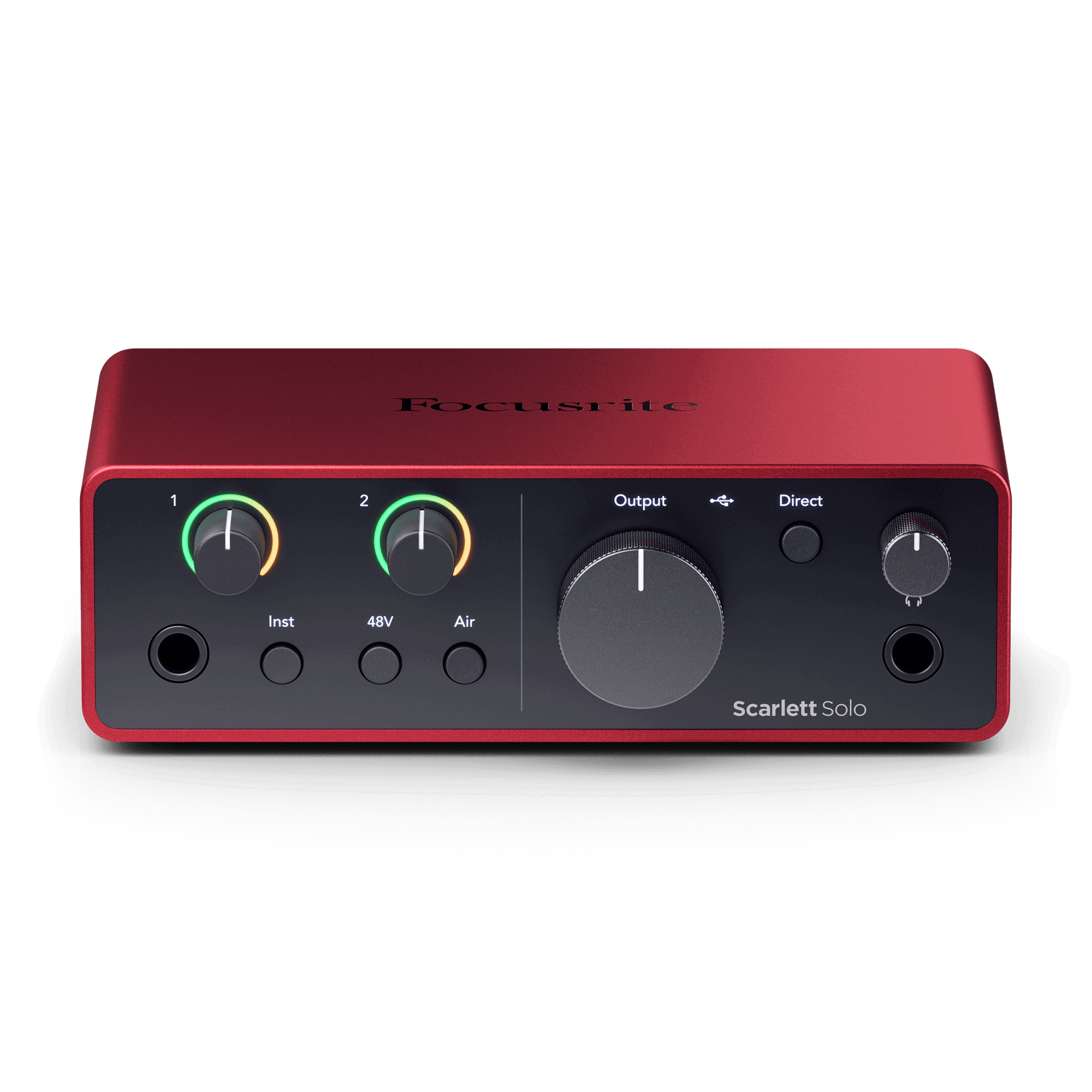
Focusrite Scarlett Solo 4th Gen USB Audio Interface
Focusrite
It depends — The Solo suits one-microphone, one-instrument recording, but its single microphone input and lack of ADAT or inserts limit expansion.
Choose this for a compact one-microphone, one-instrument recording setup with Air modes, direct monitoring and loopback. Its fixed one-mic configuration, two outputs and lack of ADAT or inserts leave no path to a larger tracking rig.Available at Amazon(paid link) — opens Amazon in a new tab. Price and availability shown there.
Sources
Pages consulted while researching this article. None of these are affiliate links.
- Audient iD24 Technical Specifications — audient.com
- Scarlett Solo 4th Gen Specifications — userguides.focusrite.com
- Audiofanzine Audient iD24 Bench Test — fr.audiofanzine.com
- Neumann TLM 103 Technical Data — neumann.com
- Audient iD24 ADAT Setup — support.audient.com
- How to Bypass the Preamps on the iD24 — support.audient.com
- Creating a Separate Headphone Mix with the iD24 — support.audient.com
- Scarlett Solo 4th Gen Hardware Features — userguides.focusrite.com