Addictive Drums 2 Not Installed: Step-by-Step Fix
The questionWhere do these come from?
Son is a hobbyist, need gift advice
My teen son is a hobbyist who mostly creates his own digital music along with some analog music (keyboard & low brass).
If Addictive Drums 2 says it is not installed, use XLN Online Installer first, then make your DAW scan the exact plug-in path.
If Addictive Drums 2 says it is not installed, open XLN Online Installer, sign in to the account that owns the license, and install or repair it from there — not from inside the DAW. If it is already installed but missing in your music software, the fix is almost always to make the DAW scan the exact plug-in folder XLN installed it to.
Quick fix, in order
- Open XLN Online Installer, sign in to the correct XLN account, and check whether it lists Addictive Drums 2 as installed. If it does not, install it from there.
- If it says installed but the DAW does not show it, open XLN Online Installer > Customize Installation > Installation paths, copy the exact plug-in folder, add it to the DAW’s plug-in scan paths, and rescan.
- Confirm the format matches your host — VST3 or VST2 on Windows, AU on Logic/GarageBand, AAX on Pro Tools — and that it was selected during installation.
- If the sound library was installed to an external drive, reconnect it and confirm the path in XLN Online Installer still resolves.
- If Addictive Drums 2 came through Splice, open the Splice Desktop App first; it authorizes Rent-to-Own software before the DAW can use it.
- Reinstall only when XLN Online Installer itself reports the product missing, not because a single DAW cannot see it.
- Contact XLN Audio Support for anything account-side: wrong account, failed authorization, or a plug-in location that needs to be moved.
Reinstall or repair through XLN Online Installer
XLN says downloads, installations, and authorizations for its products are handled through the XLN Online Installer, and Addictive Drums 2 does not use iLok authorization. Do not try to fix a “not installed” state by copying .dll, .vst3, .component, or sample folders from another computer — Addictive Drums 2 has program files, sound data, authorization state, and optional Cloud Sync user data, and the installer is the part that knows what belongs where.
Before reinstalling, check these basics:
- You are logged into the correct XLN account.
- The computer has internet access during installation. XLN lists an internet connection during installation as a system requirement for Addictive Drums 2.
- The computer is supported: Windows 10 or 11, 64-bit, or macOS 10.13 or later, 64-bit.
- You are installing a supported format for your host: VST, AU, AAX, or the standalone application.
If this is a gift for a teen hobbyist, settle account and license ownership before buying. The practical owner should be the person who will install and authorize it — a parent buying it under the wrong account can create a support problem later, especially when the teen moves to a new computer.
Point the DAW at the exact plug-in path
This is the most common version of the problem: Addictive Drums 2 is installed, but Ableton Live, FL Studio, Reaper, Cubase, Studio One, Cakewalk, or another DAW does not list it.
On Windows, XLN’s support article says the common issue is that the DAW has not found Addictive Drums 2.dll. Open XLN Online Installer > Customize Installation > Installation paths > VST 2 (64-bit) and note the exact folder shown there, then open the DAW’s plug-in preferences, add that folder to the VST scan paths, and rescan plug-ins.
For VST3 on Windows, XLN uses the standard VST3 folder:
C:\Program Files\Common Files\VST3
For macOS, XLN lists these default plug-in locations:
AU: /Library/Audio/Plug-Ins/Components/
VST: /Library/Audio/Plug-Ins/VST/
VST3: /Library/Audio/Plug-Ins/VST3/
Check the VST3 path first if the DAW supports it. If the DAW is older or configured only for VST2, check the VST2 64-bit path shown in XLN Online Installer instead.
After changing plug-in paths, fully restart the DAW or run its plug-in rescan. Some hosts cache failed scans, so a normal restart is sometimes not enough; use the DAW’s dedicated rescan or clear blacklist/rescan option if it has one.
Match the plug-in format to the host
When the standalone Addictive Drums 2 app opens, the core installation is probably present and the remaining issue is plug-in format or scanning.
Check the DAW format first:
- Logic Pro / GarageBand on Mac: use AU.
- Pro Tools: use AAX. XLN lists Pro Tools 11 or later as actively tested, and notes that Pro Tools First is not supported.
- Most current Windows DAWs: use VST3 first, then VST2 if needed.
- Cubase 12 on M1 Macs: XLN’s installer documentation notes that Cubase 12 only supports VST3 on M1 Macs.
Then return to XLN Online Installer > Customize Installation and confirm the needed format was selected — the page lets you choose which plug-in formats to install, including AAX, AU, standalone, VST2, and VST3. If the needed format was not selected, install it, then rescan in the DAW.
Just want the recommendation?
Skip to the picksReconnect the drive if sound data moved
If Addictive Drums 2 used to work and now says content is missing or behaves like it is not installed, check whether the sound data was installed to an external drive that is disconnected, renamed, or mounted differently.
XLN allows Addictive Drums 2 sound data to be installed in a custom location through XLN Online Installer > Customize Installation > Installation paths; their external-drive instructions say to select the Addictive Drums 2 path there and apply the change. Reconnect the drive, confirm the path still exists, then open XLN Online Installer and verify the installation path — if the drive letter changed on Windows, the installer and DAW may be looking at a path that no longer points to the library.
For a beginner or a birthday-gift setup, the safest choice is usually the default system-drive install unless the computer is genuinely short on storage. XLN notes that Addictive Drums and ADpaks are comparatively small and that the samples are not streamed from disk, so an external drive is optional rather than required.
Authorize through Splice Desktop first
If Addictive Drums 2 was installed through Splice, there are two installers involved. Splice’s help page says to install it from the Splice Desktop App under Apps & Plug-ins, after which the XLN Online Installer launches to install the plug-in.
Splice also says the Splice Desktop App must be open to authorize Rent-to-Own software before opening the DAW, and that it needs to be opened every three days to authorize the license. If the plug-in appears installed but will not authorize, check Splice Desktop before reinstalling everything.
For a parent buying for a teen, this distinction matters: a one-time XLN license and a Splice Rent-to-Own license behave differently at authorization time. For a simple birthday gift with fewer account chores, a direct license or gift route the recipient can register in their own account is the easier pick.
When to reinstall versus when to fix the scan path
Reinstall from XLN Online Installer when:
- XLN Online Installer itself shows Addictive Drums 2 as not installed.
- The standalone app is missing.
- Required plug-in formats were not selected.
- Sound data was moved and the installer cannot repair the path.
- A previous manual file move broke the install.
Do not reinstall first when only one DAW cannot see the plug-in — check the plug-in scan path, format, and blacklist/rescan settings first. Reinstalling without fixing the scan path often leaves the exact same problem.
When to contact XLN Audio Support
Contact XLN Audio Support if XLN Online Installer cannot install or authorize the product while logged into the correct account, or if a Mac plug-in location or the Windows VST3 location needs to change. XLN’s Customize Installation documentation says those two locations require contacting support to move.
Also contact support if the product key is already registered to the wrong account, the installer says the license is not authorized, or the computer ID/account state looks wrong — those are account-side problems, not DAW settings problems.
Deciding whether to install it at all
Addictive Drums 2 is a virtual instrument, not a physical drum kit and not a simple audio sample pack. XLN describes it as a drum production instrument with sampled drum and cymbal sounds, built-in effects, MIDI beats and fills, and optional expansions.
For a teen hobbyist who wants better percussion sounds, it makes sense only if they already use a compatible DAW or are willing to use the standalone app. XLN lists support for 64-bit VST, VST3, AU, or AAX hosts, and actively tests hosts including Ableton Live 10 or later, Logic Pro 10 or later, FL Studio 20 or later, Reaper 5 or later, Cubase 10 or later, Studio One, Reason Studios 9.5 or later, Cakewalk by BandLab, and Pro Tools 11 or later.
Choose Addictive Drums 2 when the teen wants realistic acoustic drum kits, MIDI grooves, e-drum triggering, or DAW-based production. Do not choose it as a no-setup gift for someone who only uses a phone, a beginner keyboard with no computer workflow, or a school Chromebook — it requires installation, account access, and a compatible computer.
The short version: install and authorize through XLN Online Installer, verify the plug-in format, make the DAW scan the exact XLN plug-in folder, and only then reinstall or contact support.
The bottom line
Two parts fix this, depending on which failed:
Top pick
It depends
Toontrack EZDrummer Lite Upgrade to EZDrummer
Toontrack
It is a one-time alternative for a teen seeking a songwriting-focused workflow, but existing XLN ADpaks and presets will not carry over.
A one-time alternative worth comparing for a teen who wants polished drum sounds with a songwriting-focused workflow. The drawback is that it is a different ecosystem, so existing XLN ADpaks or presets will not carry over.Available at Amazon(paid link) — opens Amazon in a new tab. Price and availability shown there.The alternative
It depends
Samsung T7 Shield Portable SSD 1TB, USB 3.2 Gen 2, Up to 1,050 MB/s
Samsung
External storage is useful only when internal storage is short, and disconnecting or remounting the drive can cause missing-content problems.
Useful only when the computer is short on internal storage and sample libraries need to live externally. The drawback is that disconnecting or remounting the drive can create missing-content problems.Available at Amazon(paid link) — opens Amazon in a new tab. Price and availability shown there.
Recommended products
Ordered by how well each one fits the situations above. Each link below is a paid link.

Toontrack EZDrummer Lite Upgrade to EZDrummer
Toontrack
It depends — It is a one-time alternative for a teen seeking a songwriting-focused workflow, but existing XLN ADpaks and presets will not carry over.
A one-time alternative worth comparing for a teen who wants polished drum sounds with a songwriting-focused workflow. The drawback is that it is a different ecosystem, so existing XLN ADpaks or presets will not carry over.Available at Amazon(paid link) — opens Amazon in a new tab. Price and availability shown there.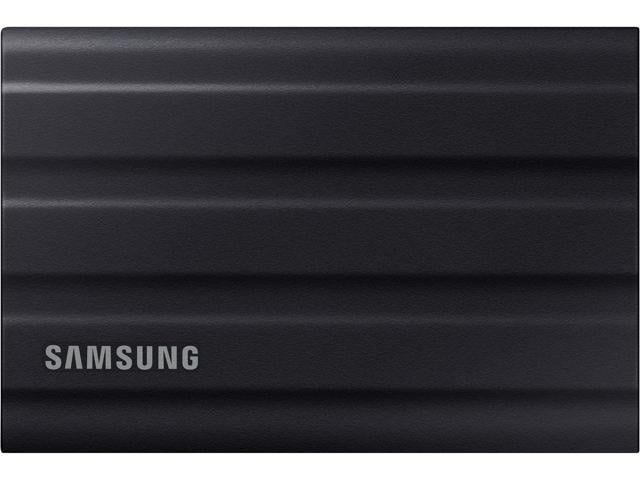
Samsung T7 Shield Portable SSD 1TB, USB 3.2 Gen 2, Up to 1,050 MB/s
Samsung
It depends — External storage is useful only when internal storage is short, and disconnecting or remounting the drive can cause missing-content problems.
Useful only when the computer is short on internal storage and sample libraries need to live externally. The drawback is that disconnecting or remounting the drive can create missing-content problems.Available at Amazon(paid link) — opens Amazon in a new tab. Price and availability shown there.
Sources
Pages consulted while researching this article. None of these are affiliate links.
- How do I authorize my products? – XLN Audio Support — support.xlnaudio.com
- The software does not show up as a plug-in in my DAW (Windows) – XLN Audio Support — support.xlnaudio.com
- Customize Installation – XLN Audio Support — support.xlnaudio.com
- Installing products on an external drive – XLN Audio Support — support.xlnaudio.com
- Addictive Drums 2 – XLN Audio — xlnaudio.com
- How to install Addictive Drums 2 by XLN – Splice Help Center — support.splice.com
- What is Addictive Drums 2? – XLN Audio Support — support.xlnaudio.com