Acer Nitro V 15 RTX 4050: Check Before You Buy
The question this answersWhere do these come from?
What should I check before buying an Acer Nitro V 15 RTX 4050 laptop?
The Acer Nitro V 15 RTX 4050 suits plugged-in 1080p gaming, but the exact screen, memory configuration and fan mode matter.
The Acer Nitro V 15 RTX 4050 is worth considering for plugged-in 1080p gaming, provided you choose enough RAM and accept its display and fan compromises. Check the complete model number before buying: the same family name covers different processors, screens and generations, so one review cannot describe every configuration.
Check the model suffix before choosing a configuration
“Acer Nitro V 15” identifies a family. Even “ANV15-51 RTX 4050” leaves important details unresolved. You need the remaining model suffix and Acer part number to establish which configuration you are getting.
For example, Acer documents the Indonesian ANV15-51-5115 with a Core i5-13420H, 8GB DDR5 memory, a 512GB SSD and a 144Hz screen. Its RTX 4050 has 6GB GDDR6 memory and a maximum graphics power of 75W. Those specifications belong to that configuration; they should not be copied onto every Nitro V listing. Acer ANV15-51-5115 specifications
The naming has continued across newer hardware. Acer’s April 2026 Japanese announcement lists an ANV15-42-F76Z45 with Ryzen 7 7445HS and an ANV15-52-F76Z45 with Core 7 240H. Both have an RTX 4050 rated up to 75W, 16GB DDR5, a 1TB SSD and a 165Hz display. An older ANV15-51 review is therefore useful context, but it is not a test of these machines. Acer’s announcement and configuration specifications
Before ordering, resolve these four points:
- Installed RAM: Prefer 16GB for a gaming machine that will also run a browser, voice chat and background applications. Treat an 8GB configuration as an upgrade project.
- Exact display: Check refresh rate and documented color coverage separately. A faster refresh specification does not establish better colors.
- Graphics power: Compare the laptop’s documented GPU power limit, rather than assuming all RTX 4050 laptops perform identically.
- Storage and upgrade layout: Decide whether the installed drive fits your game library, then confirm expansion options for the exact model before buying another SSD.
The Acer Nitro V 15 ANV15-51-73B9 is one concrete configuration to consider for this use case. Its appeal is a ready-to-use gaming configuration; its family name alone does not establish that its screen matches a particular review sample.
There is no sound basis for rejecting every Nitro V 15 RTX 4050. The reasons to pass are specific: unsuitable display specifications, inadequate memory without an upgrade plan, or an expectation of quiet, unplugged gaming.
For 1080p gaming, start with Balanced mode
The useful question is how much performance you get at a tolerable noise level. Notebookcheck tested the ANV15-51-582S, equipped with a Core i5-13420H and RTX 4050, and recorded the following in The Witcher 3 at Full HD/Ultra:
| NitroSense mode | Approximate frame rate | Fan noise |
|---|---|---|
| Quiet | 62 fps | 37 dB(A) |
| Balanced | 78 fps | 49 dB(A) |
| Performance | 82 fps | 59 dB(A) |
Performance mode gained approximately 5% over Balanced, calculated from those frame rates, while adding 10 dB(A). That makes Balanced the sensible starting point on this tested configuration. These are one game’s results on one review sample, not guaranteed behavior across the family. Notebookcheck’s ANV15-51 measurements
Just want the recommendation?
Skip to the picksFor demanding games, begin at the screen’s native Full HD resolution, select a medium or high preset, and leave ray tracing off initially. Adjust from a repeatable scene rather than changing several settings at once. This is a practical starting procedure, not a promise that every new release will reach the same frame rate.
The RTX 4050 supports DLSS Super Resolution and Frame Generation in compatible games. These are separate tools: upscaling reconstructs the output image from a lower rendering resolution, while Frame Generation inserts additional frames. Check whether a benchmark enables either before comparing its result with native rendering. NVIDIA’s RTX 40-series laptop features
A high refresh screen also does not guarantee an equally high game frame rate. Notebookcheck recorded just 27.3 fps in Lords of the Fallen at 1080p Ultra on its ANV15-51-582S. The practical implication is to keep settings flexible, especially in demanding games. Notebookcheck’s gaming benchmarks
If another gaming laptop is on your shortlist, the Nitro V 15 versus Lenovo LOQ comparison addresses that separate purchase decision. Match the actual configurations before transferring any verdict between them.
For study or editing, the screen and battery decide
Gaming capability does not automatically make the Nitro V 15 the right laptop for classes, travel between workplaces or visual editing. Those uses expose different limitations.
Tom’s Guide measured 251 nits of brightness on its 144Hz RTX 4050 review unit. Its battery testing produced approximately six hours of web browsing at 60Hz, with a separate gaming battery result of 1 hour 35 minutes. Those results support planning around access to power; they do not establish all-day endurance for every Nitro V configuration. Tom’s Guide’s display and battery measurements
For color-critical photo or video work, skip the Acer Nitro V 15 ANV15-51-5115 as your sole editing display: Acer specifies only 45% NTSC color gamut. That warning concerns its documented panel, not every screen sold under the Nitro V name. Acer’s display specifications
An external monitor with independently verified color performance can change that decision if you mainly edit at a desk. It cannot improve the built-in panel when you work elsewhere. Equally, a 165Hz label alone does not resolve the issue: look for an explicit color-gamut specification or measurements of that exact screen.
Choose the Nitro V 15 RTX 4050 when your priority is Full HD gaming near a power outlet and you are comfortable adjusting settings. Before buying, obtain the complete model number, confirm the installed memory and screen specifications, and check that any review you rely on actually tested the same configuration.
The bottom line
Where the money goes:
Top pick
It depends
Acer Nitro V Gaming Laptop ANV15-51-73B9
Acer
The RTX 4050 has 6GB of dedicated graphics memory and the laptop has a 1920 × 1080 display, making it a targeted choice for Full HD gaming with adjustable settings.
Consider this Core i7-13620H, RTX 4050 configuration with 16GB DDR5 and a 512GB SSD for plugged-in Full HD gaming. Its 144Hz display specification does not establish suitability for color-critical editing.Available at Amazon(paid link) — opens Amazon in a new tab. Price and availability shown there.
Recommended products
Ordered by how well each one fits the situations above. Each link below is a paid link.
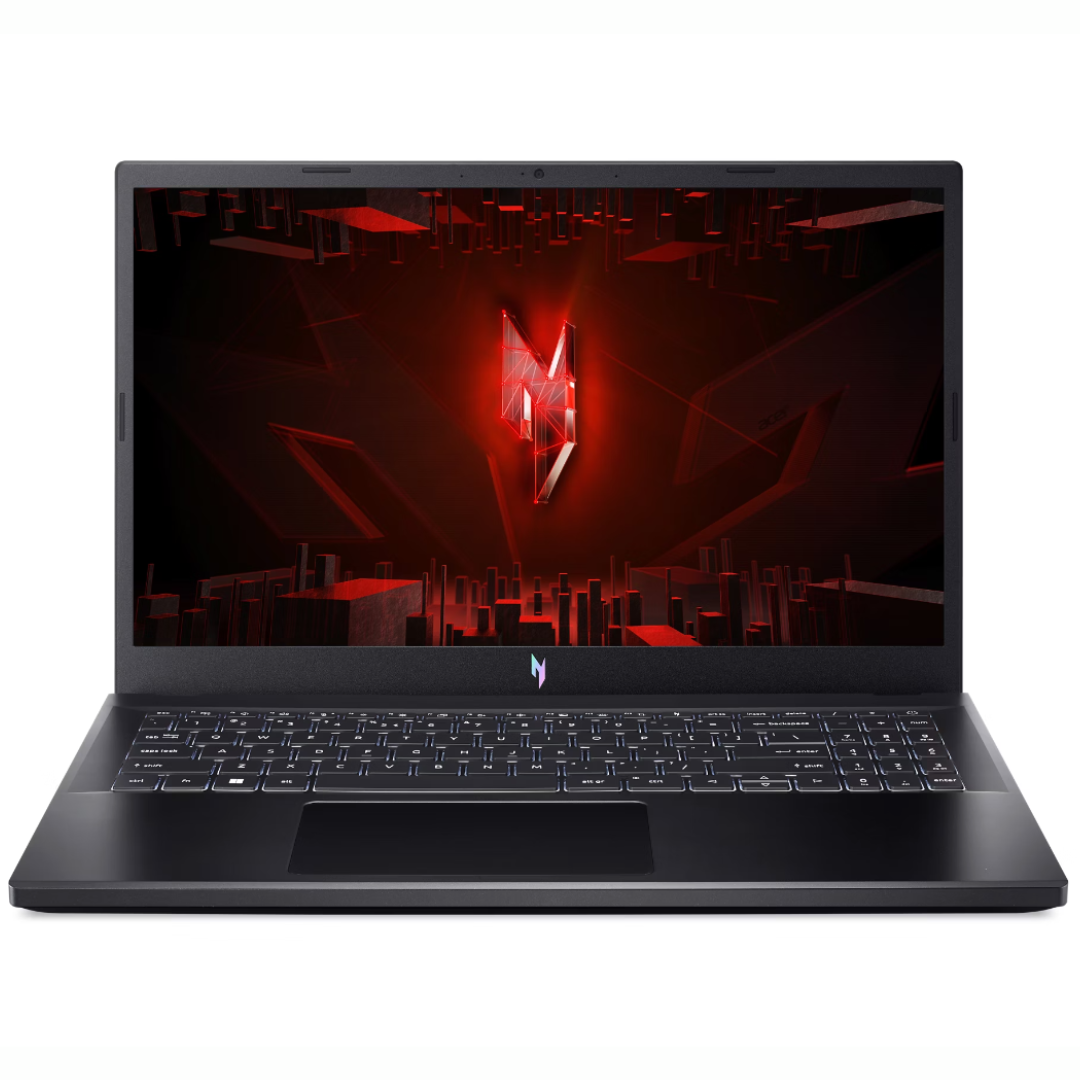
Acer Nitro V Gaming Laptop ANV15-51-73B9
Acer
It depends — The RTX 4050 has 6GB of dedicated graphics memory and the laptop has a 1920 × 1080 display, making it a targeted choice for Full HD gaming with adjustable settings.
Consider this Core i7-13620H, RTX 4050 configuration with 16GB DDR5 and a 512GB SSD for plugged-in Full HD gaming. Its 144Hz display specification does not establish suitability for color-critical editing.Available at Amazon(paid link) — opens Amazon in a new tab. Price and availability shown there.
Sources
Pages consulted while researching this article. None of these are affiliate links.
- Acer Nitro V 15 ANV15-51-5115 technical specifications — acer.com
- Acer announces ANV15-42-F76Z45 and ANV15-52-F76Z45 configurations — acer.com
- Notebookcheck: Acer Nitro V 15 ANV15-51 review and measurements — notebookcheck.net
- NVIDIA GeForce RTX 40 Series laptop features — nvidia.com
- Tom’s Guide: Acer Nitro V 15 review — tomsguide.com