Zephyrus G14 vs Legion 5: Pick the G14
The questionWhere do these come from?
Opinion Needed: Asus ROG Zephyrus G14 vs Lenovo Legion 5
Notable differences other than the size: AI 9 HX 370 vs AI 9 465 2TB vs 1TB SSD RTX 5070TI vs RTX 5070 OLED 125Hz 2880x1800 vs OLED 165Hz 2560x1600 73Wh vs 80Wh $2500 vs $2600 Links Buy ROG Zephyrus G14, 14” ROG Nebula 3K OLED 120Hz Display, AMD Ryzen AI 9 HX 370, NVIDIA GeForce RTX 5070 Ti, 32GB RAM, 2TB SSD, Windows 11 Pro, GA403WR-XS97 | ROG Zephyrus | Laptops | ASUS eShop USA Lenovo Legion 5 15.
Choose the G14 for its lighter chassis, stronger GPU tier, and larger SSD; choose the Legion 5 only for its bigger screen and easier upgrades.
Choose the ASUS ROG Zephyrus G14 GA403WR-XS97 over the Lenovo Legion 5 15AGP11 83Q6003BUS if you want one gaming laptop for both travel and demanding play. The Legion 5 is worth considering only when its larger 165Hz display, Ethernet port, replaceable memory, and second SSD slot matter more than carrying the lighter machine.
The Legion gets this comparison wrong for frequent commuters: its chassis starts 300 grams heavier and occupies roughly 23% more desk or bag area, yet it drops from an RTX 5070 Ti to an RTX 5070. Neither laptop deserves a blanket skip, however—the Legion has genuine advantages for stationary use and future upgrades.
| Model | GPU and storage | Portability and display | Verdict |
|---|---|---|---|
| ASUS ROG Zephyrus G14 GA403WR-XS97 | RTX 5070 Ti 12GB at 110W; 2TB SSD | 1.57kg; 14-inch 2880×1800 OLED at 120Hz | Buy |
| Lenovo Legion 5 15AGP11 83Q6003BUS | RTX 5070 12GB at 115W; 1TB SSD | Starts at 1.87kg; 15.3-inch 2560×1600 OLED at 165Hz | Consider |
Portability is a bigger difference than 300 grams suggests
ASUS lists the G14 at 311 × 220mm and 1.57kg. Lenovo lists the Legion platform at 344 × 244.5mm and a starting weight of 1.87kg. Multiplying the dimensions shows that the Legion’s footprint is approximately 23% larger, before considering its thicker bag sleeve or larger charger. Those are meaningful differences on an airplane tray, a crowded desk, or a daily walk across campus. ASUS publishes the G14’s configuration-specific dimensions and weight, while Lenovo’s PSREF documents the Legion 5 15AGP11 platform.
The charger widens the real travel gap. Notebookcheck measured a 573-gram power supply with its G14 and a 716-gram supply with its tested Legion 5 15AGP11. Combining the lab’s measured laptop and adapter weights produces travel loads of approximately 2.15kg for the G14 and 2.61kg for the Legion—a difference of about 460 grams. The tested Legion had a different processor and GPU, but it used the same chassis family and 245W adapter specified for the 83Q6003BUS. Notebookcheck’s G14 measurements and its Legion 5 15AGP11 measurements reveal the adapter-inclusive burden that bare chassis specifications omit.
If the laptop is carried several days each week, that recurring difference is more important than the Legion’s extra 45Hz. If it moves only between rooms or remains connected to a monitor, the larger footprint becomes much less consequential.
The G14 has the stronger GPU, with one resolution catch
The G14 combines an RTX 5070 Ti Laptop GPU with 12GB of GDDR7 and a documented 110W maximum graphics power. Lenovo specifies a 115W RTX 5070 with 12GB for the updated Legion configuration. The Legion’s five-watt advantage does not make its non-Ti GPU a higher tier, but wattage and names alone cannot establish an exact frame-rate gap.
Notebookcheck measured the G14’s RTX 5070 Ti at 71.7fps in Cyberpunk 2077 at 2560×1440 Ultra without FSR, 97.6fps in Baldur’s Gate 3 at the same resolution and Ultra preset, and 54.6fps in Alan Wake 2 at 2560×1440 High. Those results prove that the compact G14 can deliver serious QHD gaming, but they also show why a 165Hz screen is not automatically useful in demanding games.
No configuration-matched independent test was found for the Ryzen AI 9 465 and 12GB RTX 5070 version of the 83Q6003BUS. The available Notebookcheck Legion 5 15AGP11 review tested the same chassis and display with a Ryzen AI 7 450 and RTX 5060. An exact percentage advantage for the G14 would therefore be speculation.
There is also a native-resolution wrinkle: the G14’s 2880×1800 panel contains about 26.6% more pixels than the Legion’s 2560×1600 panel. Rendering both at native resolution consumes some of the G14’s additional GPU power. DLSS can reduce that load, but buyers wanting native rendering above all else should not treat “5070 Ti” as a promise of 120fps at 1800p.
The 165Hz screen is a narrow Legion victory
At 120Hz, the G14 presents a new frame every 8.33 milliseconds. At 165Hz, the Legion reduces that interval to 6.06 milliseconds—a theoretical difference of 2.27 milliseconds. That can matter in competitive shooters when the GPU consistently produces more than 120fps. It is far less decisive in graphically demanding games running between 60 and 100fps.
Both displays have genuinely fast OLED response rather than merely impressive refresh labels. Notebookcheck measured the G14 panel at 0.62ms for a gray-to-gray transition and the Legion panel at 0.9ms. It also measured approximately 424 nits average brightness from the G14 panel and 500 nits from the Legion panel. The Legion therefore supplies a larger, faster-refresh, brighter measured display; the G14 supplies greater pixel density in a smaller enclosure.
Just want the recommendation?
Skip to the picksBoth are glossy OLED panels, and Notebookcheck detected PWM on both. Readers sensitive to flicker should see the displays in person or buy from a seller with an appropriate return policy; a specification sheet cannot predict individual sensitivity.
Battery capacity does not give the Legion an automatic win
The Legion has an 80Wh battery, versus 73Wh in the G14—about 9.6% more stored energy. That does not translate directly into 9.6% longer runtime because the panel, processor, firmware, power mode, brightness, and active GPU determine consumption.
Notebookcheck’s full G14 chassis test, conducted on the RTX 5080 sibling with the same processor, display, and battery, recorded 10 hours 27 minutes of Wi-Fi browsing at 150 nits. Its Legion 5 15AGP11 test recorded 9 hours 27 minutes under the same nominal browsing condition, although that unit used the Ryzen AI 7 450 and RTX 5060.
These measurements establish that both platforms can provide respectable light-work endurance. They do not prove that the exact 83Q6003BUS lasts one hour less than the GA403WR-XS97. Until an independent lab tests the precise Lenovo configuration, battery life between these two should be treated as unresolved. The G14’s defensible mobility advantage is its lower total carry weight, not a promised runtime victory.
Gaming should still be done with the main adapter connected. USB-C charging is useful for light work, but neither machine’s USB-C input replaces its full-power adapter during maximum GPU load.
Storage favors the G14 now; upgradeability favors Lenovo later
The GA403WR-XS97 includes a 2TB SSD, while the specified Legion has 1TB. That is an immediate G14 advantage if several large games, virtual machines, or media projects must remain installed.
The long-term result reverses. ASUS documents one M.2 slot, already occupied by the factory drive, so increasing capacity requires replacing or cloning that SSD. Its 32GB LPDDR5X memory is soldered and cannot be expanded. The G14 memory-and-storage buying check covers why those limits must be checked against the complete model number.
Lenovo documents two M.2 slots for the 15AGP11, leaving a route to add another drive without removing the original. The platform also has two DDR5 SODIMM slots instead of soldered memory. Choose the Legion if adding storage cleanly or replacing memory modules is a firm requirement. Do not choose it merely because its factory SSD is smaller; storage is replaceable, while chassis size and GPU class are permanent.
Ports can overturn the recommendation for desk use
The Legion includes three USB-A ports, two 40Gbps USB4 ports, HDMI 2.1, and built-in Gigabit Ethernet. That is the more convenient layout for a wired desk, several legacy peripherals, or two high-speed USB-C devices.
The G14 provides two 10Gbps USB-A ports, one 40Gbps USB4 port, another 10Gbps USB-C port, HDMI, and a UHS-II microSD reader. Photographers may value the card reader more than Ethernet; wired-network users may prefer the Legion rather than carrying an adapter.
The decision in one line
Buy the G14 GA403WR-XS97 when the computer will travel regularly: it combines the smaller chassis with the higher GPU tier and twice the factory storage. Consider the Legion 5 83Q6003BUS when it will usually remain on a desk and its 15.3-inch 165Hz panel, Ethernet, two M.2 slots, and replaceable memory will be used.
Neither is a bad AMD gaming laptop. The difference is whether you need portability and the stronger factory configuration now, or a larger workspace and easier internal expansion later.
The bottom line
The choice turns on one thing:
Top pick
Buy this
ASUS ROG Zephyrus G14 GA403WR-XS97
ASUS
It weighs 1.57kg while providing a 12GB RTX 5070 Ti at 110W and a 2TB SSD, making it the stronger portable configuration.
Buy this configuration when the laptop will travel regularly: it combines an RTX 5070 Ti, 32GB of memory, and a 2TB SSD in a 1.57kg chassis. Its soldered memory and single occupied M.2 slot limit future upgrades.Available at Amazon(paid link) — opens Amazon in a new tab. Price and availability shown there.The alternative
It depends
Lenovo Legion 5 15AGP11 83Q6003BUS
Lenovo
Its 15.3-inch 165Hz OLED and two M.2 and SODIMM slots suit desk use and upgrades, but its chassis starts 300 grams heavier than the G14.
Consider this model for mostly stationary use when its larger 165Hz OLED, Ethernet, two M.2 slots, and replaceable memory will be used. It starts at 1.87kg and carries the lower RTX 5070 GPU tier.Available at Amazon(paid link) — opens Amazon in a new tab. Price and availability shown there.
Recommended products
Ordered by how well each one fits the situations above. Each link below is a paid link.
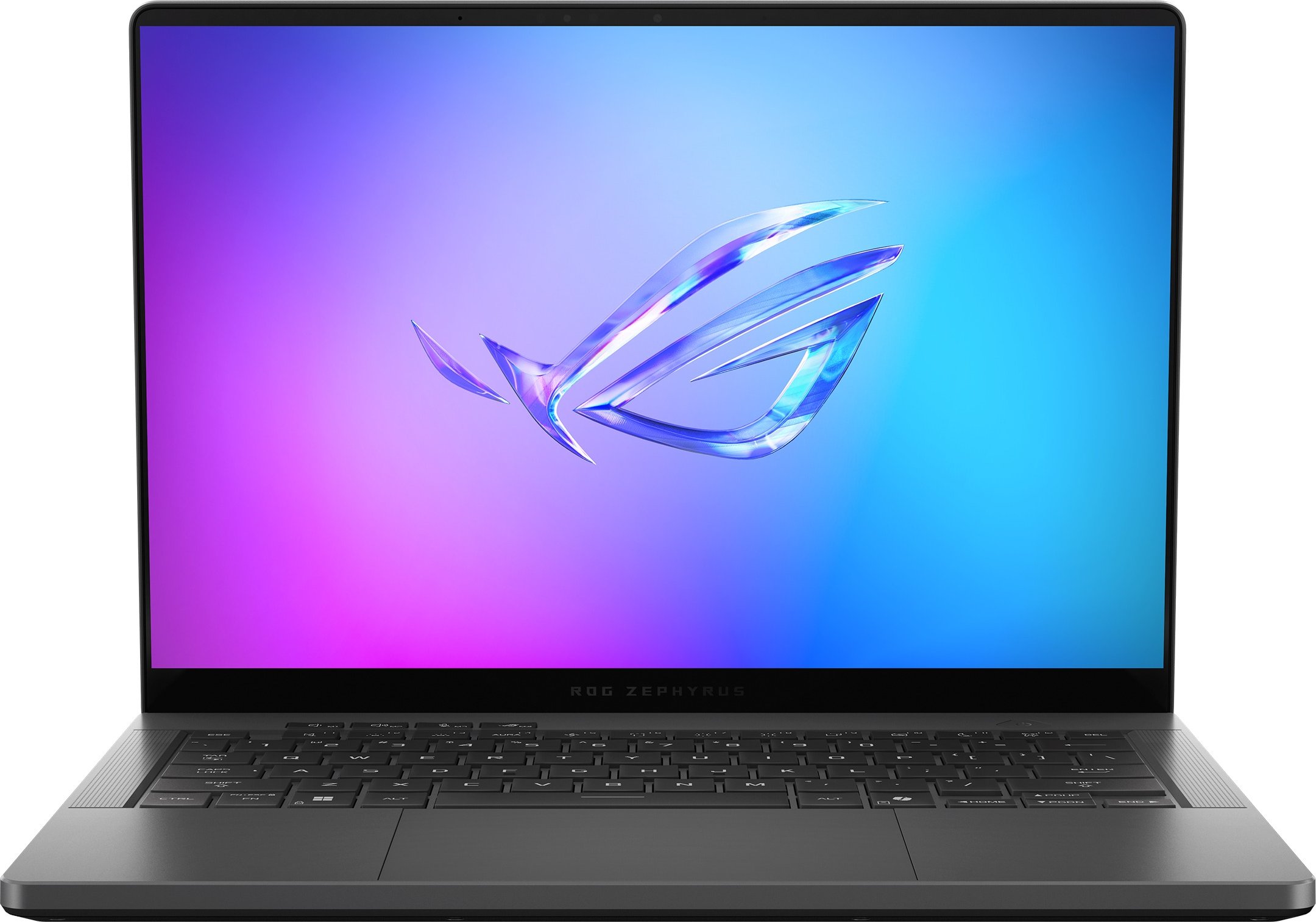
ASUS ROG Zephyrus G14 GA403WR-XS97
ASUS
Buy — It weighs 1.57kg while providing a 12GB RTX 5070 Ti at 110W and a 2TB SSD, making it the stronger portable configuration.
Buy this configuration when the laptop will travel regularly: it combines an RTX 5070 Ti, 32GB of memory, and a 2TB SSD in a 1.57kg chassis. Its soldered memory and single occupied M.2 slot limit future upgrades.Available at Amazon(paid link) — opens Amazon in a new tab. Price and availability shown there.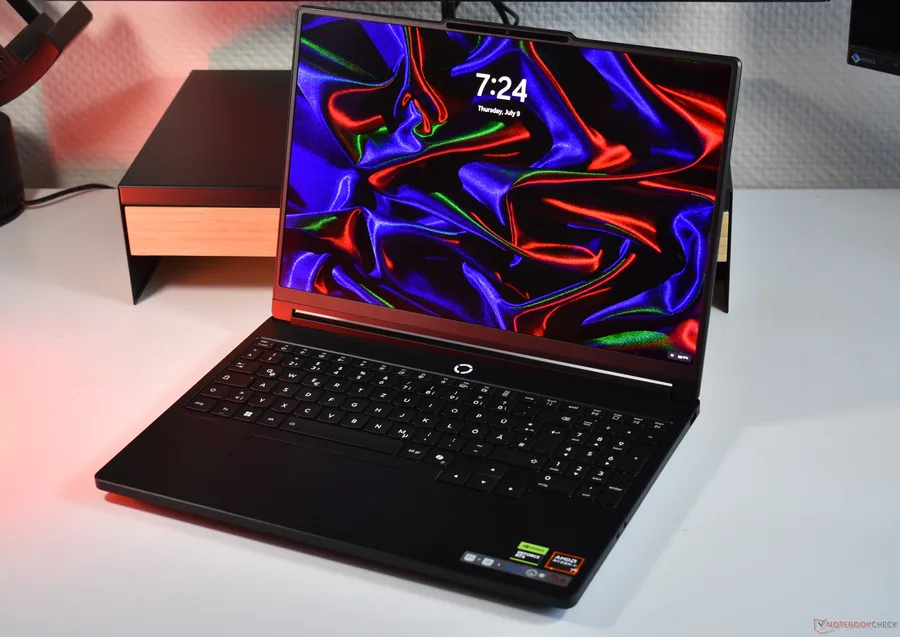
Lenovo Legion 5 15AGP11 83Q6003BUS
Lenovo
It depends — Its 15.3-inch 165Hz OLED and two M.2 and SODIMM slots suit desk use and upgrades, but its chassis starts 300 grams heavier than the G14.
Consider this model for mostly stationary use when its larger 165Hz OLED, Ethernet, two M.2 slots, and replaceable memory will be used. It starts at 1.87kg and carries the lower RTX 5070 GPU tier.Available at Amazon(paid link) — opens Amazon in a new tab. Price and availability shown there.
Sources
Pages consulted while researching this article. None of these are affiliate links.
- ROG Zephyrus G14 (2025) GA403 Tech Specs — rog.asus.com
- Lenovo Legion 5 15AGP11 Product Specifications Reference — psref.lenovo.com
- ASUS ROG Zephyrus G14 2025 RTX 5070 Ti Review — notebookcheck.net
- Lenovo Legion 5 15AGP11 Review — notebookcheck.net