Why Your Amazfit Band 7 Misses Steps
The questionWhere do these come from?
Fitness Band with Clock Display?
I am looking for a very simple fitness tracker band that has the basic features without a subscription paywall. Thing is, I cannot for the life of me find one that has an integrated clock display.
A continuous walk with a freely swinging arm separates expected filtering from sync trouble or a Band 7 motion-sensor fault.
If your Amazfit Band 7 records no steps at all, check the Activity app on the band during one uninterrupted 100-step walk with that arm swinging naturally. If the on-band total still does not change after an update and restart, the device likely has a firmware or motion-sensor fault; it is not a phone-permission problem.
These instructions apply to the Amazfit Band 7, model A2177—not the similarly named Xiaomi Smart Band 7. The Amazfit product manual identifies the Band 7 as A2177.
Start by swiping up from the watch face, opening Activity, and noting the displayed step total. Use this screen instead of relying only on a watch-face step complication or the Zepp phone app.
| Test result | Band 7 Activity total | Zepp total | Likely cause |
|---|---|---|---|
| Continuous walk, free arm swing | Increases | Increases after sync | Step tracking is working |
| Continuous walk, free arm swing | Increases | Stays unchanged | Zepp synchronization problem |
| Continuous walk, free arm swing | Stays unchanged | Stays unchanged | Band detection, firmware, or hardware fault |
| Short walks or fixed wrist | Low or unchanged | Matches after sync | Expected algorithm filtering |
The 100-step walk is a practical isolation test, not an official calibration procedure. Count the steps manually, keep walking continuously, and do not carry a bag, hold a phone, push a cart, or keep that hand in a pocket during the test.
Why short indoor walks may not register
This can be normal Band 7 behavior rather than a broken tracker. Amazfit says its step algorithm uses wrist motion and applies an initial threshold of 10 to reject movements that do not look like walking. The company specifically warns that walking 10 steps, stopping for five seconds, and then walking another 10 may produce no recorded steps. You may therefore see no change during short trips between rooms even though longer walks register normally. Amazfit explains the threshold and filtering here.
There is no documented Band 7 control for reducing this threshold or making the pedometer more sensitive. Enabling all-day heart-rate monitoring, tightening the strap, or granting additional phone fitness permissions does not alter the step threshold. Step detection uses motion; the green optical heart-rate sensor is a separate system.
Also check the personal information in Zepp > Profile. Amazfit says the algorithm incorporates height, weight, and gender, so incorrect profile data can affect its estimates. Correct those entries, synchronize the band, and repeat the continuous-walk test.
A still wrist is the step-counting blind spot
A stationary wrist is the Band 7’s main step-counting blind spot. Amazfit explicitly lists carrying bags and keeping your hands in your pockets as situations where steps may not be recorded because the expected arm motion is missing. The same limitation applies when that hand holds a stroller, shopping-cart or treadmill handle, or rests on a standing desk while you type.
For the cleanest result, wear the band on the arm that can swing normally. Moving it to the ankle is sometimes suggested online, but Amazfit does not document ankle wear as a supported Band 7 configuration, so its accuracy and heart-rate readings there are not guaranteed.
If your normal routine requires both hands to remain fixed, software troubleshooting cannot remove this limitation. A replacement Band 7 will use the same filtering logic. In that situation, the honest answer is to use another step source designed for foot, waist, or phone-based detection rather than repeatedly resetting the band.
Just want the recommendation?
Skip to the picksZero in Zepp points to a sync problem
This is a synchronization problem, not failed step detection. Amazfit confirms that step counting works without leaving the phone’s Bluetooth enabled, so the Band 7 records activity on its own and transfers it later. Amazfit’s current FAQ distinguishes on-device step counting from features that require Bluetooth.
Use this sequence:
- Turn on the phone’s Bluetooth and place the Band 7 nearby.
- Open Zepp and pull down on its home screen to start a manual synchronization.
- If the total does not update, force-close Zepp and reopen it.
- Finish any workout or music-control session running on the band, then synchronize again.
Amazfit says automatic synchronization begins when Bluetooth and Zepp are active, while manual sync is triggered by pulling down on the Zepp home screen. It also says synchronization is unavailable while a workout is being recorded or music is playing. Those limitations are documented in Amazfit’s synchronization instructions.
If Activity on the band increases but only the watch-face number remains frozen, change temporarily to one of the built-in watch faces and check Activity again. A changing Activity total proves that the step detector works; a stale face is a display or watch-face issue.
A band stuck at zero needs both updates
First update both software layers. Update Zepp through the phone’s app store. Then keep the band connected and open Zepp > Profile > Amazfit Band 7 > System Update. Some newer Zepp layouts put the device page under a Device tab, but System Update remains inside the Band 7 device page. This is the update path specified in the official Band 7 user manual.
No single firmware number can be prescribed here: Amazfit does not publish one universal Band 7 firmware version as the fix for zero steps. Install whatever System Update offers for your specific device and region rather than comparing the number with an old forum post.
Next, restart the band:
- Swipe up from the main watch face to open the app list.
- Open Settings > System > Restart.
- Confirm with the check mark.
- After the restart, open Activity and repeat the uninterrupted 100-step test.
If the total still remains fixed, synchronize any data you want to retain and use Settings > System > Factory Reset as the final software check. You will have to pair the band with Zepp again afterward. Do not begin with a factory reset: it cannot change Amazfit’s 10-step threshold and is unnecessary when Activity already counts correctly.
What to check before returning it
Request support or an exchange when all of the following are true:
- The device is an Amazfit Band 7 A2177.
- Activity on the band—not merely Zepp—stays unchanged.
- You walked at least 100 uninterrupted steps with a naturally swinging arm.
- Zepp and the offered Band 7 system update are installed.
- Restarting, and finally factory-resetting and re-pairing, did not restore counting.
At that point there is no further user calibration to perform. Contact the retailer if the band is still returnable; otherwise send Amazfit the model, firmware number, phone model, Zepp version, and a description of the controlled walking test through the official Amazfit contact page. If support cannot restore step detection, the correct resolution is warranty service or replacement—not another permission change.
The bottom line
What to replace:
Top pick
It depends
Amzpas TPU Bands for Amazfit Band 7 Fitness & Health Tracker, 3 Pack Soft Breathable Wristband, Adjustable Replacement Sportt Strap for Women Men
Amzpas
The article supports replacing a Band 7 only when troubleshooting cannot restore step detection, and says replacement will not fix stationary-wrist undercounting; it does not recommend the listed replacement straps.
A replacement A2177 is justified only when the on-band Activity total remains at zero after updating, resetting, and re-pairing—and warranty service is unavailable. It uses the same 10-step filtering and will not solve undercounting caused by a stationary wrist.Available at Amazon(paid link) — opens Amazon in a new tab. Price and availability shown there.
Recommended products
Ordered by how well each one fits the situations above. Each link below is a paid link.
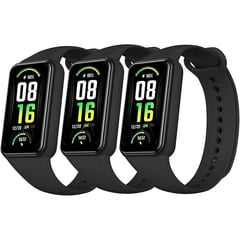
Amzpas TPU Bands for Amazfit Band 7 Fitness & Health Tracker, 3 Pack Soft Breathable Wristband, Adjustable Replacement Sportt Strap for Women Men
Amzpas
It depends — The article supports replacing a Band 7 only when troubleshooting cannot restore step detection, and says replacement will not fix stationary-wrist undercounting; it does not recommend the listed replacement straps.
A replacement A2177 is justified only when the on-band Activity total remains at zero after updating, resetting, and re-pairing—and warranty service is unavailable. It uses the same 10-step filtering and will not solve undercounting caused by a stationary wrist.Available at Amazon(paid link) — opens Amazon in a new tab. Price and availability shown there.
Sources
Pages consulted while researching this article. None of these are affiliate links.
- How do I achieve activity goals? — Amazfit Support — support.amazfit.com
- Amazfit Band 7 — Official Specifications — us.amazfit.com
- Amazfit Band 7 smartwatch review — NotebookCheck — notebookcheck.net
- Validity of Wrist-Worn Step Counting Monitors During Activities Limiting Arm Swing — digitalcommons.wku.edu
- Amazfit: The Step Tracking Does Not Appear to Be Accurate — us.amazfit.com
- Amazfit Band 7 User Manual — support.amazfit.com
- Amazfit Band 7 Product Manual — support.amazfit.com
- Amazfit: How Do I Sync Data? — us.amazfit.com
- Amazfit Frequently Asked Questions — us.amazfit.com
- Amazfit Contact Us — us.amazfit.com