Viper V4 Pro Dongle Lost? Why the Universal Won't Pair
The questionWhere do these come from?
Viper v4 pro dongle replacement
Can anyone point me in the direction to find a new dongle. Already contacted support and no help there. Can use it wired, but prefer wireless of course.
Razer's Universal Dongle only covers Gen-1 HyperSpeed mice, so it won't restore wireless on a Viper V4 Pro's Gen-2 receiver.
The Razer Universal Dongle will not bring wireless back to a Viper V4 Pro. It’s built for Razer’s original HyperSpeed Wireless protocol — the one the Viper Ultimate, Viper V2 Pro and Viper V3 Pro/HyperSpeed run on — and the V4 Pro uses a different, second-generation HyperSpeed system with its own dongle design. If support has already said no to a free replacement, the actual fix runs through a support case tied to the mouse’s serial number, not a retail purchase.
Why the Gen-1 Universal Dongle doesn’t pair with a Gen-2 mouse
Razer markets the Viper V4 Pro around “Razer HyperSpeed Wireless Gen-2,” a protocol the company describes as over 60% more efficient than the original HyperSpeed system, paired with a redesigned “hemispherical” dongle: a taller antenna and a weighted base that keeps the receiver anchored to a desk, replacing the flatter dongle that shipped with the Viper Ultimate and V2 Pro. The standalone part Razer sells through its own replacement-parts store — listed as the “Razer Mice and Keyboards USB HyperSpeed Dongle” (RC30-03420100-R3M1) — is that original Gen-1 receiver. Razer’s own HyperSpeed Wireless compatibility page doesn’t group the V4 Pro with the mice this dongle supports.
Forum reports back this up in practice. When a Razer Insider user asked whether a DeathAdder V4 Pro — the other Gen-2 HyperSpeed mouse launched alongside the V4 Pro — could fall back to a first-generation dongle, a community moderator answered plainly: “Doubt that it would pair with 1st gen hyperspeed dongle.” A separate thread asking whether a BlackWidow V4 keyboard could share a Viper V4 Pro’s dongle got the same answer from the other direction: “BW V4 LP is not compatible with Hyperspeed Gen2.” Synapse’s pairing utility only recognizes devices built for the same dongle generation you’re pairing against.
What Razer support actually does about a lost V4 Pro dongle
There’s no “buy a replacement Viper V4 Pro dongle” listing anywhere on Razer’s site for the Gen-2 receiver. Every public forum thread from a Viper owner asking to buy one — Ultimate, V2 Pro, or V4 Pro — ends the same way: a Razer support account asks the poster to check their private messages, then locks the thread. None of those threads show what happens next, because it happens off the forum.
Just want the recommendation?
Skip to the picksThat means the only path back to wireless is opening a support case directly with Razer and asking specifically about a replacement HyperSpeed dongle for the mouse’s serial number, rather than searching the storefront for a part that isn’t listed. Keep the serial number and proof of purchase on hand — Razer’s case-by-case handling of these requests through private channels runs on a documented purchase date and warranty status, not a public SKU. Inside the warranty window is the strongest position to ask from; outside it, expect the answer to vary case by case and to take longer than a checkout page would.
Keep the mouse working wired while you sort a replacement
Nothing about a missing dongle changes how the Viper V4 Pro behaves over its USB cable. Plugging in over wire drops the HyperSpeed convenience but keeps the Focus Pro 50K sensor, the Gen-4 optical switches, and the full polling-rate range working — the mouse just takes power and data through the cable instead of the dongle. Confirm that a wired connection works before spending any time on a replacement; it rules out a mouse that has actually stopped connecting for some other reason, rather than one that’s simply missing its receiver.
The three ways this actually gets resolved
| Option | Wireless generation | How a lost dongle gets fixed | Verdict |
|---|---|---|---|
| Razer Universal Dongle (RC30-03420100) | HyperSpeed Gen-1 | Bought directly from Razer’s replacement-parts store | Consider — only fixes Gen-1 Vipers |
| Razer Viper V3 HyperSpeed | HyperSpeed Gen-1 | Uses the same Gen-1 dongle above, sold as a normal spare part | Buy — if switching mice is on the table |
| A second Razer Viper V4 Pro | HyperSpeed Gen-2 | New unit ships with a dongle already paired to it | Skip — full mouse cost to fix one part |
If the mouse is a Viper Ultimate, V2 Pro or V3 Pro/HyperSpeed instead
For any Gen-1 HyperSpeed Viper, this is a solved problem: the Universal Dongle above is exactly the part to order, it’s sold as a standalone spare, and Razer’s HyperSpeed Wireless compatibility page lists these mice among the ones it supports. That’s worth checking directly before assuming the same dead end applies here — the model number is printed on the bottom of the shell, and “V2 Pro,” “Ultimate” and “V3 Pro” run on a different wireless generation than “V4 Pro,” even though the naming looks close enough to blur together.
If chasing a fix for the V4 Pro’s dongle stops being worth it
The Viper V3 HyperSpeed runs the same Gen-1 protocol as the Universal Dongle, which means the exact situation driving this search — a lost receiver with no purchasable replacement — doesn’t happen on that mouse; the part already exists on Razer’s own store. The trade is real: a Focus Pro 30K sensor instead of the V4 Pro’s 50K Optical Gen-3, and a single AA battery instead of an internal rechargeable cell, rated for roughly 280 hours against the V4 Pro’s 180 hours at 1000Hz polling, based on Razer’s own published figures. For competitive play where 8000Hz polling and the lightest possible build matter, that’s a real downgrade. For everything short of that, it removes the specific risk that started this search.
Skip buying a second V4 Pro just to get a working dongle
It does solve the immediate problem, since a new unit arrives with its dongle already paired. But it means paying full mouse price to obtain one small part, and it does nothing to prevent a second lost dongle from landing in exactly the same spot. A support case costs nothing and is the fix Razer itself is actually set up to provide — save buying a second mouse for a situation where there’s a genuine use for two of them.
The bottom line
Two that fit, depending on the model you have:
Top pick
It depends
Razer Universal Dongle HyperSpeed Wireless Receiver
Razer
Right for any Gen-1 HyperSpeed Viper, but Razer's own HyperSpeed compatibility page doesn't group the V4 Pro with the mice this dongle supports.
Razer’s own spare-parts fix for a lost HyperSpeed receiver, built for the original Gen-1 protocol used by the Viper Ultimate, V2 Pro and V3 Pro/HyperSpeed — not the V4 Pro’s Gen-2 system.Available at Amazon(paid link) — opens Amazon in a new tab. Price and availability shown there.The alternative
Buy this
Razer Viper V3 HyperSpeed Wireless Gaming Mouse
Razer Viper
Its 30K DPI sensor and AA-battery power are a step down from the V4 Pro's 50K sensor and rechargeable cell, but the dongle-loss dead end driving this search doesn't exist on it.
Runs the same Gen-1 HyperSpeed protocol as the Universal Dongle above, so a lost receiver on this mouse has an actual standalone replacement part — something the V4 Pro currently lacks.Available at Amazon(paid link) — opens Amazon in a new tab. Price and availability shown there.
Recommended products
Ordered by how well each one fits the situations above. Each link below is a paid link.
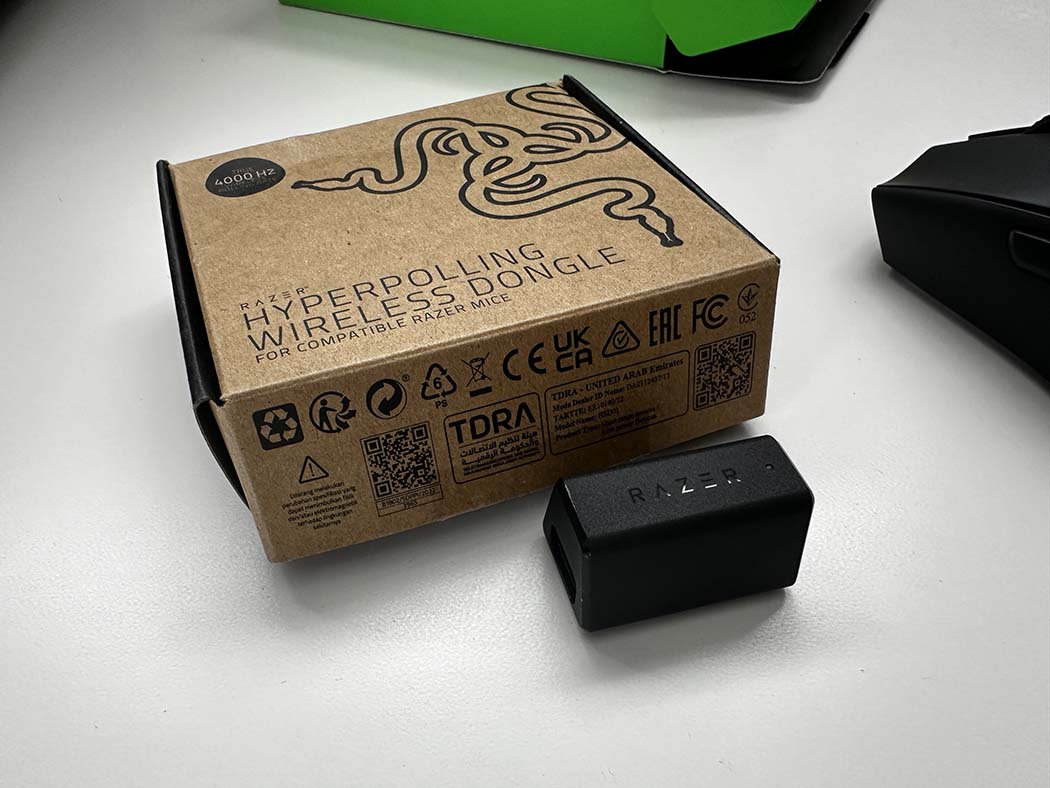
Razer Universal Dongle HyperSpeed Wireless Receiver
Razer
It depends — Right for any Gen-1 HyperSpeed Viper, but Razer's own HyperSpeed compatibility page doesn't group the V4 Pro with the mice this dongle supports.
Razer’s own spare-parts fix for a lost HyperSpeed receiver, built for the original Gen-1 protocol used by the Viper Ultimate, V2 Pro and V3 Pro/HyperSpeed — not the V4 Pro’s Gen-2 system.Available at Amazon(paid link) — opens Amazon in a new tab. Price and availability shown there.
Razer Viper V3 HyperSpeed Wireless Gaming Mouse
Razer Viper
Buy — Its 30K DPI sensor and AA-battery power are a step down from the V4 Pro's 50K sensor and rechargeable cell, but the dongle-loss dead end driving this search doesn't exist on it.
Runs the same Gen-1 HyperSpeed protocol as the Universal Dongle above, so a lost receiver on this mouse has an actual standalone replacement part — something the V4 Pro currently lacks.Available at Amazon(paid link) — opens Amazon in a new tab. Price and availability shown there.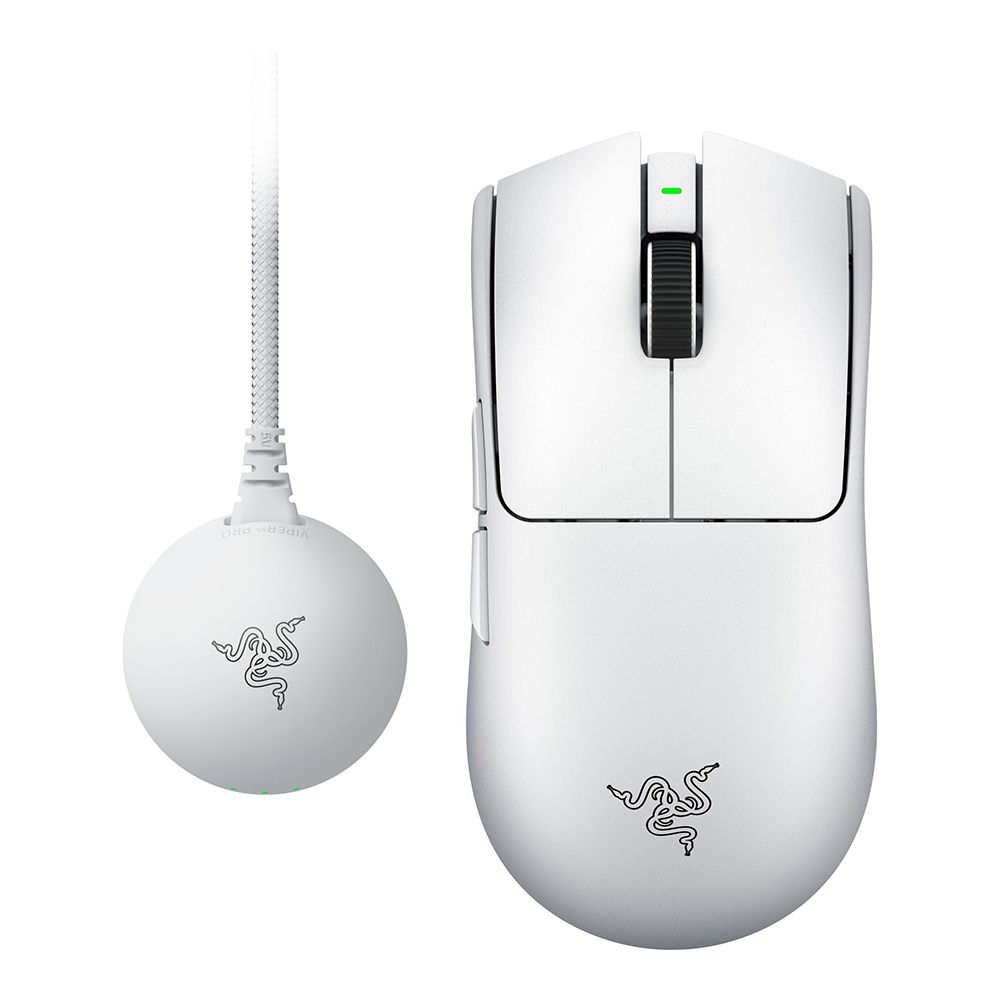
Razer Viper V4 Pro wireless gaming mouse
Razer Viper
Skip — Paying full mouse price to obtain one small part is the expensive route; a Razer support case tied to the original mouse's serial number costs nothing and is the intended fix.
A second unit is the only guaranteed way to get a Gen-2 dongle that’s already paired, since Razer doesn’t sell the V4 Pro’s receiver as a standalone part.Available at Amazon(paid link) — opens Amazon in a new tab. Price and availability shown there.
Sources
Pages consulted while researching this article. None of these are affiliate links.
- Razer Viper V4 Pro: Ultra-Light, Ultra-Fast Wireless Esports Mouse — razer.com
- Razer HyperSpeed Wireless Compatibility — razer.com
- Razer Mice and Keyboards USB HyperSpeed Dongle (Replacement Part) — razer.com
- Razer Viper V3 HyperSpeed Specifications — razer.com
- I have lost my dongle for my v4 pro mouse — Razer Insider — insider.razer.com
- Hyperspeed Gen 2 - Viper V4 Pro and Blackwidow V4 — Razer Insider — insider.razer.com
- Razer DeathAdder V4 Pro small dongle — Razer Insider — insider.razer.com
- Mouse dongle compatibility — Razer Insider — insider.razer.com