Reolink RLK8-810B4-A Review: Check Before You Buy
The question this answersWhere do these come from?
Is the Reolink RLK8-810B4-A security camera kit worth buying?
The RLK8-810B4-A suits wired continuous recording, but night footage, detection misses and hardware revisions limit its appeal.
The Reolink RLK8-810B4-A is worth considering for wired, continuous home surveillance, provided you accept its night-image limitations and check the supplied hardware. Skip the RLK8-810B4-A if you need its bundled cameras to operate independently: Reolink’s current kit FAQ explicitly says they require a Reolink PoE NVR. Reolink kit specifications and FAQ
This is a research-based review using manufacturer documentation and attributed independent testing. The strongest reason to choose this kit is continuous local recording; the strongest reason to hesitate is that the model name alone does not settle every camera feature or recorder expansion limit.
For continuous home recording, the wired design makes sense
The advertised package contains four RLC-810A bullet cameras and an RLN8-410 recorder. Power over Ethernet carries power and video along the camera’s network cable, so each mounting position needs a cable route back to the system. Reolink lists four 18-metre camera cables, but explicitly excludes bundles sold without them. Check the package contents before planning an installation around included wiring. Reolink package contents
The recorder’s published V2 specifications list eight PoE camera inputs and a supplied 2TB hard drive. HDMI supports a 3840 × 2160 display output; VGA tops out at 1920 × 1080. Use HDMI when connecting a 4K monitor. Another easily missed limitation is simultaneous playback: the specification lists up to four channels, despite the eight camera inputs. Recording capacity and the number of recordings you can review together are different things. Reolink NVR specification sheet
Internet access is unnecessary for local operation with cameras connected directly to the recorder and a monitor attached. Reolink documents local viewing, playback and recording-schedule configuration without a network connection. Remote viewing and internet-delivered notifications require connectivity. A broadband outage therefore need not stop your local surveillance, although the recorder and cameras still need power. Reolink offline-operation guidance
That distinction makes the kit useful when you want to review what happened before and after an incident. You do, however, need to enable continuous recording deliberately. On the documented NVR interface:
- Open Settings > Surveillance > Record and enable recording.
- Open Record > Daily Schedule, select a camera and enable its schedule.
- Select Timer and enable every hour you want recorded.
- Apply the schedule to the other cameras that should record continuously.
Reolink distinguishes Timer recording from Alarm recording, which depends on detected events. After configuration, check playback during a quiet period to confirm that footage exists between detections. Reolink recording-schedule instructions
Night footage and alerts need different expectations
For the documented RLC-810A configuration, Reolink specifies 3840 × 2160 recording at up to 25 frames per second, a fixed 4mm lens and an 87-degree horizontal field of view. Its quoted infrared range is 30 metres. That last number describes illumination reach; it does not establish the distance at which you can identify a moving person. The fixed lens also means you cannot optically zoom in to recover detail from a distant gate. Reolink camera specification sheet
Independent evidence supports a qualified verdict. In The Hook Up’s 2021 comparison of the RLK8-810B4-A system, the reviewer counted 178 person and vehicle events over 24 hours. Reolink missed 41 events, produced zero false positives, and received a reported 77% detection accuracy. Of 34 people passing through the scene, it missed nine. The same review found crisp daytime RLC-810A footage but reported nighttime ghosting and reduced contrast. The Hook Up’s measured system comparison
Just want the recommendation?
Skip to the picksThose results describe one historical installation and software generation. They are not a measured accuracy claim for every unit shipping today. They nevertheless show why an alert list should not be treated as a complete incident log.
For this kit, continuous recording is the sensible foundation, with detection used to help locate relevant footage. If a person is not classified correctly, a continuous recording can still contain their passage. An installation that records only classified events gives that missed detection a much larger consequence.
For a dark driveway where identifying moving faces is the main requirement, the available evidence does not justify choosing this system solely because it records 4K. Position cameras around the actual approach routes and check moving subjects after dark. A clear daytime overview or a sharp nighttime still frame does not answer that question.
Check retention and hardware before buying or expanding
Reolink quotes approximately eight days of footage from four cameras on the supplied 2TB drive at the default 6144kbps camera bitrate. Treat that as an estimate rather than guaranteed retention. Reolink recording-duration FAQ
A calculation makes the tradeoff clearer: four streams at 6144kbps total 24.576Mbps, or approximately 265GB per day of main-stream video. Dividing a nominal 2TB by that daily amount gives approximately 7.5 days, before allowing for additional streams, audio, filesystem overhead and actual encoding behaviour. This is calculated capacity, not a measured recording test. Adding four more cameras at the same bitrate approximately halves the retention period.
If you want to return from a long trip and inspect its beginning, the included drive deserves as much attention as the resolution. Check the oldest playable recording after the system has been running long enough to fill the disk; that gives you a useful retention figure for your settings and scenes.
Expansion also requires the recorder’s hardware identifier. Reolink’s current support table specifies:
- N7MB01 / NVR_NNT3NA78P: up to 8TB per drive, 16TB total.
- H3MB18 / N2MB02 / N3MB01: up to 6TB per drive, 12TB total.
- H3MB16 / H3MB02: up to 4TB per drive, 8TB total.
These RLN8-410 versions use one internal drive and one external eSATA drive. The total capacity is therefore not permission to install a single drive of that size. Match the hardware identifier before ordering storage. Reolink HDD capacity by hardware version
The cameras need similar scrutiny. An older manufacturer camera sheet lists a microSD slot, while the current kit FAQ says bundled cameras cannot work alone. Do not assume a kit camera has every capability advertised for a separately purchased RLC-810A. If independent recording or later reuse outside the kit matters, obtain confirmation of the supplied camera model and capabilities from Reolink before purchasing. The published documents do not resolve that discrepancy for an unidentified box. Older camera specifications, current kit FAQ
Choose the RLK8-810B4-A when you can install Ethernet, want continuous footage stored locally, and are comfortable keeping the supplied cameras with their recorder. Its limitations warrant a conditional recommendation, not a blanket rejection. For independent camera operation or demanding nighttime identification, resolve those requirements before committing to this bundle.
The bottom line
Where the money goes:
Top pick
It depends
Reolink RLK8-810B4-A
Reolink
The kit provides four 4K cameras and a recorder with a 2TB drive, but Reolink’s current FAQ says its bundled cameras require a Reolink PoE NVR.
Consider this four-camera PoE kit for continuous local recording where Ethernet installation is practical. Nighttime image limitations and documented restrictions on standalone use of bundled cameras narrow its suitability.Available at Amazon(paid link) — opens Amazon in a new tab. Price and availability shown there.
Recommended products
Ordered by how well each one fits the situations above. Each link below is a paid link.
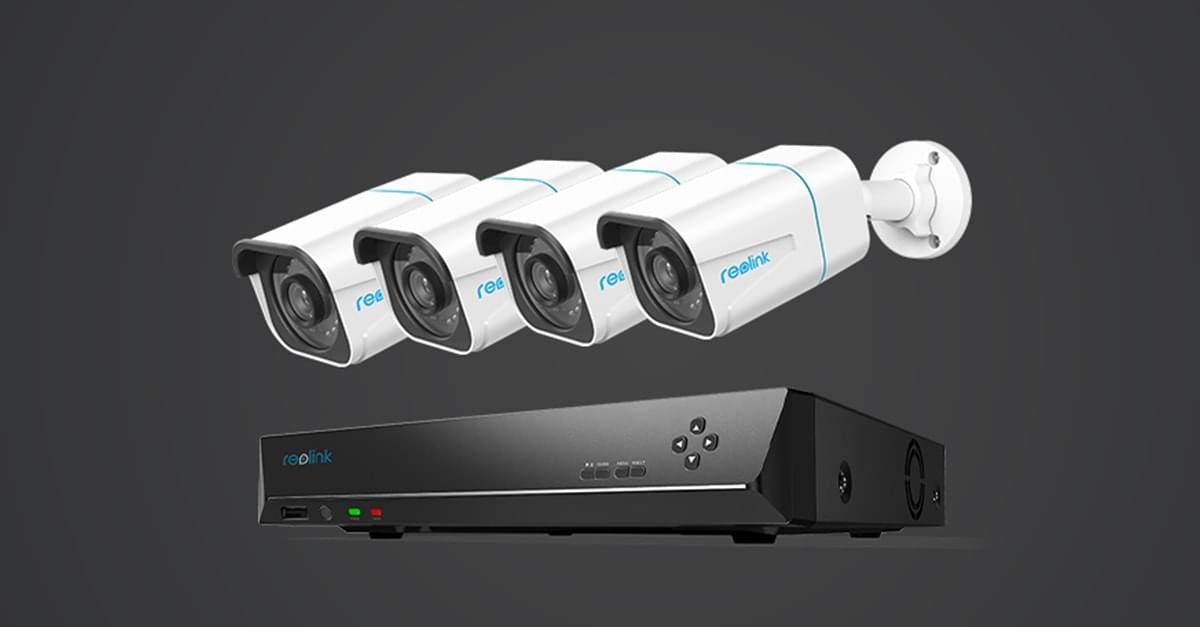
Reolink RLK8-810B4-A
Reolink
It depends — The kit provides four 4K cameras and a recorder with a 2TB drive, but Reolink’s current FAQ says its bundled cameras require a Reolink PoE NVR.
Consider this four-camera PoE kit for continuous local recording where Ethernet installation is practical. Nighttime image limitations and documented restrictions on standalone use of bundled cameras narrow its suitability.Available at Amazon(paid link) — opens Amazon in a new tab. Price and availability shown there.
Sources
Pages consulted while researching this article. None of these are affiliate links.
- Reolink RLK8-810B4-A specifications, package contents and FAQ — reolink.com
- Reolink RLK8-810B4-A NVR specification sheet — cdn.reolink.com
- Can Reolink PoE Cameras and PoE NVRs Work Without Internet — support.reolink.com
- How to Set up Recording Schedule via Reolink NVRs (New UI) — support.reolink.com
- Reolink RLK8-810B4-A camera specification sheet — cdn.reolink.com
- The Hook Up: UniFi Protect vs Blue Iris vs Reolink RLK8-810B4-A — thesmarthomehookup.com
- Reolink NVR HDD quantity and capacity by hardware version — support.reolink.com