Google Maps on Forerunner 255: What Works
The questionWhere do these come from?
Garmin or Suunto (or something else)?
Looking for a smart watch mainly for running but also want something with a good GPS for hiking and maps if possible. Was looking at the Forerunner 255 or the Suunto Race S.
The Forerunner 255 cannot run Garmin’s official Google Maps app, but it can follow synced courses or use an Android-only workaround.
The Garmin Forerunner 255 cannot install the official Google Maps Connect IQ app, and it cannot display Google Maps street or trail tiles. It can still navigate a planned Garmin course, follow a saved location, or retrace an activity without keeping your phone connected.
This is a compatibility limit, not a setting you have missed. Garmin introduced an official Google Maps app in 2025, but the current Connect IQ listing does not support the Forerunner 255 family as of August 2026.
| Navigation method | Works on Forerunner 255 | Phone needed while moving | What appears on the watch |
|---|---|---|---|
| Official Google Maps Connect IQ app | No | Not usable | Nothing; the app cannot be installed |
| Garmin Connect course | Yes | No, after syncing | Course line, course points and turn prompts |
| Saved-location Go To | Yes | No | Direction and route line to a stored coordinate |
| TracBack | Yes | No | Your recorded path back to the activity start |
The official Google Maps app is not compatible
The official Google Maps app will not work on a Forerunner 255, 255S, 255 Music or 255S Music. Updating, resetting or re-pairing the watch does not change the app’s device list.
Garmin’s official integration is more limited than its name suggests even on supported watches. You enter the destination in Google Maps on a paired Android phone; the watch then receives vibrations, turn instructions and the next three turns. It does not reproduce the familiar Google Maps street map on the watch. Garmin also says an activity can continue recording while those directions arrive. The feature is described in Garmin’s Google Maps announcement.
An iPhone does not solve the Forerunner 255 limitation. Garmin’s official Google Maps integration is Android-only, and the 255 remains unsupported regardless of which phone it is paired with.
Garmin’s support page currently lists Forerunner 255 software version 27.09, released in January 2026. That release contains stability fixes but does not add Google Maps compatibility. Therefore, seeing the app marked incompatible while running current software is expected—not evidence of a failed update. Check Garmin’s current Forerunner 255 software page before troubleshooting, because the version number may change after publication.
Use Garmin courses for planned routes
Use a Garmin course instead of Google Maps. This is the most reliable option on the Forerunner 255 and works without the phone after the course has synced.
- Open Garmin Connect on the phone.
- Select More > Training & Planning > Courses > Create Course.
- Choose the activity type and draw or generate the route.
- Save the course, open it and select Send to Device.
- Choose the Forerunner 255 and complete a sync.
- On the watch, press START, select the activity, hold UP, and choose Navigation > Courses.
- Select the course, choose Do Course, and press START.
These paths come directly from the Forerunner 255 owner’s manual. To enable guidance, hold UP and open Navigation > Alerts. Turn on Turn Prompts and Off Course.
Garmin calls the route screen a “Map,” but it is not a full cartographic map. It primarily shows your position and the course line rather than the surrounding road network, businesses, terrain and trail context found on a mapped watch. You can pan or zoom the course display with the watch buttons, but you cannot search Google Maps businesses or generate a Google route from that screen.
Just want the recommendation?
Skip to the picksA route created elsewhere can also be imported into Garmin Connect. Garmin accepts course files in .fit, .gpx and .tcx formats through its documented third-party course import process. Google Maps does not provide a direct “send to Forerunner 255” command, so a Google Maps route must first be converted by another service. Check the converted route carefully before relying on it outdoors.
Spontaneous directions require an Android workaround
There is an Android-only third-party workaround, but it is less dependable than a synced Garmin course. The phone app Nav Garmin Connect IQ works with a Connect IQ watch app called Maps Nav. The developer’s setup is:
- Select your exact Forerunner 255 variant in Connect IQ and confirm that Maps Nav is offered as compatible.
- Install Maps Nav on the watch.
- Install Nav Garmin Connect IQ on the Android phone.
- Grant the companion app notification access and ensure Google Maps notifications are enabled.
- Start navigation in Google Maps and open Maps Nav on the watch.
The Android companion app listing explicitly warns that Maps notifications must be enabled. This arrangement requires the phone, Bluetooth connection and background notification service to remain working. It displays direction notifications rather than Google map tiles.
There are also security and reliability costs: this is not Google’s official Garmin app, and notification access can expose notification content to the companion app. Android battery management or a future Google Maps notification change can interrupt directions. It is reasonable for walking or urban cycling after testing the complete route behavior, but it should not be the only navigation method on a remote hike.
Ordinary smart notifications alone are not a dependable substitute. On Android, Google Maps can be enabled under Garmin Connect > More > Settings > Notifications > App Notifications. On the watch, hold UP; on a 255 Music model select Connectivity, then choose Phone > Notifications > Status > On. A standard notification may appear, but Google Maps can use one continuously updated notification rather than generating a new alert at every turn.
On-wrist maps require a different watch
The Forerunner 255 is the wrong model if the requirement is seeing nearby roads, junctions, trails and topographic context on the wrist. Choose it when planned course navigation is sufficient and Garmin’s running, multisport and training ecosystem matters more than cartography.
A mapped Garmin such as the Forerunner 970 retains the Garmin ecosystem while adding full-color built-in mapping, turn-by-turn course guidance and on-watch route creation. Garmin documents that distinction in its Forerunner 970 announcement. Those are Garmin maps, however—not Google Maps tiles.
For the complete Google Maps experience—including map exploration, panning, zooming and destination search on the watch—the appropriate platform is a Wear OS 3-or-newer watch. Google’s Wear OS Maps documentation confirms those capabilities. The tradeoff is leaving Garmin’s watch platform and evaluating the replacement’s training tools and endurance separately.
If the Forerunner 255 was purchased specifically for Google Maps or full onboard cartography, return or exchange it while the retailer’s return period is open. An RMA will not help because the absence of Google Maps and preloaded cartography is normal product behavior. Contact Garmin support only if supported features—such as saved courses, Turn Prompts or TracBack—still fail after a sync and software update.
The bottom line
What actually works with it:
Top pick
It depends
Garmin Forerunner 255 GPS Running Smartwatch
Garmin
Choose the Forerunner 255 only when planned Garmin course navigation is sufficient, because it cannot install the official Google Maps app or display full onboard cartography.
The watch this page is about. It cannot install the Google Maps Connect IQ app or draw Maps tiles, and no firmware update changes that — but it navigates a planned Garmin course, follows a saved location and retraces an activity, which covers most of what people want Maps for on a run.Available at Amazon(paid link) — opens Amazon in a new tab. Price and availability shown there.
Recommended products
Ordered by how well each one fits the situations above. Each link below is a paid link.
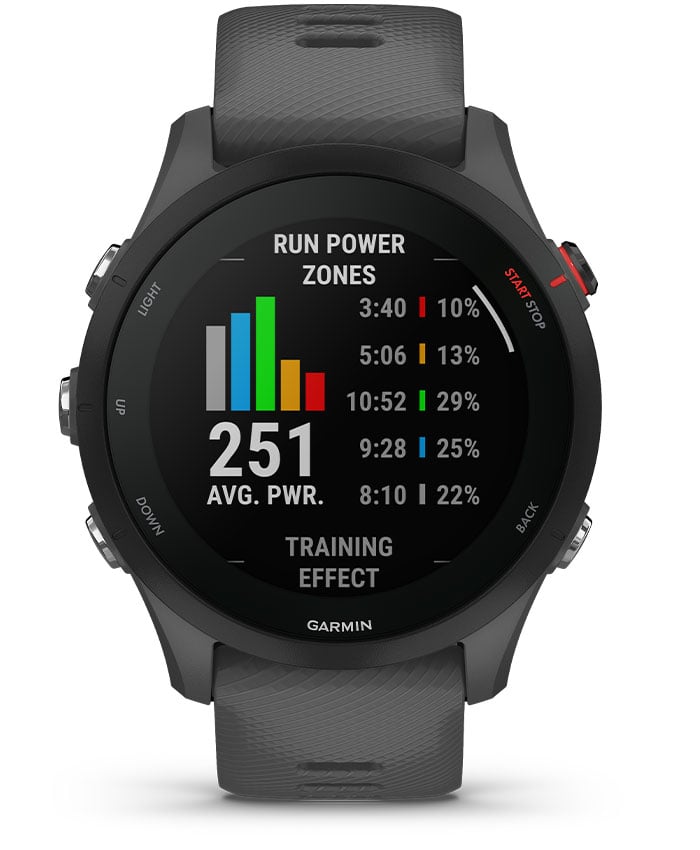
Garmin Forerunner 255 GPS Running Smartwatch
Garmin
It depends — Choose the Forerunner 255 only when planned Garmin course navigation is sufficient, because it cannot install the official Google Maps app or display full onboard cartography.
The watch this page is about. It cannot install the Google Maps Connect IQ app or draw Maps tiles, and no firmware update changes that — but it navigates a planned Garmin course, follows a saved location and retraces an activity, which covers most of what people want Maps for on a run.Available at Amazon(paid link) — opens Amazon in a new tab. Price and availability shown there.
Sources
Pages consulted while researching this article. None of these are affiliate links.
- Google Maps — Garmin Connect IQ Store — apps.garmin.com
- Garmin Smartwatches Add Google Maps Directions — garmin.com
- Garmin Forerunner 255 Series Owner’s Manual — www8.garmin.com
- Forerunner 255 Software and Updates — support.garmin.com
- Importing a Third-Party Course into Garmin Connect — support.garmin.com
- Nav Garmin Connect IQ — Google Play — play.google.com
- Use Google Maps on a Wear OS Device — support.google.com
- Garmin Forerunner 970 Mapping Announcement — garmin.com