Garmin Forerunner 55 for a Kid Runner: Interval Support
The questionWhere do these come from?
Simple Running Watch
I'm looking for a very basic, inexpensive, running watch for my son. The specific feature I would like is the ability to set-up interval workouts.
Yes — the Forerunner 55 builds interval workouts on the watch itself, unlike Garmin's own kids' watch, the vívofit jr. 3.
Yes — the Forerunner 55 builds interval workouts entirely on the watch, with no phone, app, or account setup required to create one. That single feature is what separates it from the watches usually marketed at kids, which are built for step-count games rather than structured running training.
| Buy / Skip | The thing that decides it | The catch | |
|---|---|---|---|
| Garmin Forerunner 55 | Buy | On-device Intervals profile builds warm-up, timed/distance work, rest, reps, and cooldown without a phone | No touchscreen, and the paired Garmin Connect account normally requires the account holder to be 13 or older |
| Garmin vívofit jr. 3 | Skip | No GPS, no heart-rate sensor, no interval or structured-workout feature of any kind | Fine for step-count gamification and chore tracking, useless for actual run training |
| Coros Pace 2 | Consider | Full structured workout builder in the Coros app, with per-interval pace or power targets | Aimed at Garmin’s pricier multisport tier, not an entry-level kid’s watch |
How the Forerunner 55 actually builds an interval workout
There’s no downloading a plan from an app first. On the watch itself: select START, choose the Run activity, then go to Options > Training > Intervals > Edit. From there you set the warm-up, define the work interval by time, distance, or an open lap-button press, set the rest interval the same way, choose the number of repeats, and add a cooldown. Garmin’s own owner’s manual documents this exact menu path under “Creating an Interval Workout”, and the broader “Interval Workouts” manual page covers the same feature. DC Rainmaker’s in-depth review confirms the practical version of this: the watch lets you “customize the Interval duration based on distance, time, or lap button (open), as well as the number of repeats and rest duration/distance/lap, plus if you want to add a warm-up or cool-down” — see the full Garmin Forerunner 55 In-Depth Review.
That covers the classic repeat-set format most youth track or club sessions actually use — six by 400 metres with a 90-second jog rest, or eight-minute tempo blocks with rest between. What it does not do is receive a fully custom, coach-built plan pushed over from the Garmin Connect app the way pricier Forerunners can; the 55’s interval tool lives entirely on the device. For a child’s first structured training watch, that’s a feature, not a gap — there’s nothing to sync, nothing to configure on a phone, and nothing that breaks if the app isn’t installed on anyone’s phone that day.
Why the watches actually marketed at kids skip this entirely
The evidence behind this question is right to be suspicious of “kid-focused” watches. Garmin’s own kids’ line, the vívofit jr. 3, has no GPS chip, no heart-rate sensor, and nothing resembling an interval or structured-workout mode. Garmin’s press materials describe its feature set as step tracking, a sleep estimate, a 60-minute daily activity goal, timed play activities, chore assignment with virtual-coin rewards, and step-count challenges between paired watches — see Garmin’s vívofit jr. 3 announcement. It’s built for children roughly 4 to 9 years old who need motivation to move, not a device that can run a timed rest interval. If a child is old enough to run repeat 400s with a coach or a school team, the vívofit jr. 3 simply cannot do the thing this question is asking about — it isn’t a scaled-down running watch at all.
Just want the recommendation?
Skip to the picksSize, buttons, and durability for a child’s wrist
The Forerunner 55’s case is small by adult sports-watch standards — Garmin lists it at 42 x 42 x 11.6 mm and 37 g on the Forerunner 55 product page — and it uses five physical side/front buttons rather than a touchscreen, confirmed in both DC Rainmaker’s review and TechRadar’s review. For a kid, that matters more than it sounds: there’s no glass touchscreen to smudge with sweaty fingers mid-interval and no accidental screen taps to end a workout early. It’s rated to 5 ATM for swimming, per the Forerunner 55 specifications, and battery runs up to 20 hours in GPS mode or 14 days in smartwatch mode — long enough that a child forgetting to charge it for a night or two won’t strand a Saturday practice.
Setting it up without an adult account getting in the way
Garmin support states plainly that “Garmin Connect and Garmin Connect Mobile are not directed to individuals under the age of 13,” per Garmin’s minimum age requirement FAQ. Unlike the vívofit jr. line, which is designed to run under a parent’s linked family account, Garmin does not publish a separate guardian setup path for a standard Forerunner. The workable approach is to pair and manage the watch through a parent’s own Garmin Connect account and phone — the child wears and uses the watch, the parent’s device just handles the sync — rather than creating a new account in the child’s name. The Forerunner 55 pairs the same way with both Android and iOS phones through the Garmin Connect Mobile app, per the Forerunner 55 product listing.
Two more built-in tools are worth turning on for a young or beginner runner. Run/Walk alerts let the watch cue timed walk breaks automatically during a run, documented under “Using Run and Walk Alerts” — useful for a child who isn’t ready for continuous running yet. Daily Suggested Workouts, covered in the Forerunner 55 manual, generates a workout suggestion based on training history and recovery once the watch has enough data — a reasonable stand-in for a training plan if nobody’s actively coaching the child yet.
When a child outgrows the on-device intervals
The on-device Intervals tool covers a single repeat-set structure — same work, same rest, repeated a set number of times. It cannot handle a plan where each interval targets a different pace or gets progressively shorter, the kind of session a club coach starts assigning once a runner is training seriously. The Coros Pace 2 covers that gap: its companion app builds full structured workouts with a different pace or power target on each step, described in DC Rainmaker’s Coros Pace 2 review. But that depth puts it closer to Garmin’s pricier multisport watches than to the Forerunner 55’s entry-level running tier — it’s the right next watch for a competitive young runner already getting detailed sessions from a coach, not the first watch to hand a child who just wants to try intervals for the first time.
The bottom line
Both fit — your exact model decides:
Top pick
Buy this
Garmin Forerunner 55 GPS Running Watch
Garmin Forerunner
Garmin's owner's manual documents the on-device Intervals training profile step by step, and DC Rainmaker's review confirms it functions without any Garmin Connect setup — the exact feature this question is asking about.
The watch this question is about: it builds interval workouts — warm-up, timed or distance work, rest, reps, cooldown — entirely on the device, with no phone or app needed to set one up, and it’s Garmin’s cheapest GPS running watch with wrist heart rate.Available at Amazon(paid link) — opens Amazon in a new tab. Price and availability shown there.The alternative
Skip this
Garmin vivofit jr. 3 Kids Activity Tracker
Garmin
Garmin's own product materials list step tracking, sleep, chores, and step challenges as its features, aimed at ages 4 and up — there is no running or interval capability to weigh against the Forerunner 55.
Garmin’s actual kid-branded wearable, and the one a parent searching for a ‘kid-focused’ running watch is likely to land on first. It has no GPS, no heart-rate sensor, and no interval or structured-workout feature at all.Available at Amazon(paid link) — opens Amazon in a new tab. Price and availability shown there.
Recommended products
Ordered by how well each one fits the situations above. Each link below is a paid link.

Garmin Forerunner 55 GPS Running Watch
Garmin Forerunner
Buy — Garmin's owner's manual documents the on-device Intervals training profile step by step, and DC Rainmaker's review confirms it functions without any Garmin Connect setup — the exact feature this question is asking about.
The watch this question is about: it builds interval workouts — warm-up, timed or distance work, rest, reps, cooldown — entirely on the device, with no phone or app needed to set one up, and it’s Garmin’s cheapest GPS running watch with wrist heart rate.Available at Amazon(paid link) — opens Amazon in a new tab. Price and availability shown there.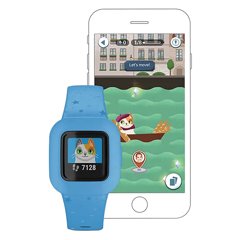
Garmin vivofit jr. 3 Kids Activity Tracker
Garmin
Skip — Garmin's own product materials list step tracking, sleep, chores, and step challenges as its features, aimed at ages 4 and up — there is no running or interval capability to weigh against the Forerunner 55.
Garmin’s actual kid-branded wearable, and the one a parent searching for a ‘kid-focused’ running watch is likely to land on first. It has no GPS, no heart-rate sensor, and no interval or structured-workout feature at all.Available at Amazon(paid link) — opens Amazon in a new tab. Price and availability shown there.
Sources
Pages consulted while researching this article. None of these are affiliate links.
- Creating an Interval Workout – Forerunner 55 Owner's Manual — www8.garmin.com
- Interval Workouts – Forerunner 55 Owner's Manual — www8.garmin.com
- Garmin Forerunner 55 In-Depth Review — dcrainmaker.com
- Specifications – Forerunner 55 Owner's Manual — www8.garmin.com
- Forerunner 55 Product Page – Garmin — garmin.com
- Garmin Forerunner 55 Review – TechRadar — techradar.com
- What Is the Minimum Age Requirement to Use Garmin Connect? – Garmin Support — support.garmin.com
- Garmin Adds Fun to Exercise and Chore Time With the vívofit jr. 3 — garmin.com