Galaxy Watch 7 Works With the S21—With Two Catches
The question this answersWhere do these come from?
Does the Galaxy Watch 7 work with the Galaxy S21?
The Galaxy Watch 7 works with the Galaxy S21, but health features have separate requirements and Wireless PowerShare charging is unsupported.
Yes, the Samsung Galaxy Watch 7 works with the Galaxy S21, S21+, S21 Ultra and S21 FE. You do not need a newer phone to pair it, but Samsung Health Monitor has a higher Android requirement than basic pairing, and the Watch 7 cannot charge from your S21 through Wireless PowerShare. Samsung compatibility requirements
Your S21 meets the requirements—check health features separately
Samsung’s compatibility table lists Android 11 or later and at least 1.5GB of RAM for the Galaxy Watch 7. The original S21 models launched with Android 11 and substantially more memory; the S21 FE launched with Android 12. These are compatible phone generations, not borderline cases that need an unofficial workaround.
| Phone | Android version at launch | Minimum installed RAM | Meets Watch 7 pairing requirements |
|---|---|---|---|
| Galaxy S21 | Android 11 | 8GB | Yes |
| Galaxy S21+ | Android 11 | 8GB | Yes |
| Galaxy S21 Ultra | Android 11 | 12GB | Yes |
| Galaxy S21 FE | Android 12 | 6GB | Yes |
The phone figures come from Samsung’s S21 series datasheet and S21 FE specifications. They describe launch configurations, not the software your phone should still be running today.
Check your installed version under Settings > About phone > Software information > Android version. Install available updates through Settings > Software update > Download and install, then update Galaxy Wearable and Samsung Health through their official app stores.
The useful distinction is between Samsung Health, which handles fitness and wellness information, and Samsung Health Monitor, which provides supported medical features such as ECG. Samsung’s current US Health Monitor instructions require a compatible Galaxy phone running Android 12 or later, and availability is restricted by country. An S21 still on Android 11 can therefore meet the watch’s pairing requirement while failing the Health Monitor requirement. Updating the phone addresses the software requirement; it does not remove regional restrictions. Samsung Health Monitor requirements
Energy Score has its own requirements, too. Samsung documents Android 11 or later, Samsung Health version 6.27 or later, a Samsung account and synchronized activity, sleep and sleeping heart-rate data. Those requirements do not specify an S24 or newer phone. The S21 qualifies at the phone level, although regional availability and sufficient recorded data still matter. A missing score immediately after setup is not proof that the S21 is incompatible. Samsung’s Energy Score requirements
Do not interpret successful pairing as a promise that every advertised health feature is available in your country. If ECG or another specific feature is the reason for buying, check its local Samsung Health Monitor requirements before choosing the watch.
Pair through Galaxy Wearable, then check missing notifications
Use Galaxy Wearable on the S21 to complete setup. Seeing the Watch 7 in the phone’s Bluetooth list alone does not establish that its companion apps and permissions are configured.
Just want the recommendation?
Skip to the picks- Charge and turn on the Watch 7, and enable Bluetooth on the S21.
- Install or update Galaxy Wearable from Google Play or Galaxy Store.
- Open Galaxy Wearable and start setup. If another watch is already registered, open the device menu and choose Add new device.
- Select the Watch 7 and confirm that the pairing numbers match.
- Follow the prompts to install the watch companion software, review permissions and complete account setup.
- Open Samsung Health and confirm that the watch’s recorded information synchronizes.
Menu wording can change with app versions. Samsung’s setup guide also explains that mobile-service activation can be skipped when you do not want cellular service on an LTE watch. Owning an S21 does not itself make an LTE watch necessary. Samsung watch setup instructions
If pairing fails, restart both devices and update Galaxy Wearable and its watch plugin. Check Bluetooth on both devices, then retry from Galaxy Wearable. For a persistent failed pairing, remove the existing watch entry under the S21’s Settings > Connections > Bluetooth and try again.
Leave a factory reset until after those checks. Back up any accessible watch data first; the watch reset path is Settings > General > Reset. An activated LTE watch may also require carrier assistance to restore its mobile service. If resetting and pairing again still fail, contact Samsung support for diagnosis or service instead of assuming you need a new phone. Samsung connection troubleshooting
A connected watch with missing alerts is a different problem. On the S21, open Galaxy Wearable > Watch settings > Notifications > App notifications and enable the relevant apps. Test an incoming message afterward. This setting lets individual apps be silenced even when the underlying phone connection works correctly. Samsung notification settings
The S21 cannot wirelessly charge the Watch 7
The Galaxy Watch 7 does not support Wireless PowerShare from the Galaxy S21. Samsung attributes this to the watch’s redesigned rear sensor and glass arrangement, which increases the distance to the charging coil. Moving the watch around on the phone or resetting Bluetooth cannot resolve that hardware limitation.
Use the included Watch 7 charging puck. Samsung identifies it as EP-OL300 and recommends it over older watch chargers, which may charge more slowly and generate more heat with the Watch 7. If you already have the included puck, you do not need another charging accessory simply because your phone is an S21. Samsung’s Watch 7 charging explanation
Independent measurements explain why carrying that charger matters. Notebookcheck measured an average battery loss of 40–50% over 24 hours on its Galaxy Watch 7 LTE 44mm sample with the always-on display and continuous health measurements enabled. It also recorded approximately 1.5 hours to charge. Those results describe that reviewer’s watch and settings; they are not a battery-life guarantee for an S21 pairing or the smaller watch. Notebookcheck’s Galaxy Watch 7 measurements
The Galaxy Watch 7 44mm Bluetooth is a compatible purchase if you want a watch to use alongside your S21 and its case size suits your wrist. There is no S21-specific reason to reject it. The practical purchase warning is narrower: avoid the Galaxy Watch 7 if charging it directly from the back of your S21 is essential, because Samsung explicitly documents that this feature is unsupported.
The bottom line
The one that fits:
Top pick
Buy this
Samsung Galaxy Watch7 44mm Bluetooth Green SM-L310NZGAXAA
Samsung
The Galaxy S21 exceeds Samsung’s documented Watch 7 pairing requirements of Android 11 or later and at least 1.5GB of RAM.
A compatible watch for Galaxy S21 owners who want the 44mm size and use it alongside their phone. It cannot charge through the S21’s Wireless PowerShare, so keep its charging puck available.Available at Amazon(paid link) — opens Amazon in a new tab. Price and availability shown there.
Recommended products
Ordered by how well each one fits the situations above. Each link below is a paid link.
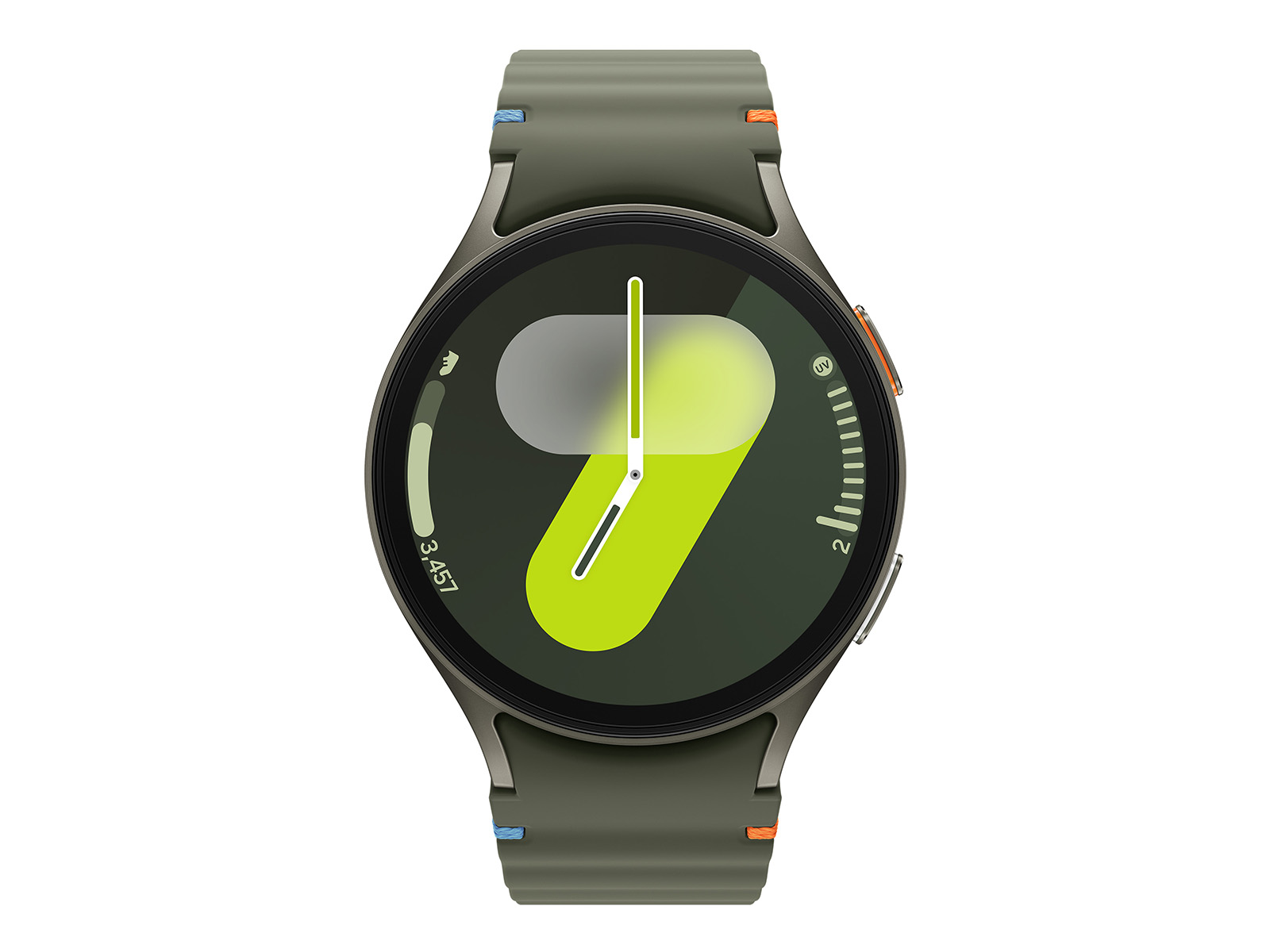
Samsung Galaxy Watch7 44mm Bluetooth Green SM-L310NZGAXAA
Samsung
Buy — The Galaxy S21 exceeds Samsung’s documented Watch 7 pairing requirements of Android 11 or later and at least 1.5GB of RAM.
A compatible watch for Galaxy S21 owners who want the 44mm size and use it alongside their phone. It cannot charge through the S21’s Wireless PowerShare, so keep its charging puck available.Available at Amazon(paid link) — opens Amazon in a new tab. Price and availability shown there.
Sources
Pages consulted while researching this article. None of these are affiliate links.
- Samsung Galaxy Watch device and operating system compatibility — samsung.com
- Samsung Galaxy S21 series datasheet — image-us.samsung.com
- Samsung Galaxy S21 FE specifications — news.samsung.com
- Use Samsung Health Monitor on your Galaxy watch — samsung.com
- Samsung Watch 7 product planning and Energy Score requirements — news.samsung.com
- Set up your Samsung smart watch — samsung.com
- Samsung smart watch will not connect to a phone — samsung.com
- Manage Galaxy Watch app notifications — samsung.com