Sony WH-1000XM5 Multipoint: Connect Two Devices
The question this answersWhere do these come from?
How do I connect two devices at once to my Sony WH-1000XM5 headphones?
Enable multipoint in Sony Sound Connect to connect two devices, then pause one before playing the other; updated firmware also supports LDAC.
The Sony WH-1000XM5 supports Bluetooth multipoint: enable Connect to 2 devices simultaneously in Sony Sound Connect, then connect both devices. You can switch between their audio without reconnecting Bluetooth, but you cannot hear two music streams mixed together.
Connect your phone and laptop in order
You need the WH-1000XM5, two Bluetooth audio devices, and Sony’s mobile app on a phone. No additional adapter is needed when both sources already support Bluetooth audio.
- Pair the headphones with your phone. Open the phone’s Bluetooth settings and select WH-1000XM5. A new or initialized headset enters pairing mode automatically.
- Pair the second device. Hold the headphones’ power button for about 5 seconds, until the blue indicator flashes twice repeatedly and you hear the pairing announcement. Select WH-1000XM5 in the second device’s Bluetooth settings. These are Sony’s model-specific pairing instructions.
- Reconnect the phone and open Sony Sound Connect. Older instructions call this app Sony Headphones Connect.
- Enable multipoint. In the current interface, select All device settings → Connection → Connect to 2 devices simultaneously and turn it on. Sony documents this path in its multipoint support article. Older Headphones Connect layouts place the switch under System.
- Connect the second device again. Use its Bluetooth settings, then confirm that both devices appear as connected in Sony’s app. Sony’s phone-and-computer setup procedure includes this final confirmation.
Check the result with a simple sequence: play something on the phone, pause it, then start playback on the laptop. Repeat in the opposite direction. Start playback on the device you want to hear so the test makes the intended source unambiguous.
Two connections do not mean two simultaneous soundtracks
The WH-1000XM5 maintains two Bluetooth connections while playing music from one source at a time. To change sources, stop playback on the first device and start it on the second. Starting another track while the first is still playing does not force an immediate handover.
The headset’s playback controls target the device that played most recently. Consequently, pressing play on the headphones is less useful for choosing a different source than pressing play directly on that source.
With two smartphones connected, both can wait for incoming calls. However, a second incoming call does not become a merged conversation: Sony says that, during a call on one phone, the other phone rings through its own speaker. These behaviors are described in the WH-1000XM5 multipoint guide.
There is also a distinction between remembered and active devices. The WH-1000XM5 stores pairing information for 8 devices, but multipoint connects only 2 at once. Pairing a ninth replaces the registration with the oldest connection date. You therefore do not need to erase your phone’s pairing whenever you add a tablet. See Sony’s pairing limits.
LDAC works with multipoint on updated firmware
Advice that you must disable multipoint to use LDAC is outdated for an updated WH-1000XM5. Sony’s firmware 2.5.1 documentation explicitly includes LDAC during multipoint among improvements carried forward from earlier updates. That does not mean version 2.5.1 first introduced it; it confirms that this firmware includes the capability. Sony’s firmware release notes.
If the headphones still show the old restriction, check for an update in Sound Connect. Sony documents the installed-version check under Device settings → System. Follow the update instructions through completion before testing multipoint again.
Just want the recommendation?
Skip to the picksThe transmitting device must also support LDAC. The WH-1000XM5 supports SBC, AAC and LDAC, and Sony notes that source-device settings may need adjustment to select a supported higher-quality codec. Turning on multipoint does not add LDAC support to the phone or computer itself. AAC playback from an iPhone is therefore not evidence that multipoint has failed. Sony’s supported-codec documentation.
When both devices connect but only one plays
A paused application can still block the handover. Sony documents that some devices continue transmitting a silent audio signal after music or video stops. The headphones can remain occupied by that stream even though you hear nothing.
Follow this order:
- Confirm that Connect to 2 devices simultaneously remains enabled.
- Stop playback on the first device.
- Close the audio application on that device completely.
- Start playback on the second device again.
Closing the application is the consequential step when pausing alone fails. Sony specifically prescribes it for silent streaming that prevents multipoint switching.
If the second source remains silent, check its volume and selected audio output. A computer can show a Bluetooth connection while sending sound elsewhere. For a calling application, check its speaker and microphone selections too: Sony distinguishes the A2DP connection used for music from HFP/HSP used for headset calls. Its no-sound checklist also recommends restarting the source device, pairing again, and then resetting or initializing the headset if necessary. Initialization deletes pairing information.
For diagnosis, temporarily disconnect one source and test the other alone. If each works separately but switching fails, record the device models, operating systems, applications and headset firmware before contacting Sony support. Persistent failure after these checks needs support assessment; these symptoms alone cannot establish whether a replacement is necessary.
What to buy—and what existing owners can keep
The Sony WH-1000XM5 is a suitable buy for switching between a Bluetooth phone and laptop. There is no reason to skip it for that ordinary two-device use case. Its documented limitation is that it switches audio sources rather than mixing their soundtracks. If you already own it, enabling multipoint requires no additional purchase.
For battery context, SoundGuys measured 31 hours and 53 minutes with ANC enabled in its standard battery test. That is an independent measurement, but it is not a multipoint-specific runtime or a measurement of switching reliability; it should not be presented as either. SoundGuys’ WH-1000XM5 review.
One final connection detail can explain an apparently disappearing device: when you connect a third paired source, Sony says the WH-1000XM5 retains the device that last played music and disconnects the other to make room. Check which two are connected before repeating pairing or assuming the headset forgot your laptop. Sony’s third-device behavior.
The bottom line
The one thing to buy first:
Top pick
Buy this
Sony WH-1000XM5 Wireless Noise Canceling Headphones
Sony
Sony documents two simultaneous Bluetooth connections and LDAC multipoint support in firmware 2.5.1, while limiting music playback to one source at a time.
Supports switching between two connected Bluetooth devices, with LDAC available on updated firmware. It cannot mix audio from both sources, and existing owners need no additional hardware.Available at Amazon(paid link) — opens Amazon in a new tab. Price and availability shown there.
Recommended products
Ordered by how well each one fits the situations above. Each link below is a paid link.
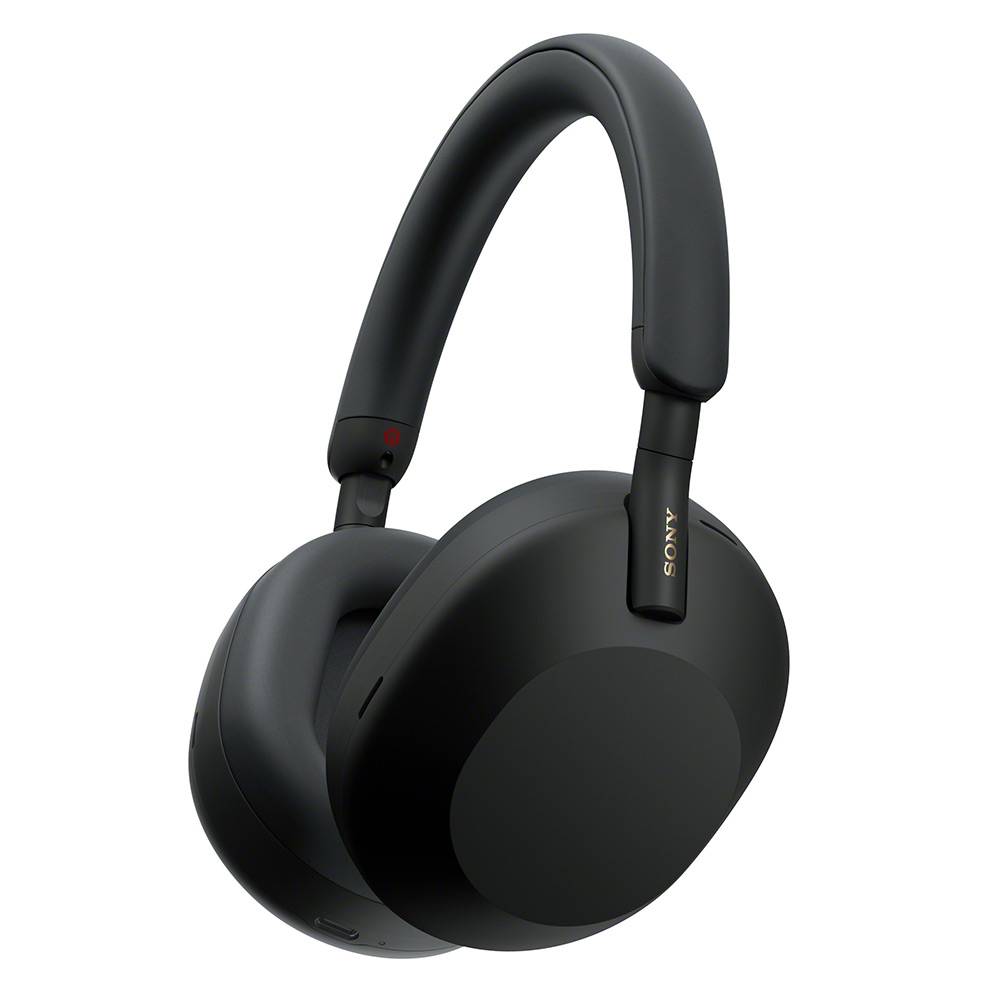
Sony WH-1000XM5 Wireless Noise Canceling Headphones
Sony
Buy — Sony documents two simultaneous Bluetooth connections and LDAC multipoint support in firmware 2.5.1, while limiting music playback to one source at a time.
Supports switching between two connected Bluetooth devices, with LDAC available on updated firmware. It cannot mix audio from both sources, and existing owners need no additional hardware.Available at Amazon(paid link) — opens Amazon in a new tab. Price and availability shown there.
Sources
Pages consulted while researching this article. None of these are affiliate links.
- Sony WH-1000XM5 Help Guide: Pairing and connecting with a Bluetooth device — helpguide.sony.net
- Sony: No sound from the second device during multipoint — sony.co.in
- Sony: Connect headphones to two devices simultaneously — sony.com
- Sony WH-1000XM5 Help Guide: Multipoint connection — helpguide.sony.net
- Sony WH-1000XM5 Firmware Update to Version 2.5.1 — sony.com
- Sony WH-1000XM5 Help Guide: Supported codecs — helpguide.sony.net
- Sony WH-1000XM5 Help Guide: No sound — helpguide.sony.net
- SoundGuys: Sony WH-1000XM5 review — soundguys.com